
📄 AI Document Summary
WiseMind AI can quickly process various documents including web pages, PDFs, Markdown, Word docs, HTML, and TXT files to provide comprehensive and precise summaries. Whether it's lengthy academic papers, complex business reports, or standard office documents, WiseMind AI efficiently extracts key information to help users grasp the core content in a short time.
Basic Setup
Please configure your Large Language Model API Key first.
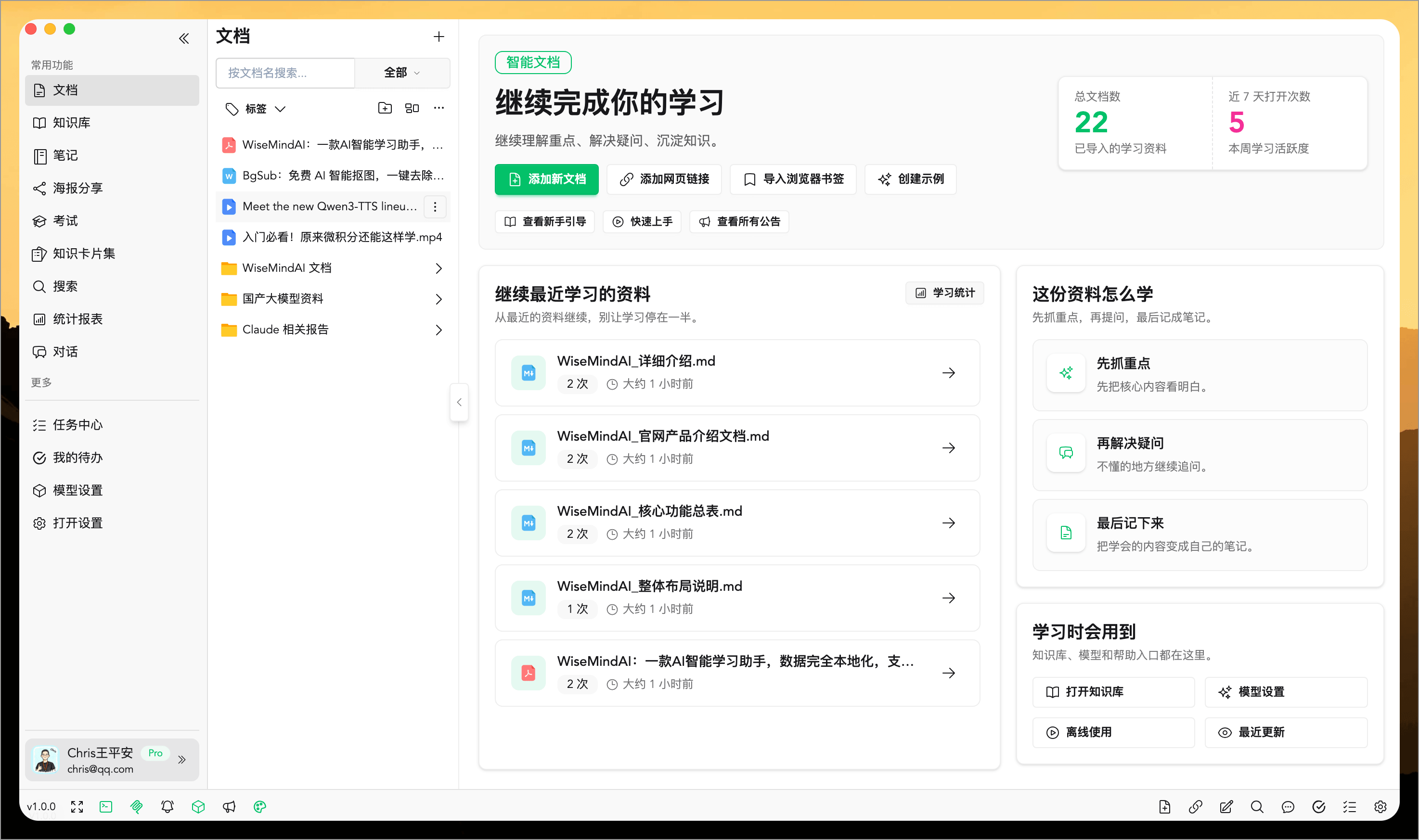
💡 Feature Overview
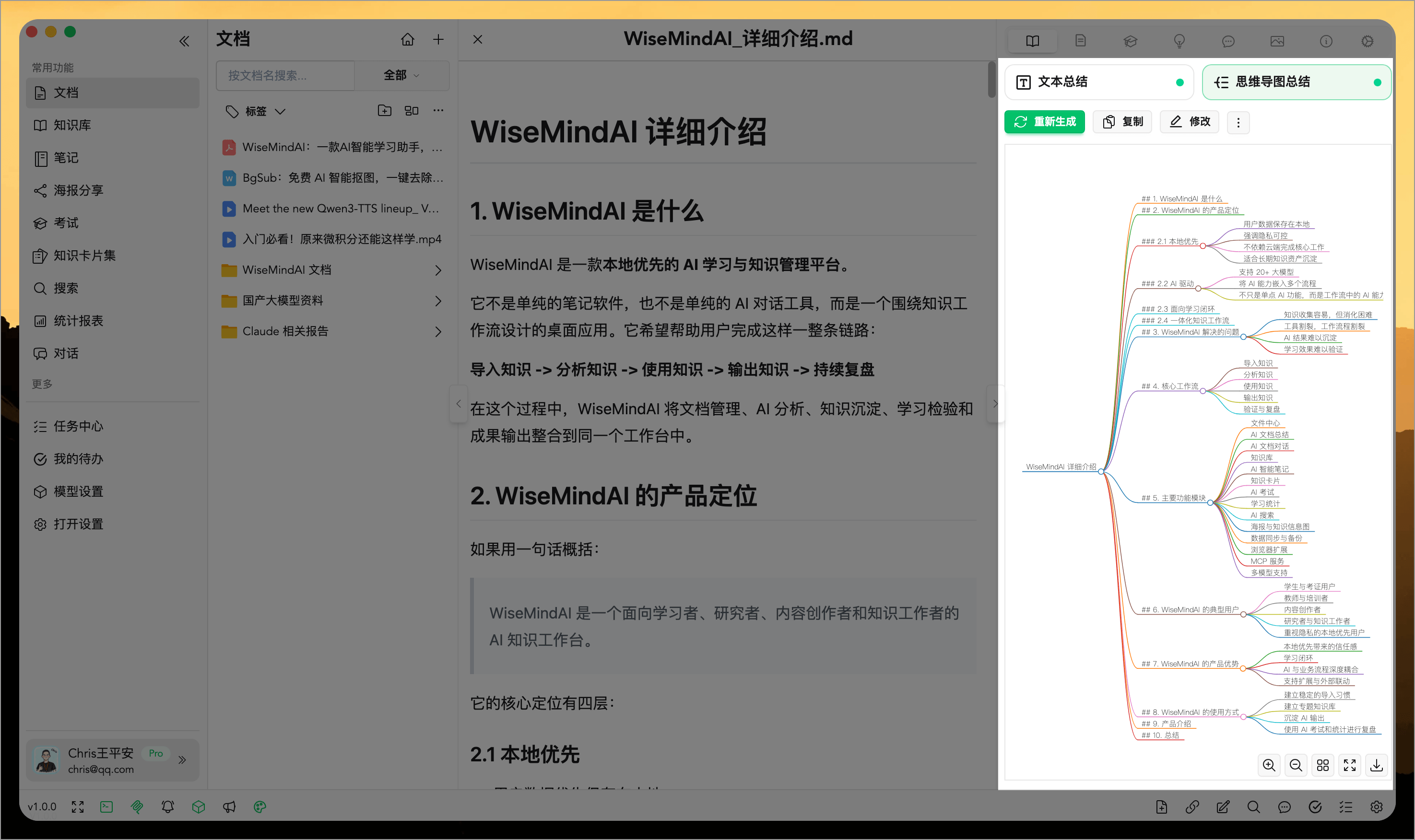
In addition to generating concise and clear "Text Summaries", WiseMind AI can also create "Mind Maps, which is very helpful for quick learning and information organization.
📖 User Guide
After opening any document, you can directly generate a "Text Summary" or "Mind Map" in the right-hand panel with support for the following features:
- Bidirectional Conversion: You can convert between results; for example, an existing text summary can be converted into a mind map to greatly improve generation efficiency.
- Editability and Re-generation: All generated results support editing, saving, and re-generating, allowing users to optimize the content as needed.
- Export and Save Notes: You can export content or save it as notes for easier storage.
1. Generate Text Summary
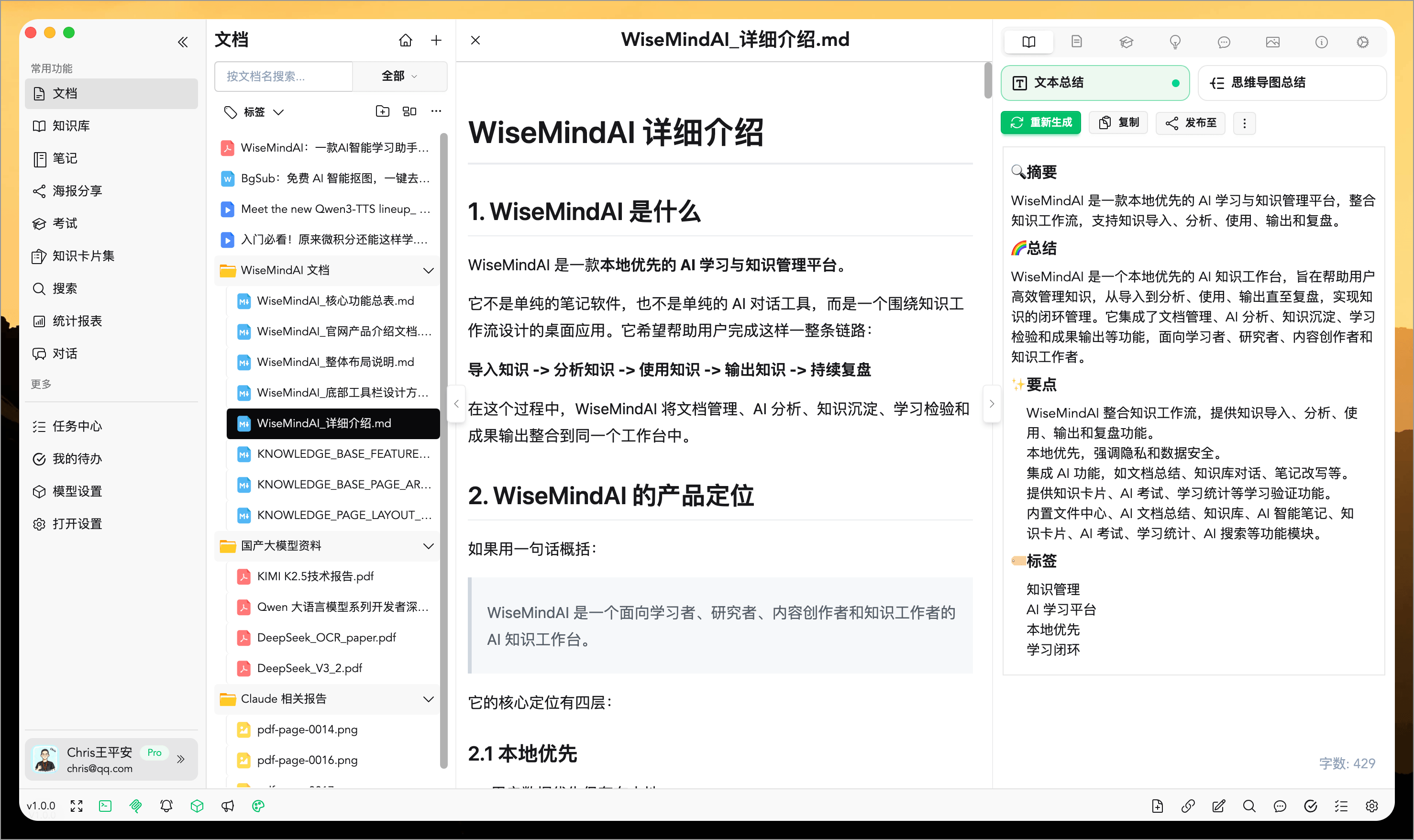
For PDF documents, you can specify a page range before generating the summary. For instance, summarize only pages 3 to 8, process just one chapter, or skip the cover, table of contents, and appendices.
This feature is ideal for long papers, lecture notes, research reports, and e-book materials. You don't need to summarize an entire PDF every time; you can process by chapters first, then generate knowledge cards or exam questions based on key content.
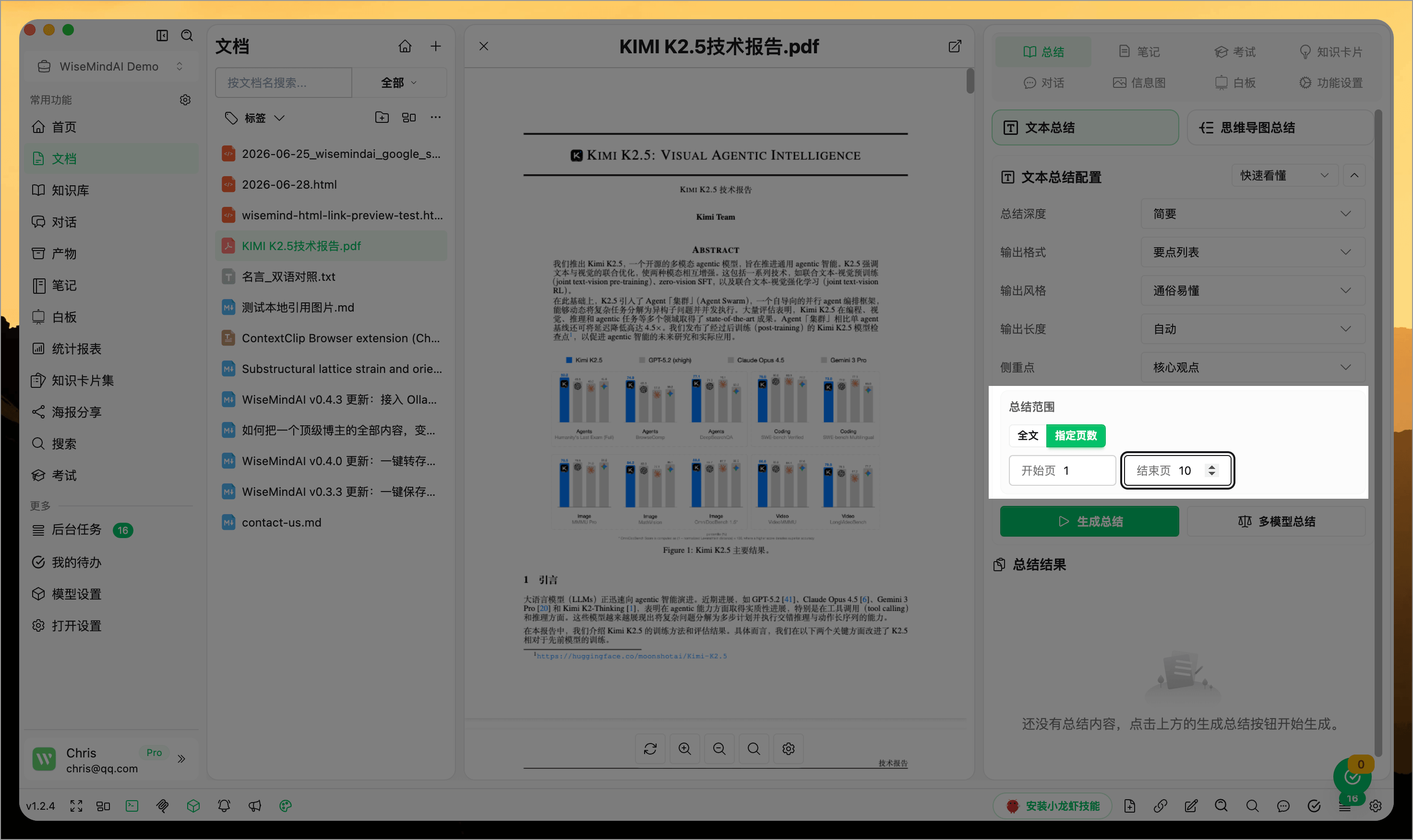
2. Generate Mind Map
3. Custom Prompts
WiseMind AI has a built-in set of prompts for document text summarization. If you want to generate summaries with more specific details or in different styles, click the prompt selector and choose an appropriate prompt:
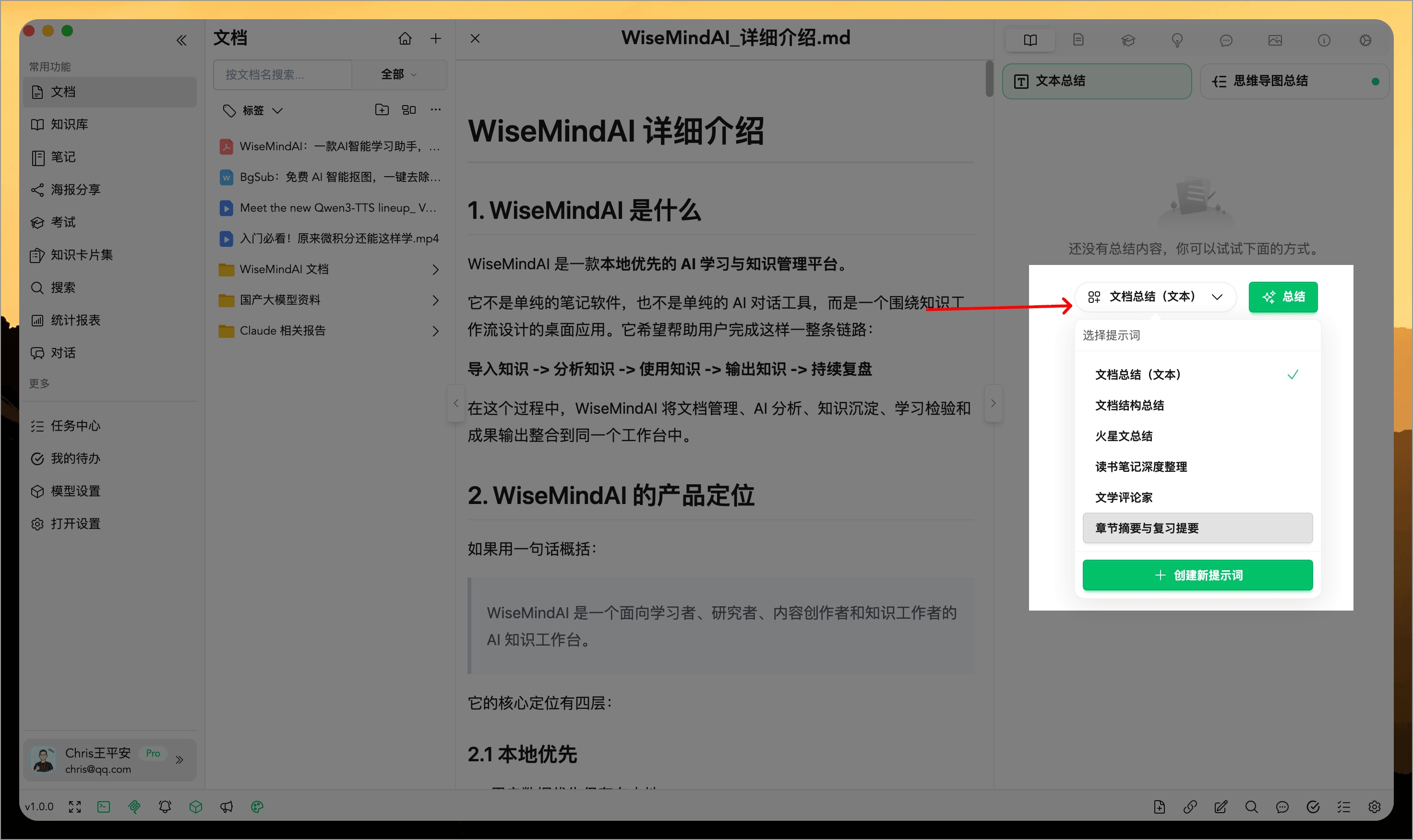
Prompts are also customizable by users.
4. Generate an AI Knowledge Outline
In addition to text summaries and mind maps, a document can generate an AI Knowledge Outline. It reorganizes the content into modules and knowledge points, then identifies core knowledge, common pitfalls, and actionable information.
Knowledge outlines are especially useful for systematically studying long documents. After selecting a knowledge point, you can jump to the source, ask follow-up questions, or create a note, knowledge card, or exam.
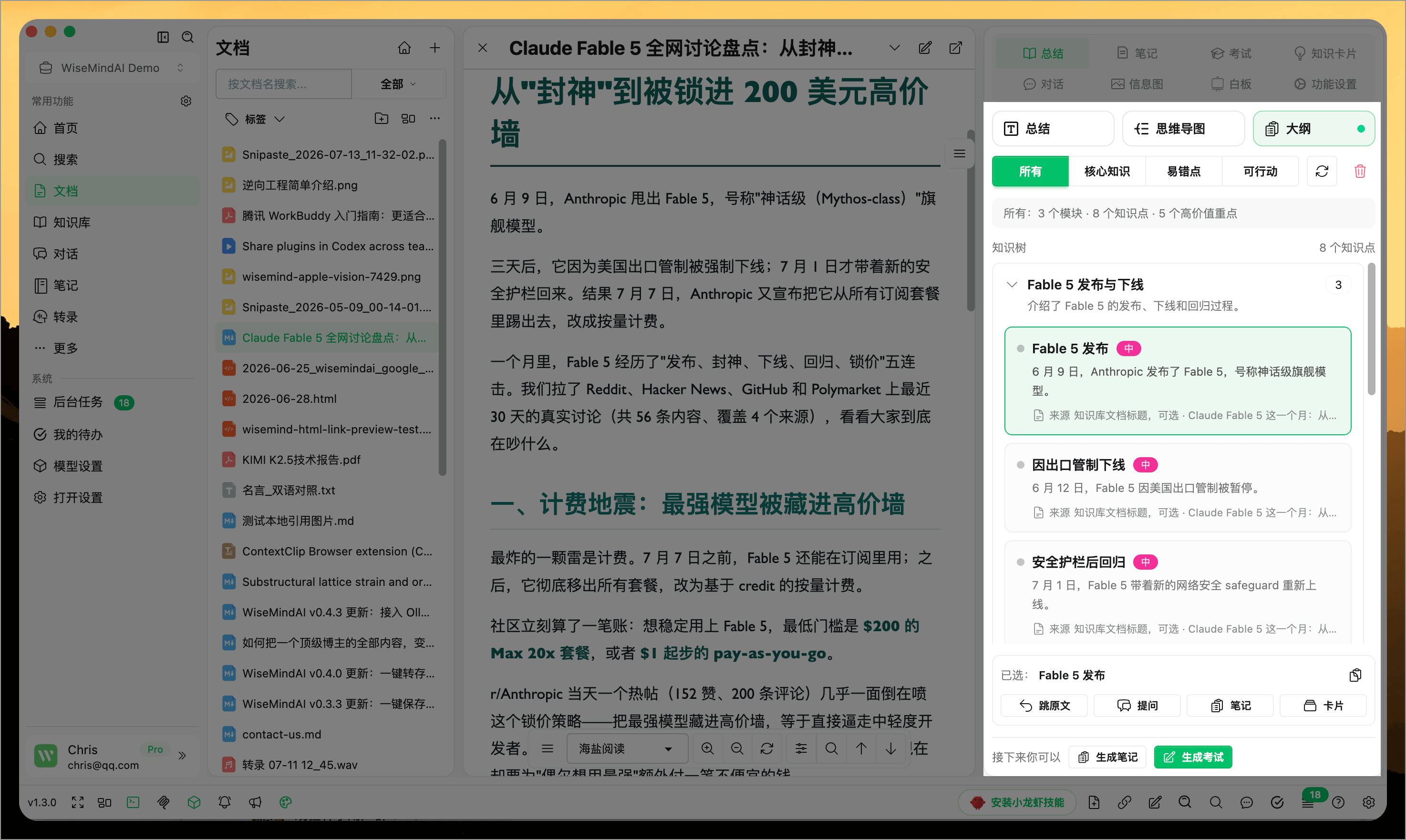
See AI Knowledge Outline for the complete workflow.
Suitable Scenarios
- Quickly understand PDFs, papers, reports, and long web pages
- Summarize only specific pages or chapters within a PDF
- Summarize local files like Markdown, HTML, and TXT
- Compress material into an abstract first, then save it as a note
- Convert summary results into mind maps to aid review and explanation
- Generate summaries in styles that suit you best using custom prompts
FAQ
Can WiseMind AI summarize PDFs?
Yes. WiseMindAI's document summarizer is suitable for processing PDFs, web pages, Markdown, Word docs, HTML, and TXT files, generating text summaries or mind maps.
Can I summarize only specific pages of a PDF?
Yes. The PDF summary feature supports specifying page ranges, making it ideal for processing just one chapter, section, or key pages.
Can the summarized results be edited further?
Yes. Generated summaries support editing, saving, and re-generation. They can also be saved as AI notes for continued organization, rewriting, or expansion.
What is the difference between Document Summarization and Document Chat?
Document summarization is best suited for quickly grasping overall content; AI Document Chat allows you to follow up on details, reasons, steps, or conclusions regarding a specific document.
Which should I choose: a text summary, mind map, or knowledge outline?
Use a text summary to read the conclusions quickly, a mind map to see the hierarchy visually, and a knowledge outline to filter individual points, jump to the source, and create further study materials.