
v1.0.0 Release Notes
This is the default update document for our initial launch.
Today, WiseMindAI 1.0 has officially launched.
Honestly, writing this sentence made me recall an article I wrote earlier: Reflecting on the Original Intent Behind WiseMindAI's Development. The emotions were quite mixed.
From its official launch (click here to read the original post) until now, over this past year, Chris has received countless feedbacks, fixed innumerable bugs, and even completely rebuilt several core modules.
For nearly a month, I worked at high intensity almost every day—just to get it into the state where I felt "satisfied". And finally, here we are.
Some might ask: Why only release version 1.0 after one year?
In my mind, version 1.0 means core features are mature and stable, the experience is consistent, the workflow is complete, and it can withstand real-world usage tests. Over the past year, I was essentially exploring alongside users to figure out which features truly work, where we went astray, and what details were off. Thank you early adopters for your feedback; it helped me clarify many things.
Now, I feel ready.
What is WiseMindAI?
WiseMindAI is a locally-first AI learning and knowledge workspace. It brings together the Document Center, Knowledge Base, AI Workspace, Note Center, Knowledge Cards, AI Exams, Learning Statistics, Poster Designer, Data Sync, local API, Embedding model, large language model, mind map, browser extension, Obsidian plugin, selection menu, local folder, document, note, workspace, output, and workspace into a unified workflow. This ensures that data processing, knowledge consolidation, and result generation all happen in one place.
WiseMindAI Official Website: https://wisemindai.app/
Chris's Personal Blog: https://aichris.cc/
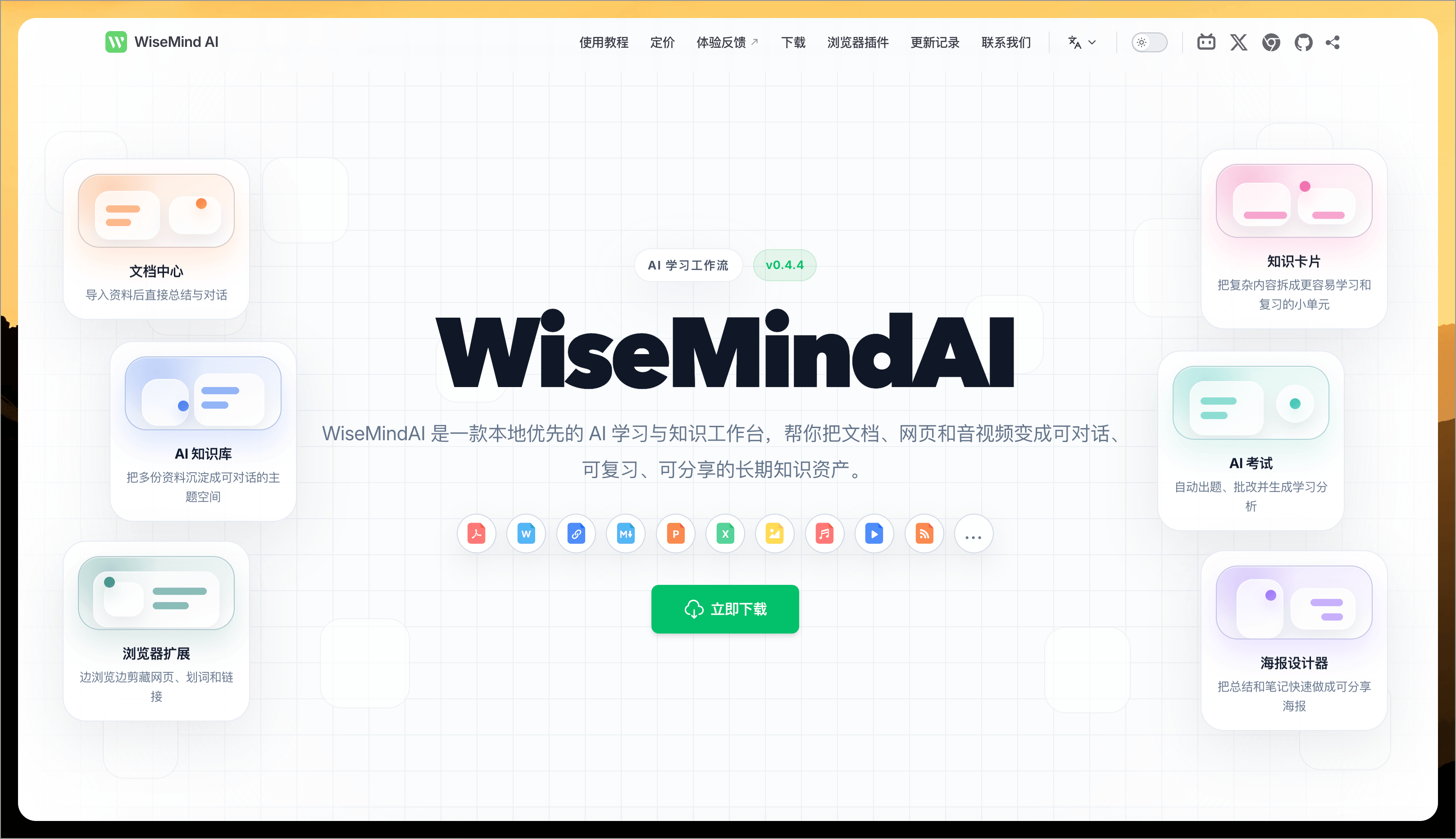
WiseMindAI aims to help you turn "accumulating resources" into "actually learning."
Many people have this experience: their favorites are full, PDF folders are piled high, and note-taking software is cluttered with entries—but the amount of knowledge they can truly revisit is surprisingly small.
Collecting isn't the problem; digestion is. WiseMindAI's entire design revolves around this chain:
Knowledge Collection -> Knowledge Consolidation -> Knowledge Processing -> Knowledge Review & Output
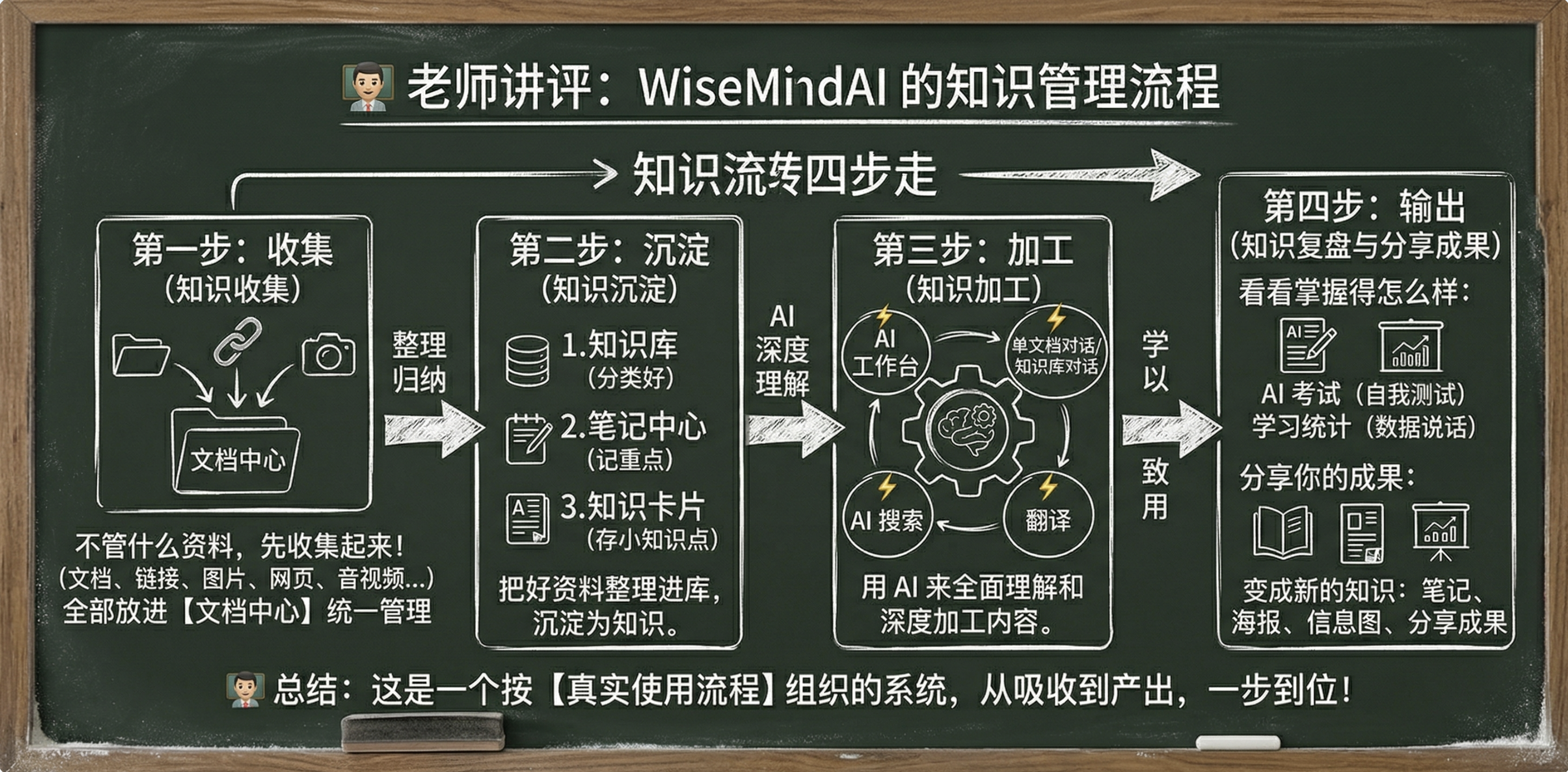
Next, Chris will introduce the core features of WiseMindAI so new friends can quickly get an overview.
Model Support
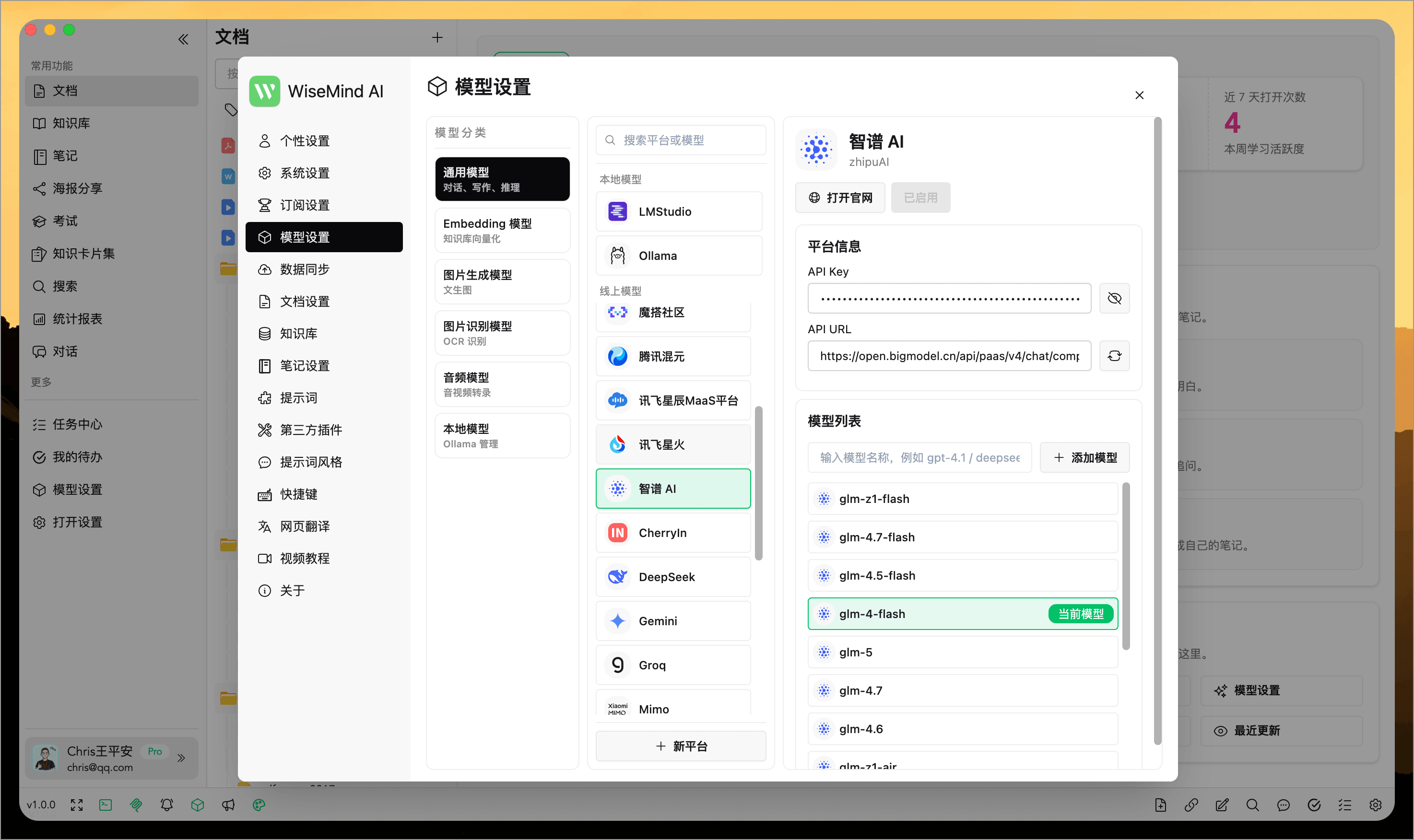
WiseMindAI supports 20+ mainstream providers for free selection and configuration, including OpenAI, Gemini, Ollama, Zhipu AI (智谱 AI), DeepSeek, Doubao (豆包), and others.
You can pair different models with specific tasks, making scenarios like summarization, Q&A, recognition, image generation, etc., more flexible. This also gives users greater control over performance, cost, and usage habits.
Full support for Ollama local models means you can use all features entirely locally:
Core Features Overview
You can get a general idea of WiseMindAI's core features from this overview image first:
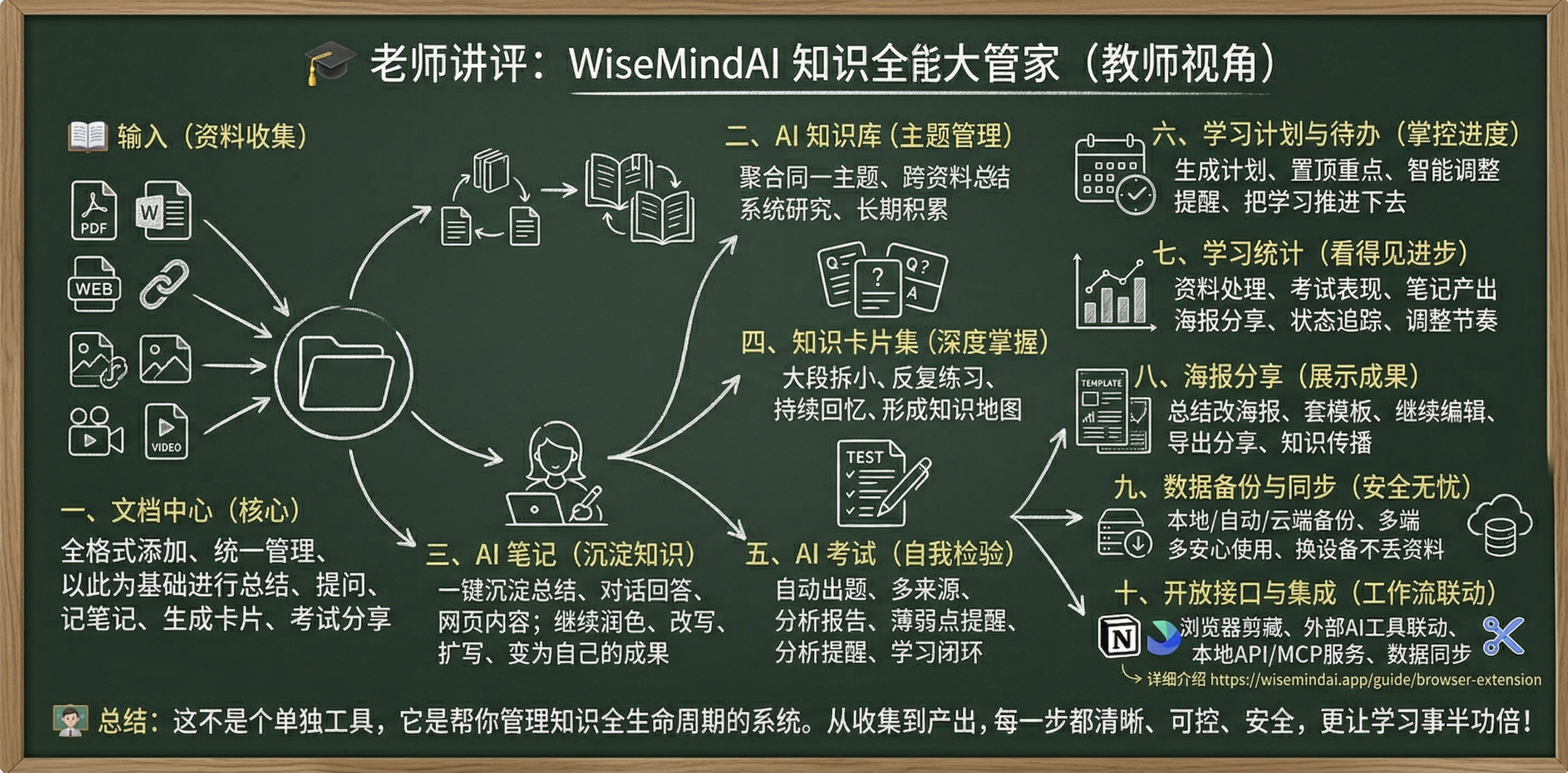
Let's dive into the details below:
I. Document Center
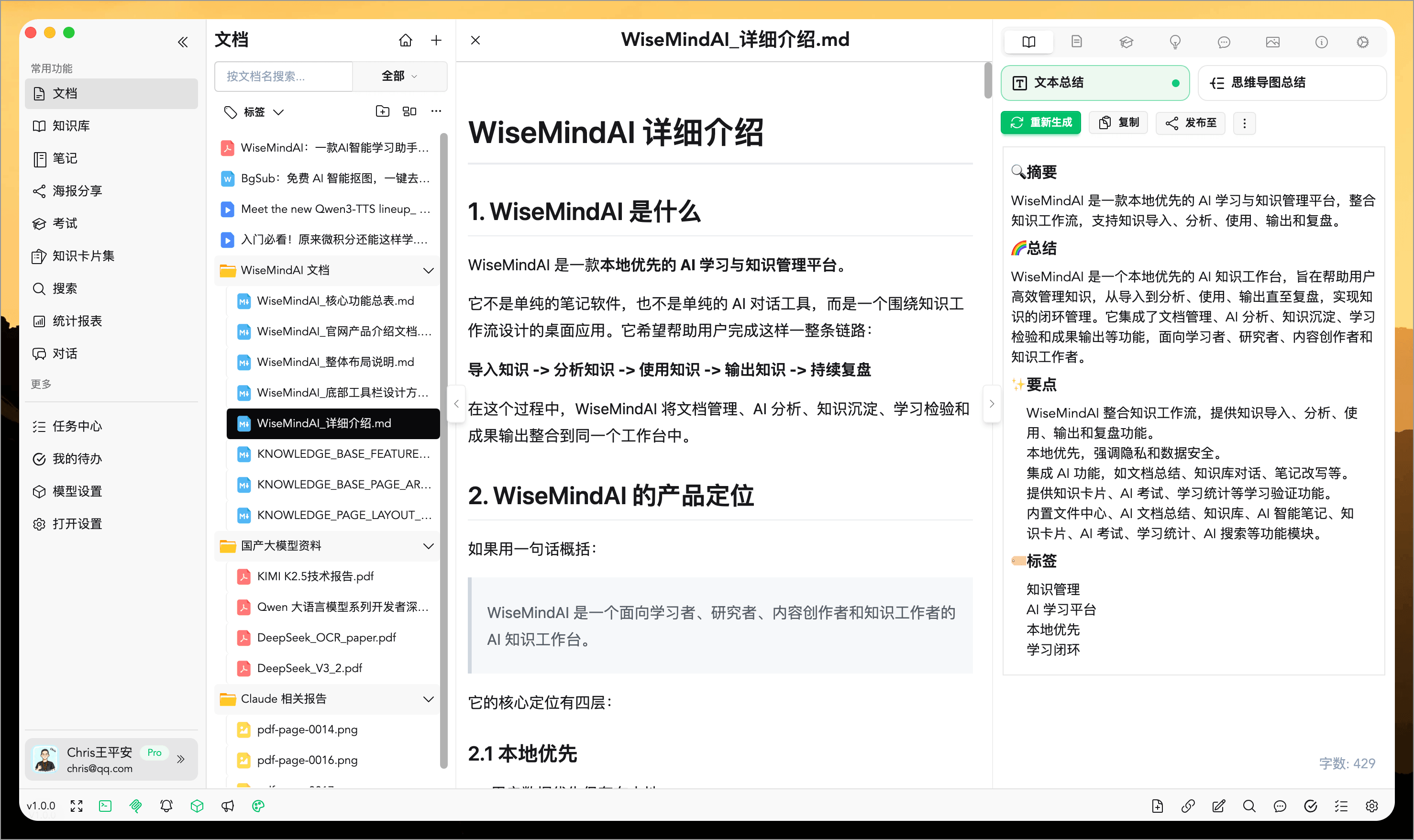
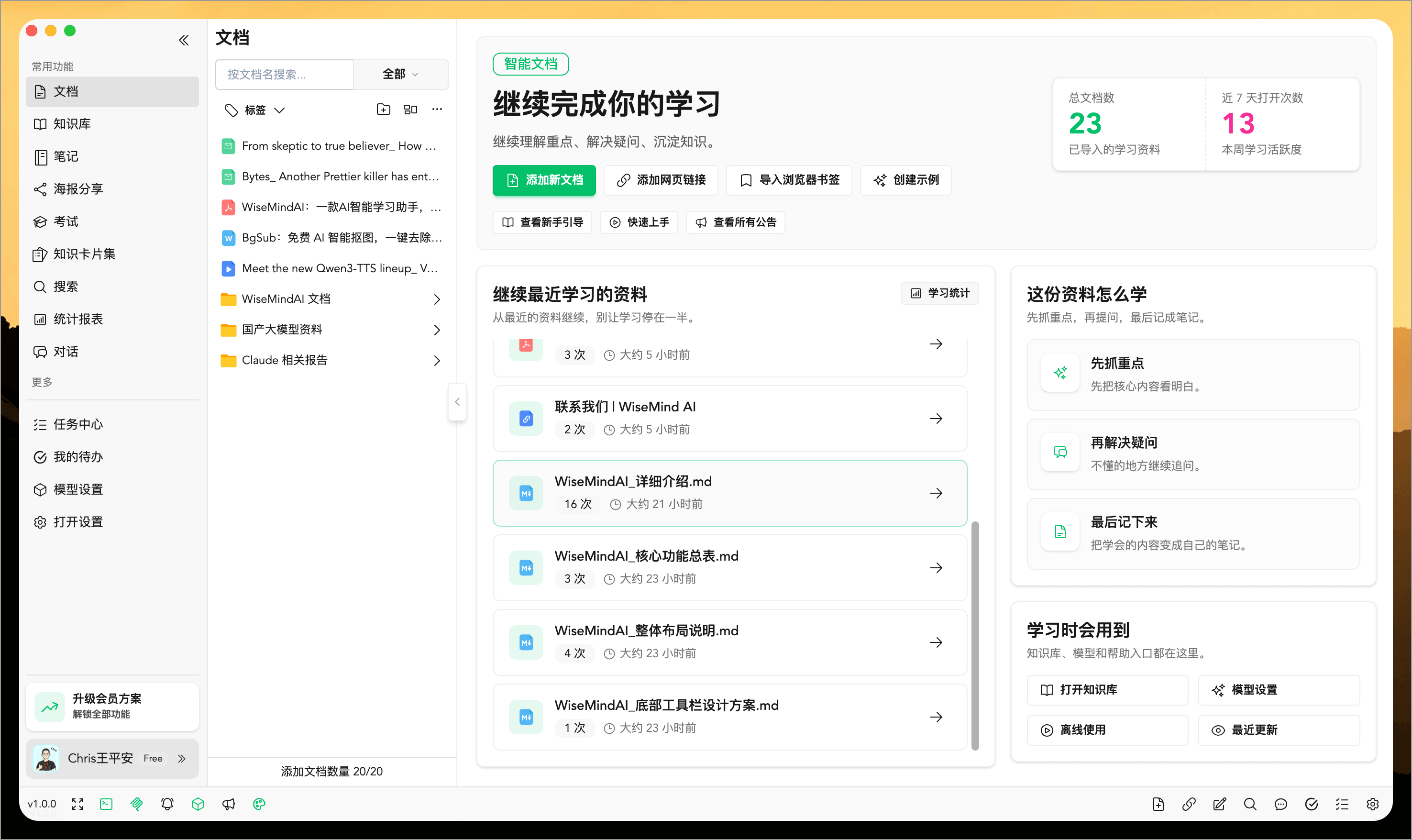
The Document Center is a core feature of WiseMindAI. You can add PDFs, Word documents, web links, images, or audio/video materials and manage them all in one place. Then you can continue to perform summarization, Q&A, note-taking, knowledge card generation, exam creation, and content sharing—ensuring every piece of material is truly utilized.
II. AI Knowledge Base
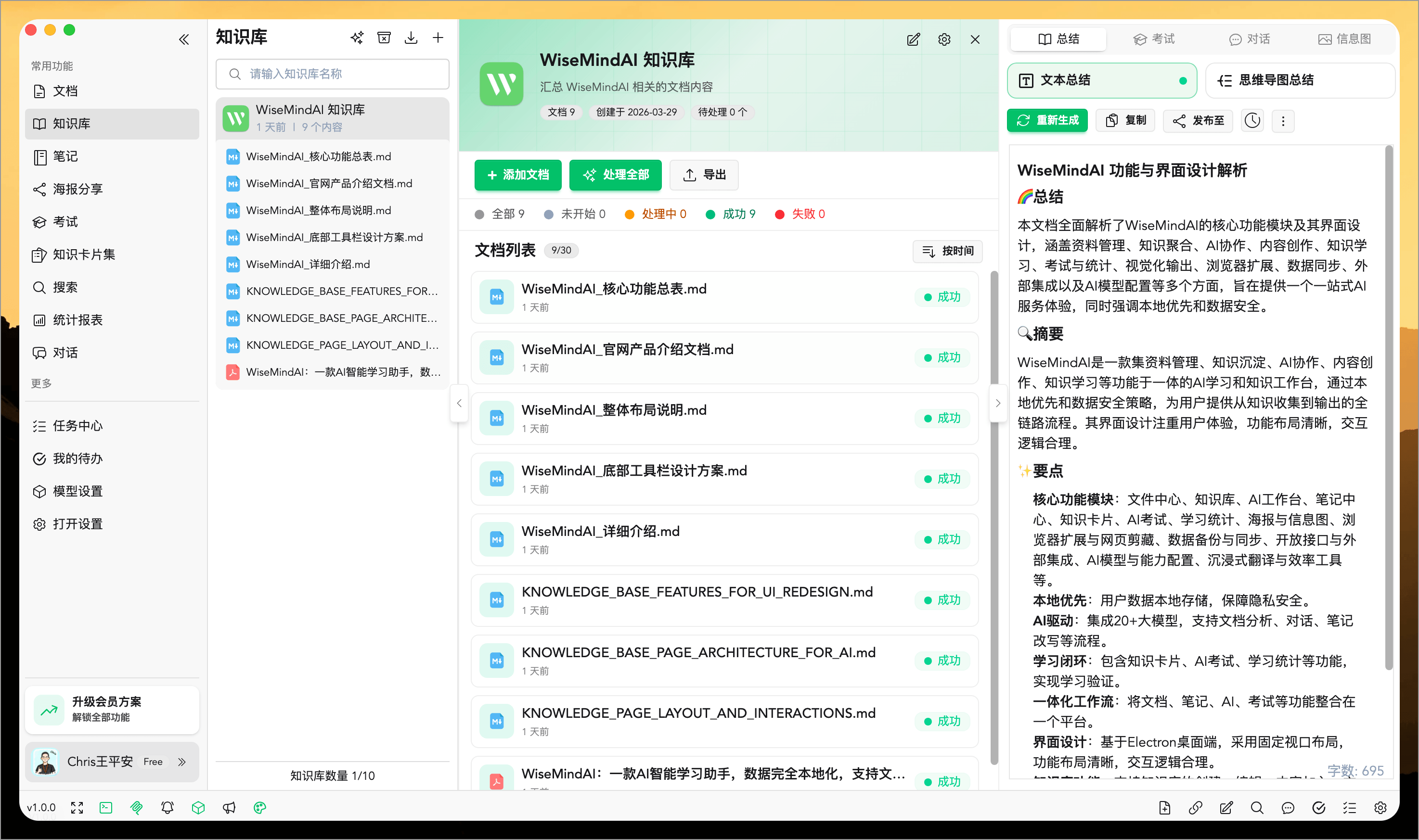
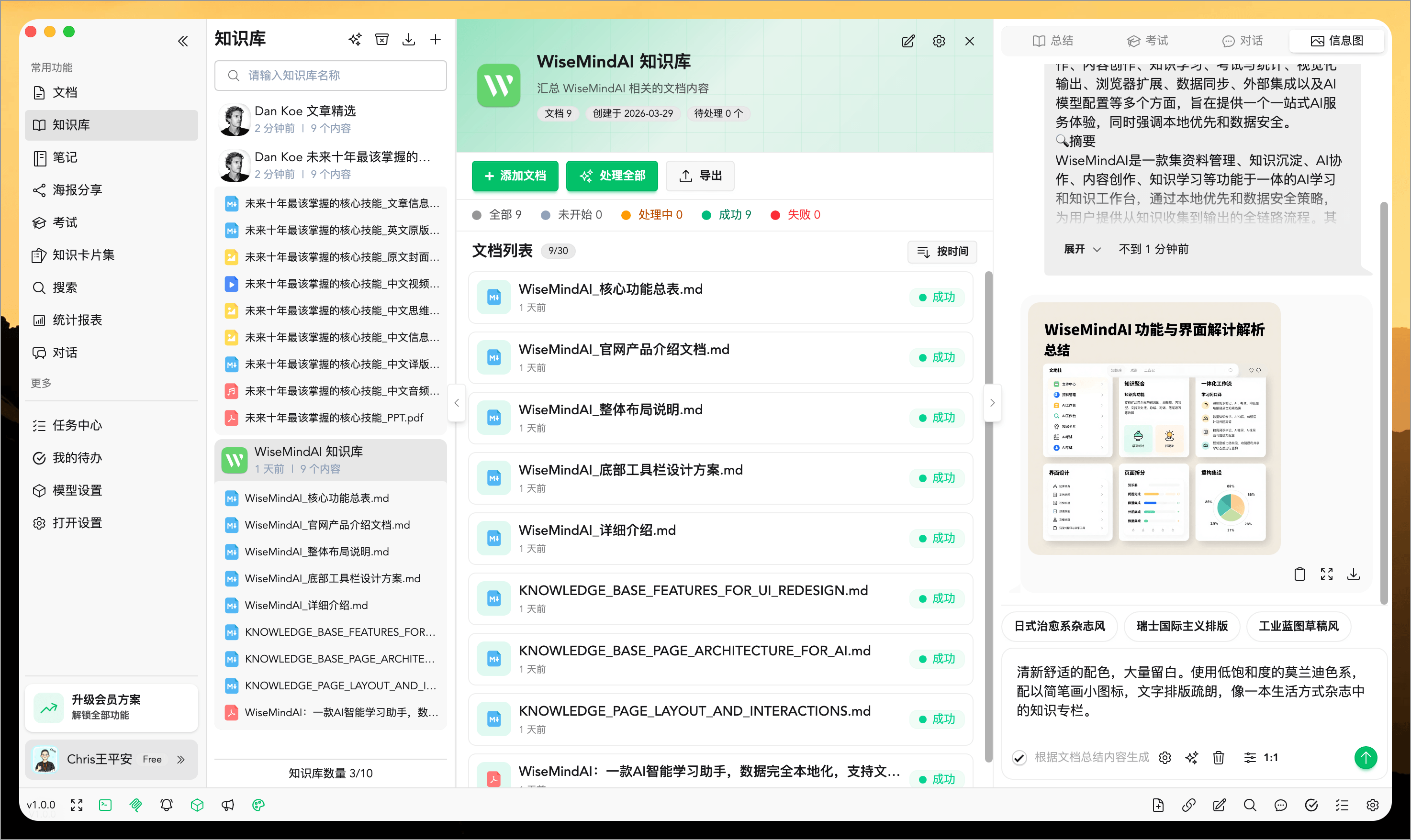
If the Document Center manages individual resources, the AI Knowledge Base manages topics. You can aggregate documents, notes, and links under the same topic to perform cross-resource summarization, unified Q&A, and collective learning—making it ideal for specialized study sessions, systematic research, and long-term accumulation.
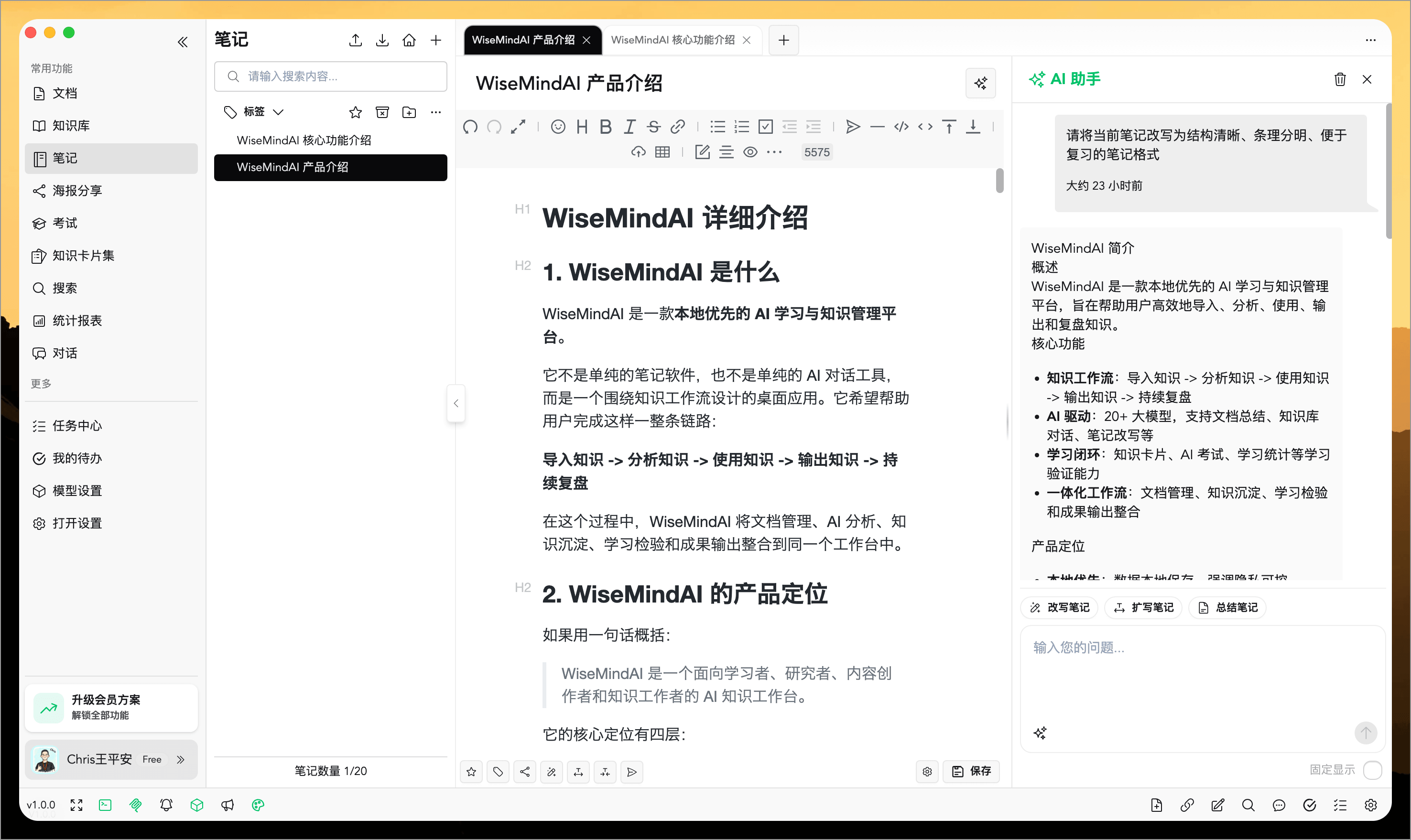
III. AI Note Center
WiseMindAI doesn't just help you "understand"; it also helps you "record." It can turn document summaries, web content, and high-quality answers from AI conversations into notes with a single click, allowing for further organization, rewriting, expansion, compression, and polishing—turning scattered information gradually into your own knowledge assets.
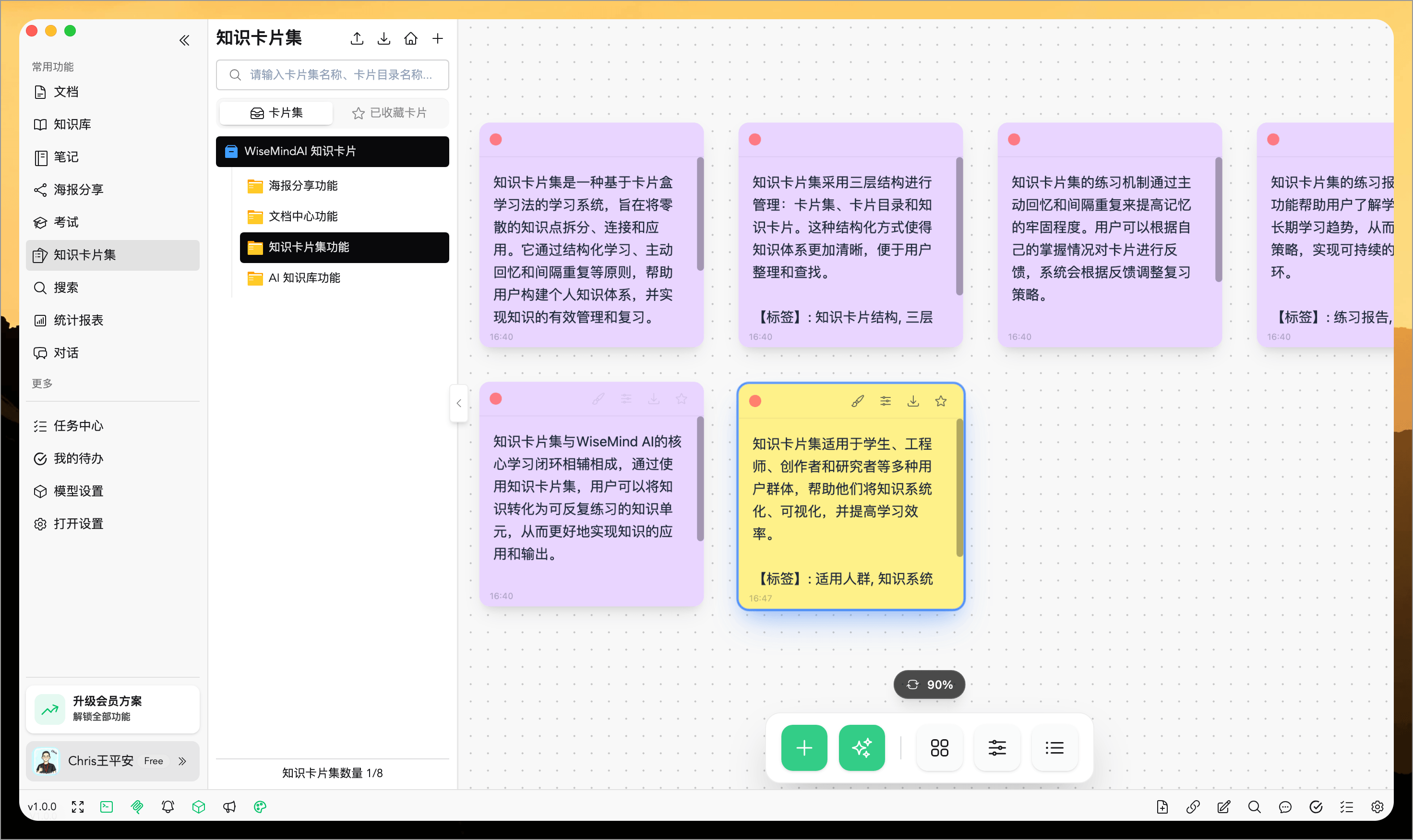
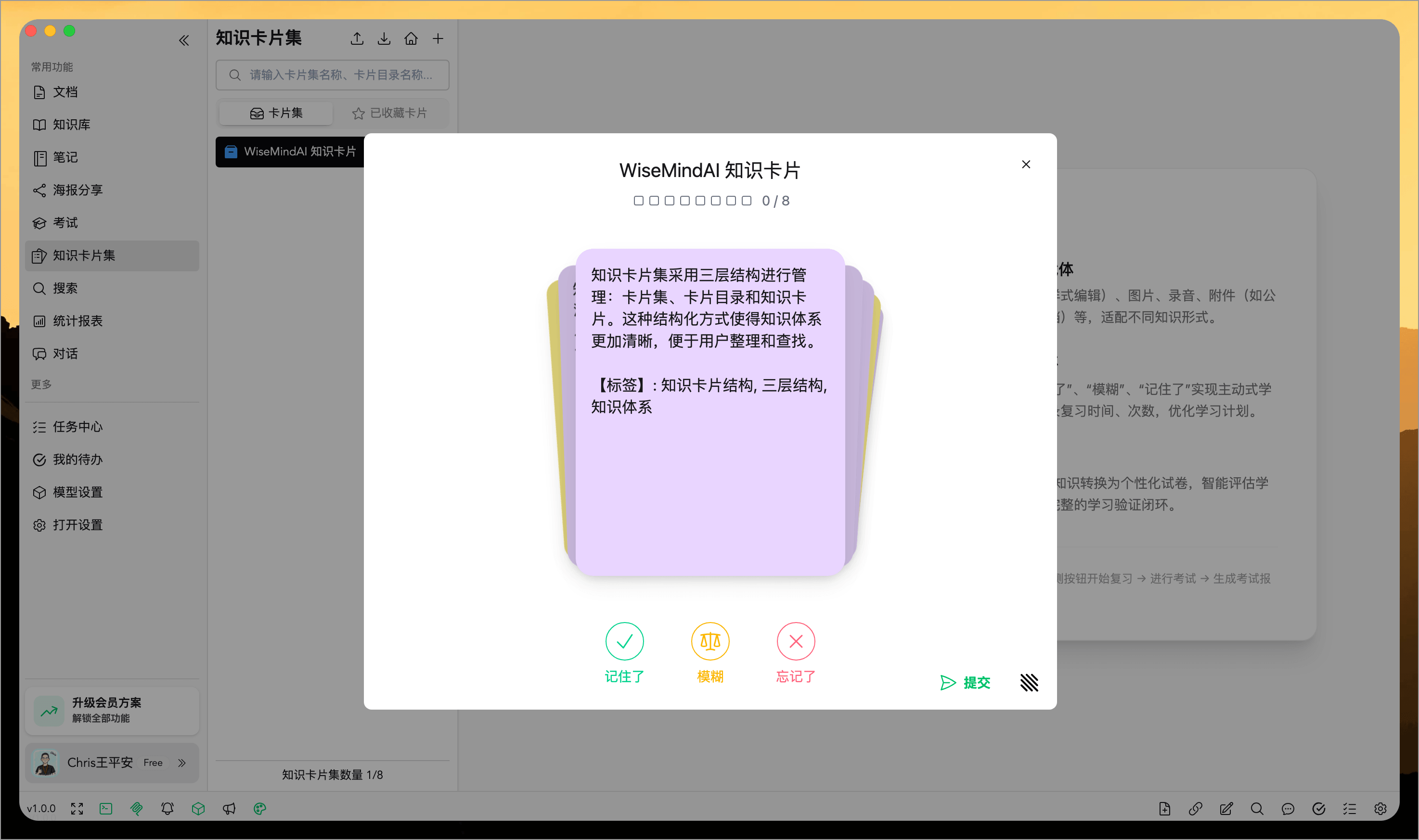
IV. Knowledge Card Sets
Knowledge Card Sets break down large blocks of content into individual, practiceable review cards, ensuring learning doesn't stop at "having seen it." It emphasizes true mastery: breaking knowledge into small pieces, practicing repeatedly, recalling continuously, and refining through feedback to build your own personalized mind map.
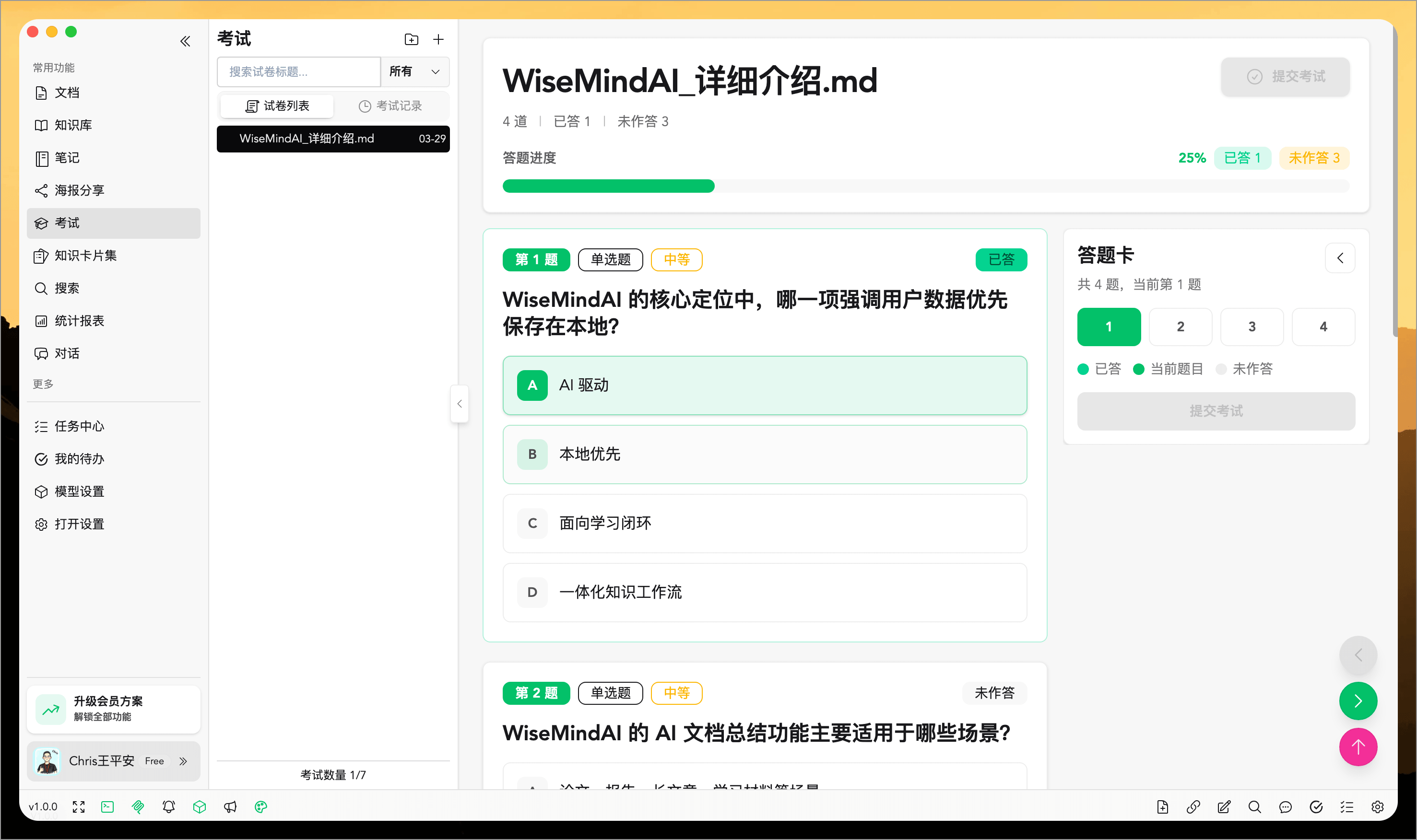
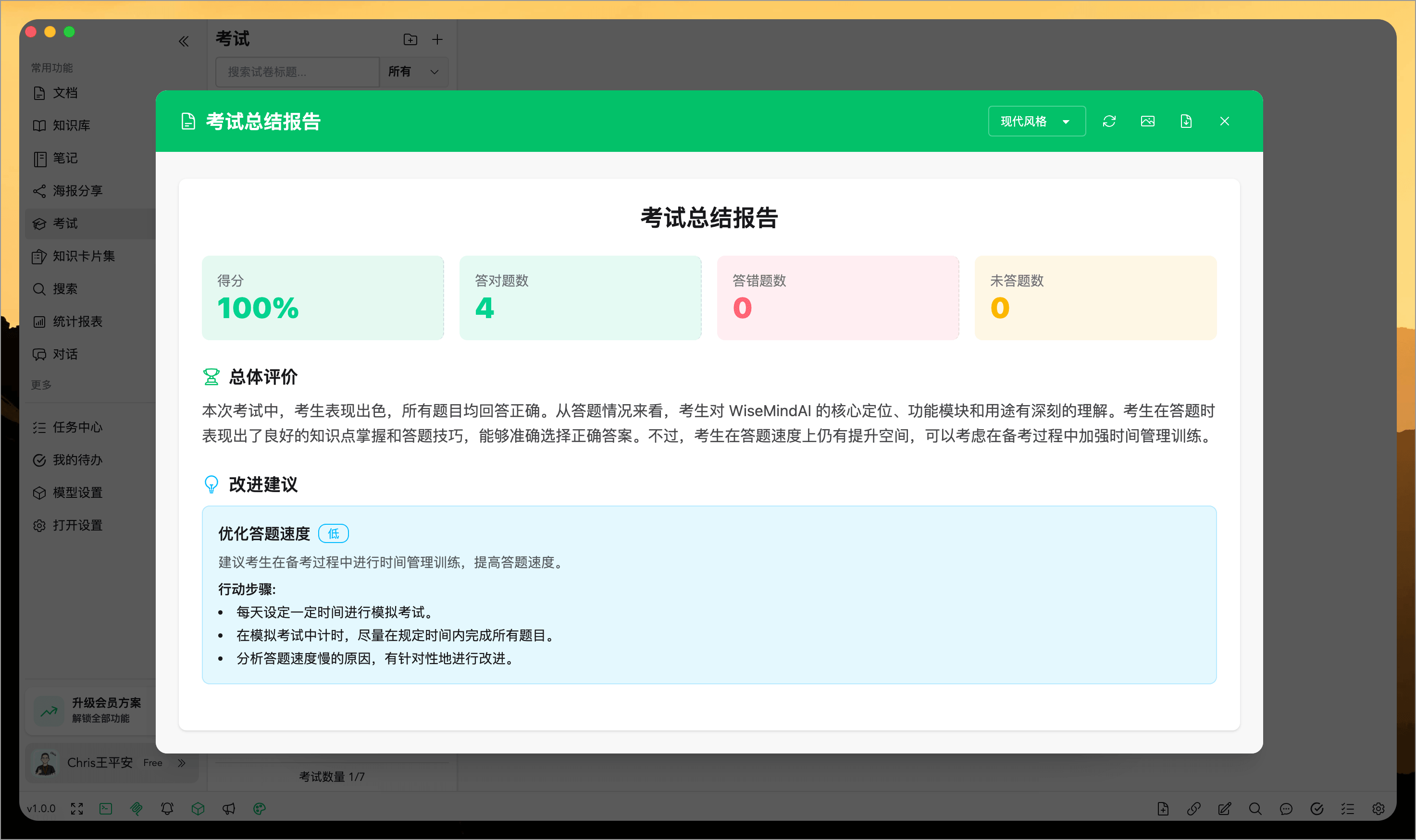
V. AI Exams
After learning, the most important step is to assess how much you've truly mastered. AI exams can automatically generate quizzes based on documents, knowledge bases, knowledge card sets, or even your manually entered content, then provide analysis reports, highlight weak areas, and offer improvement suggestions—helping you complete the "learn → test → improve" loop.
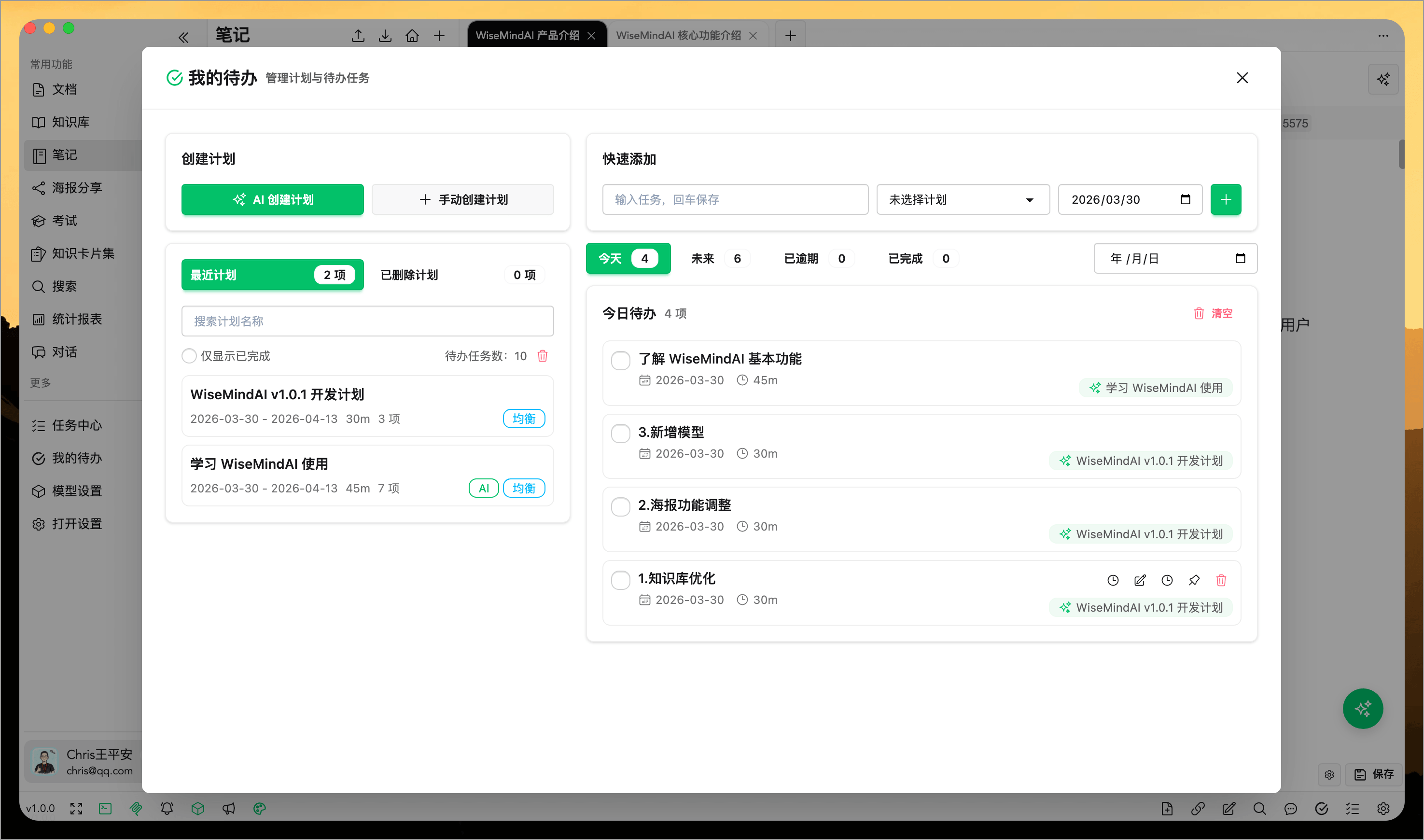
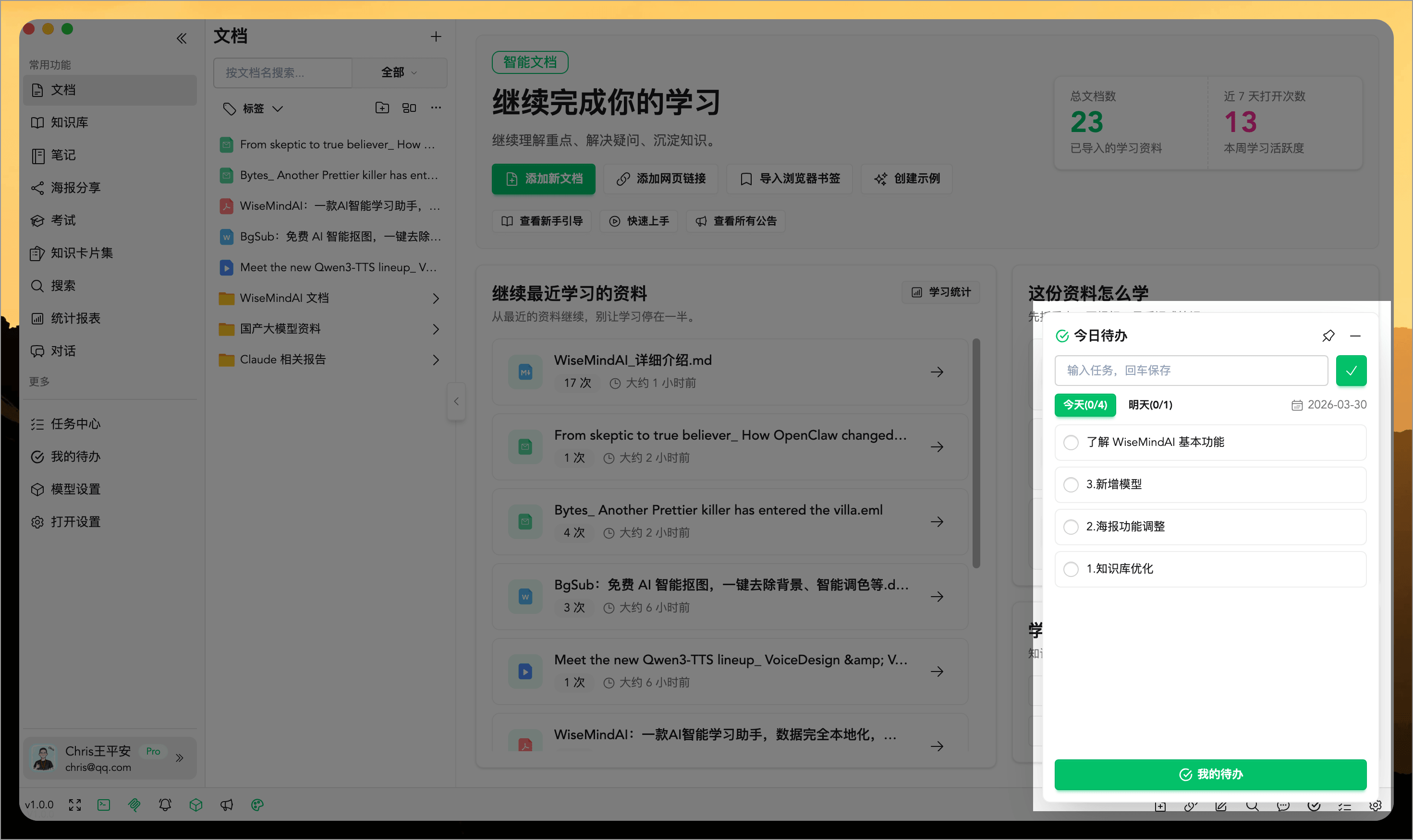
VI. Learning Plans and To-Dos
WiseMindAI doesn't just help you organize knowledge; it also clarifies what to learn, when to learn it, and what to do first.
It supports generating learning plans, managing daily to-dos, and prioritizing key tasks, while intelligently adjusting schedules based on actual progress. With repeat reminders, it reduces the problem of plans becoming chaotic or tasks piling up. This ensures you're not just having access to materials but actually making real progress in your studies.
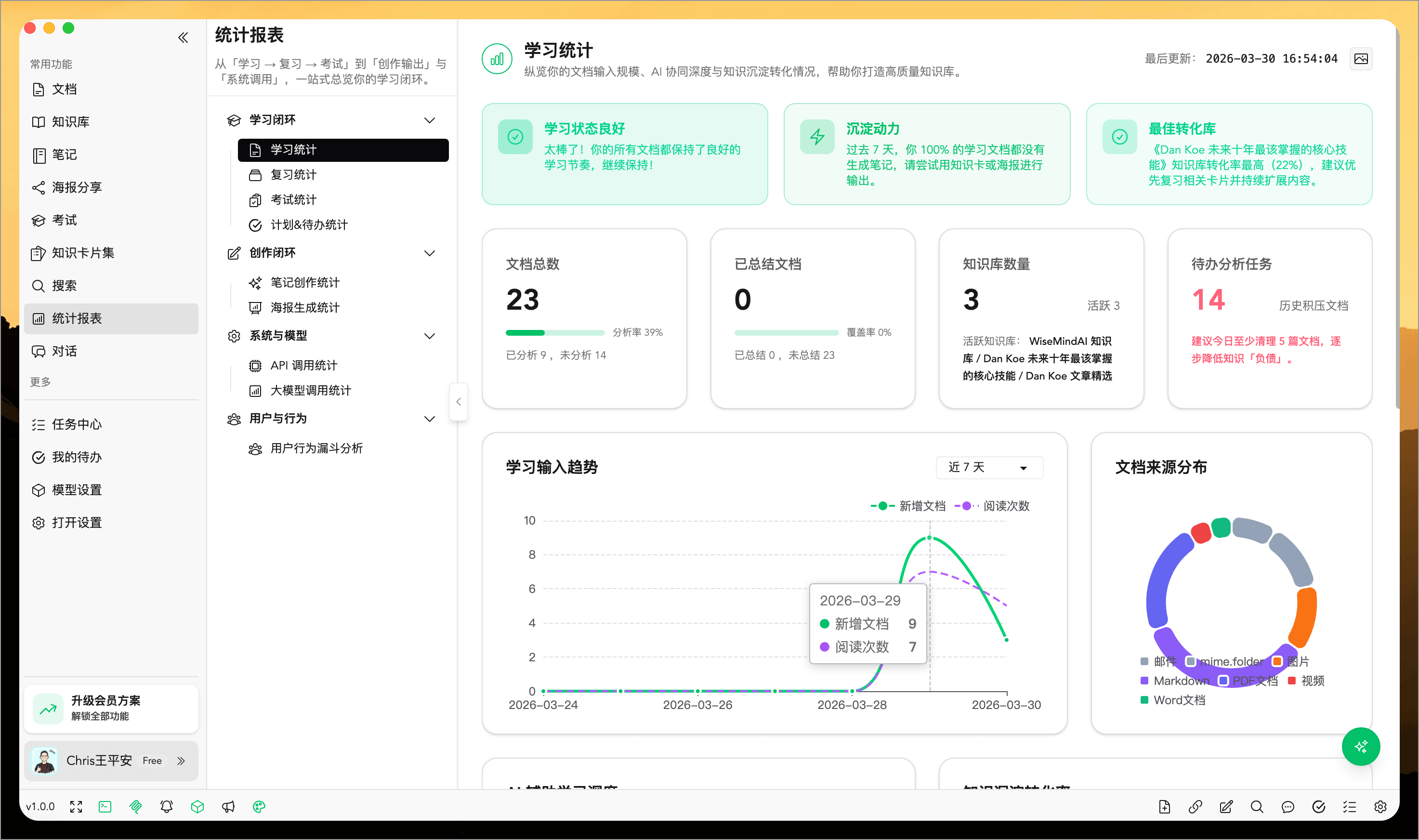
VII. Learning Statistics
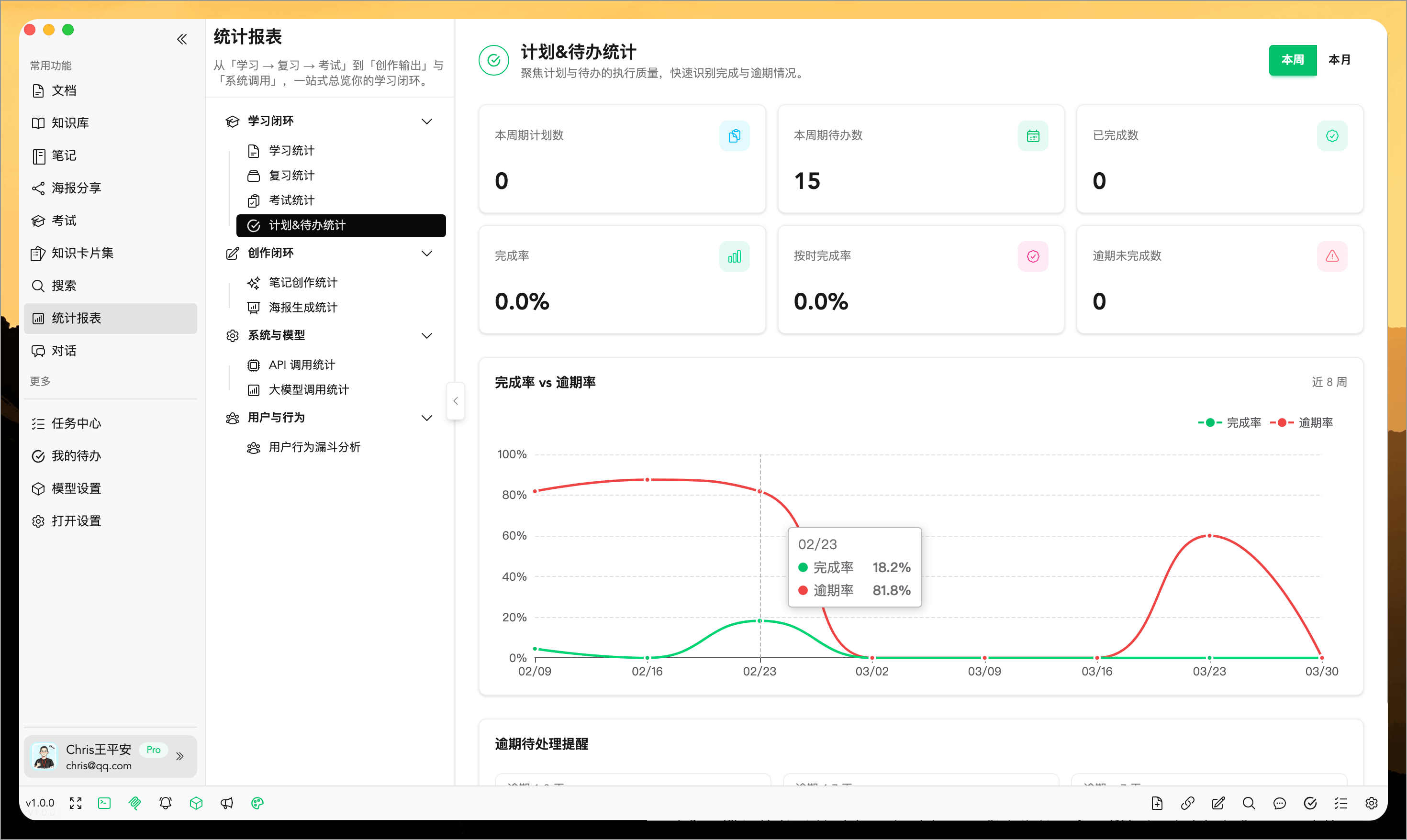
WiseMindAI doesn't just record what you've learned; it tells you how well you've done so. It continuously tracks document processing, review rhythm, exam performance, note output, and poster generation—turning vague learning states into visible trends to help users adjust their pace more effectively.
VIII. Poster Sharing
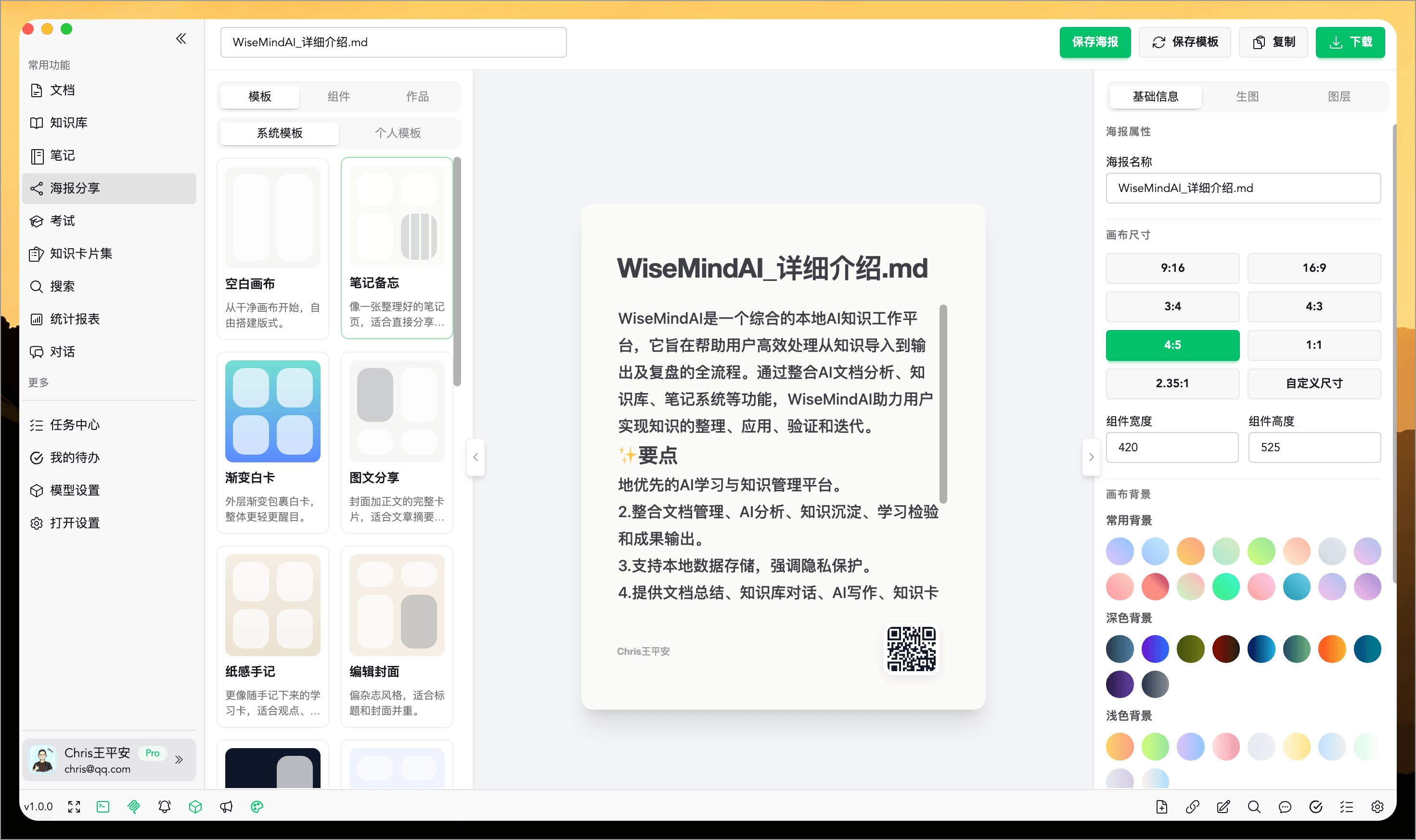
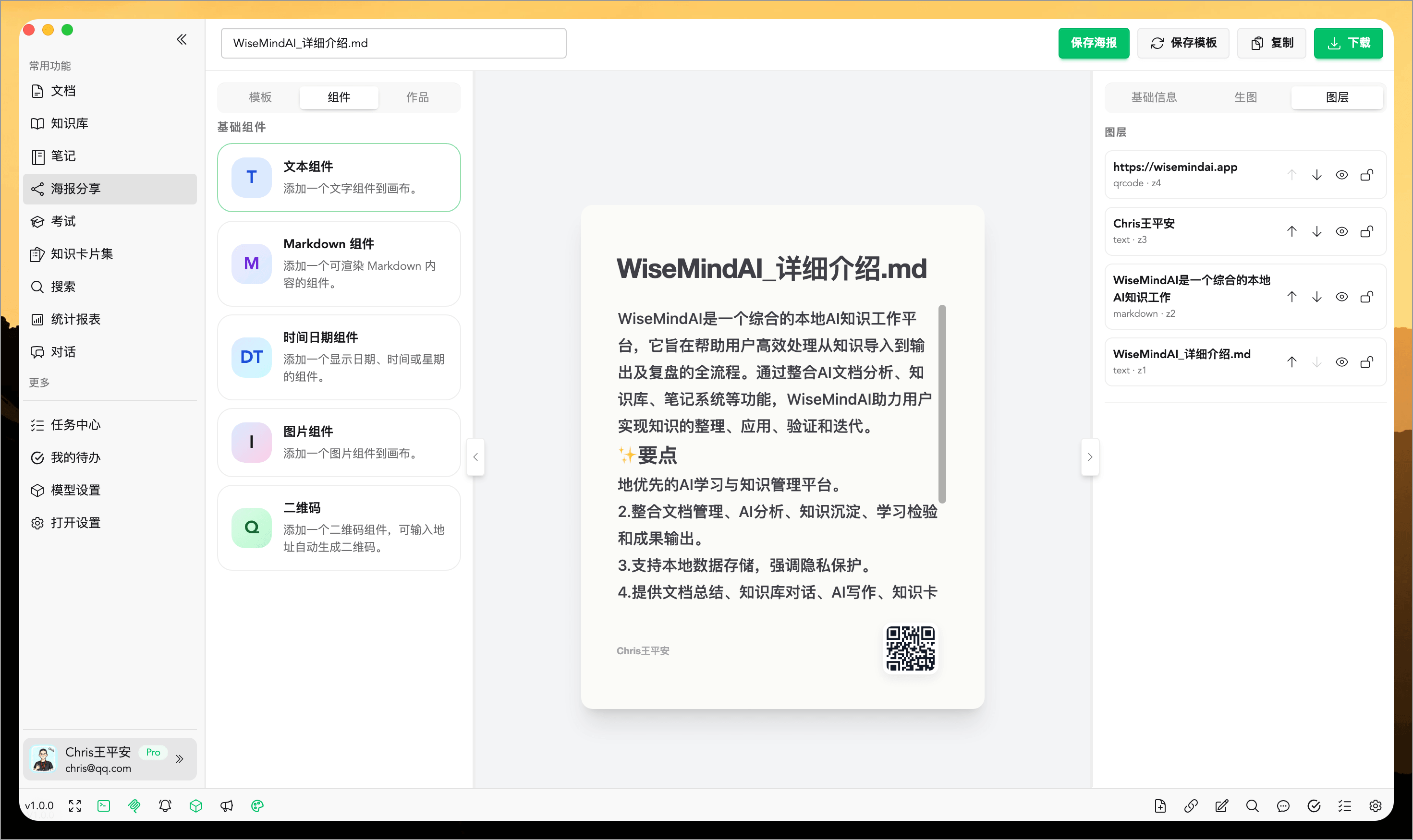
Knowledge shouldn't stay only on your computer. WiseMindAI can quickly organize notes, summaries, knowledge base conclusions, and AI responses into posters, supporting template application, further editing, and export for sharing. This makes learning outcomes easier to express, better suited for display, and more convenient to share widely.
IX. Data Backup and Syncing
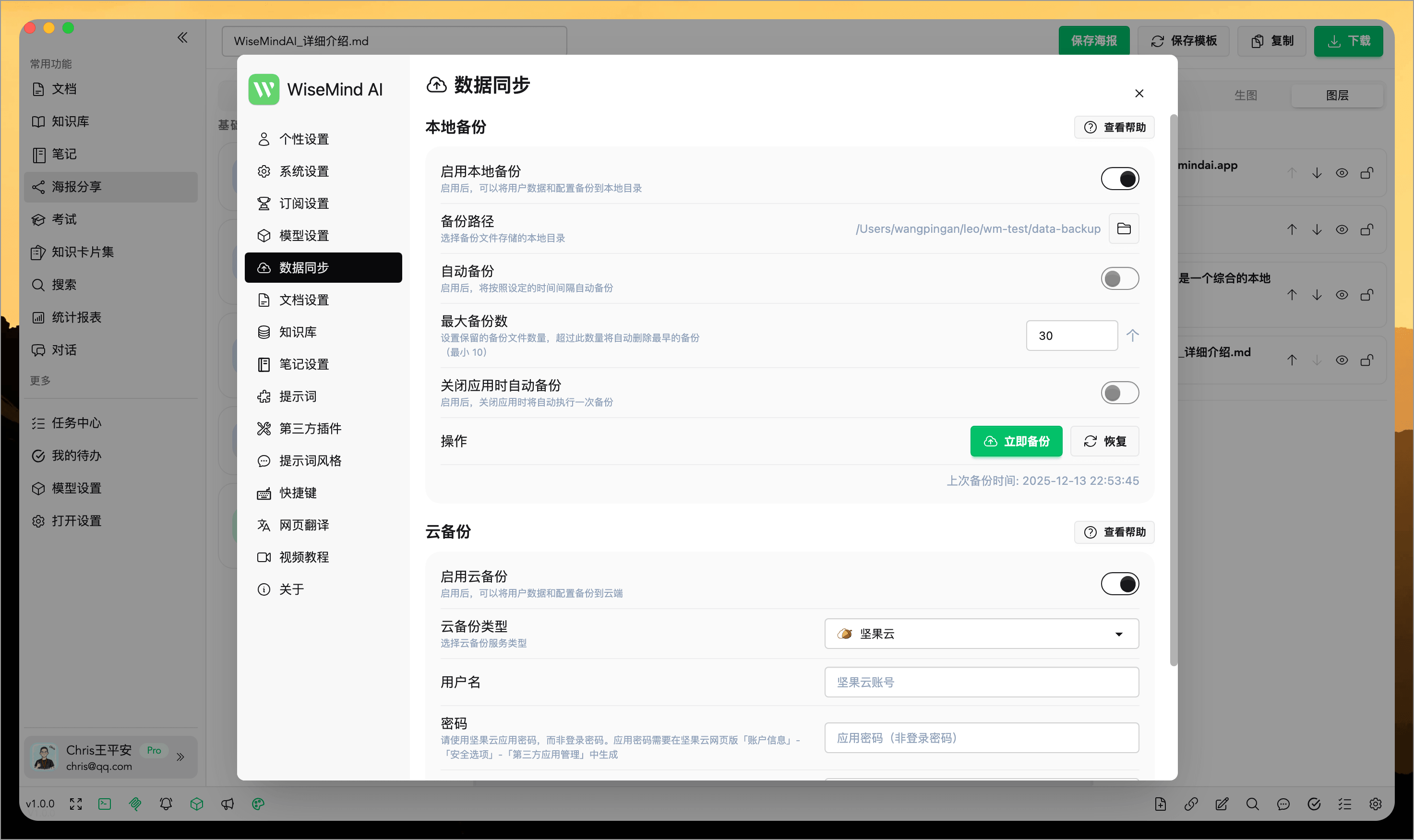
What truly matters isn't a single answer, but the long-term accumulation of knowledge assets. WiseMindAI supports local backup, automatic backup, cloud backup, and one-click restoration, making you more secure when switching devices, reinstalling systems, or using multiple platforms—ensuring your accumulated materials, notes, and outputs are not lost.
X. Open APIs and External Integrations
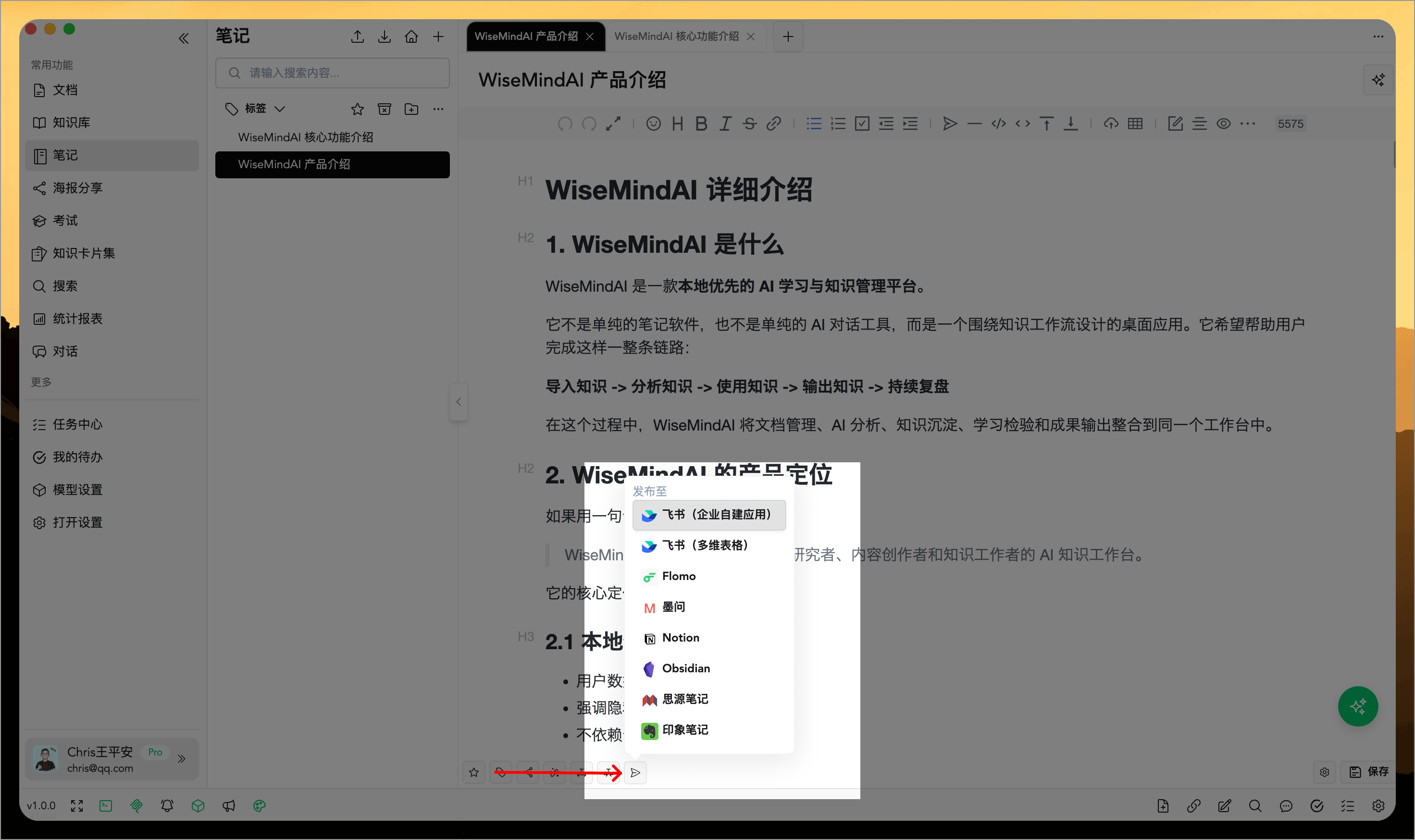
WiseMindAI is more than just a standalone software; it can be integrated into your daily workflow. It can integrate with browser bookmarks, external AI tools, Notion, Feishu (Lark), Flomo, and other platforms, making data collection, note consolidation, and content publishing smoother while reducing the need to shuttle between multiple tools.
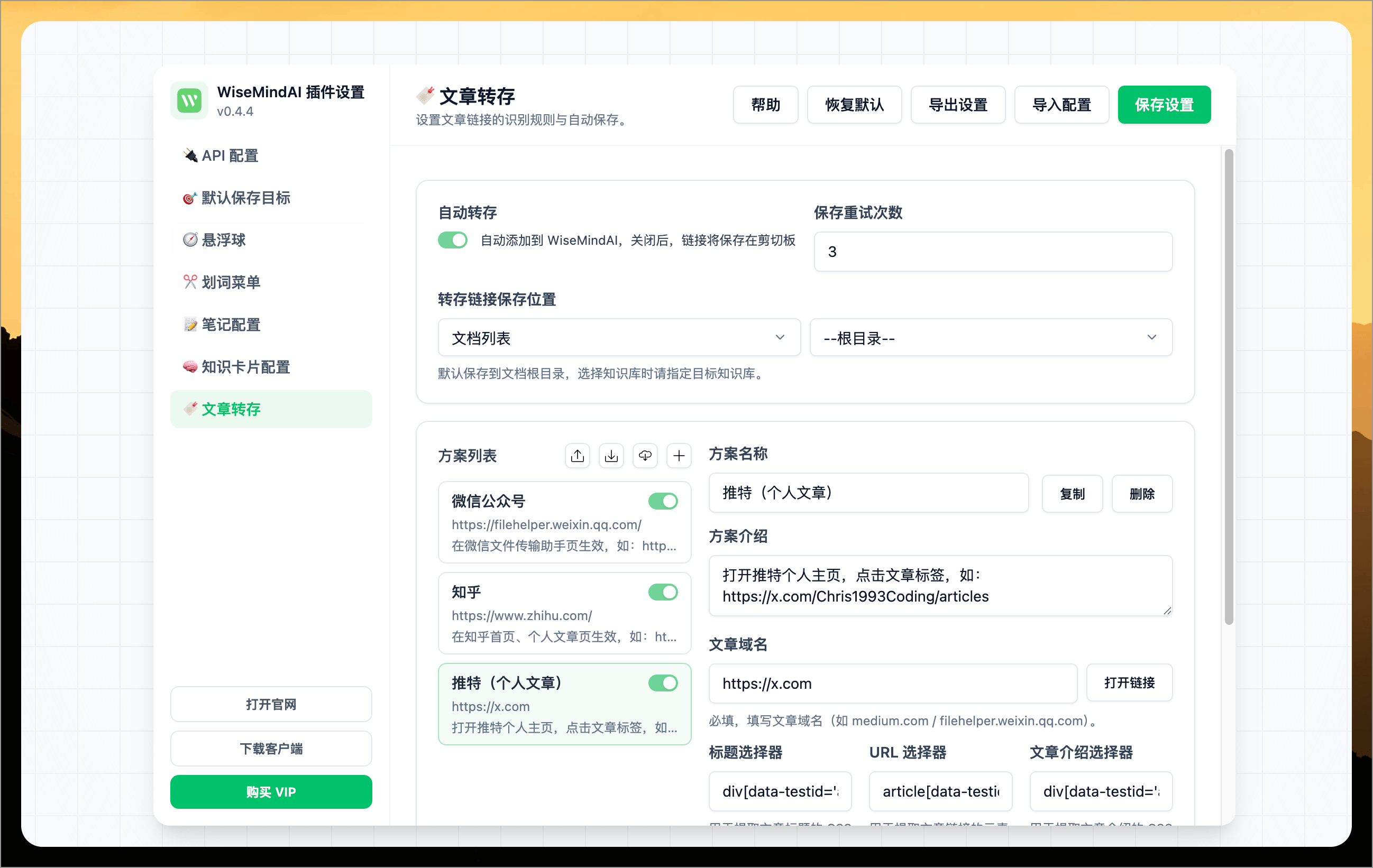
- Browser Extension Bookmarking: Helps you quickly save web page content into WiseMindAI. Supports saving links, notes, and knowledge cards for more efficient and convenient knowledge collection. For details, see the documentation at https://wisemindai.app/guide/browser-extension.
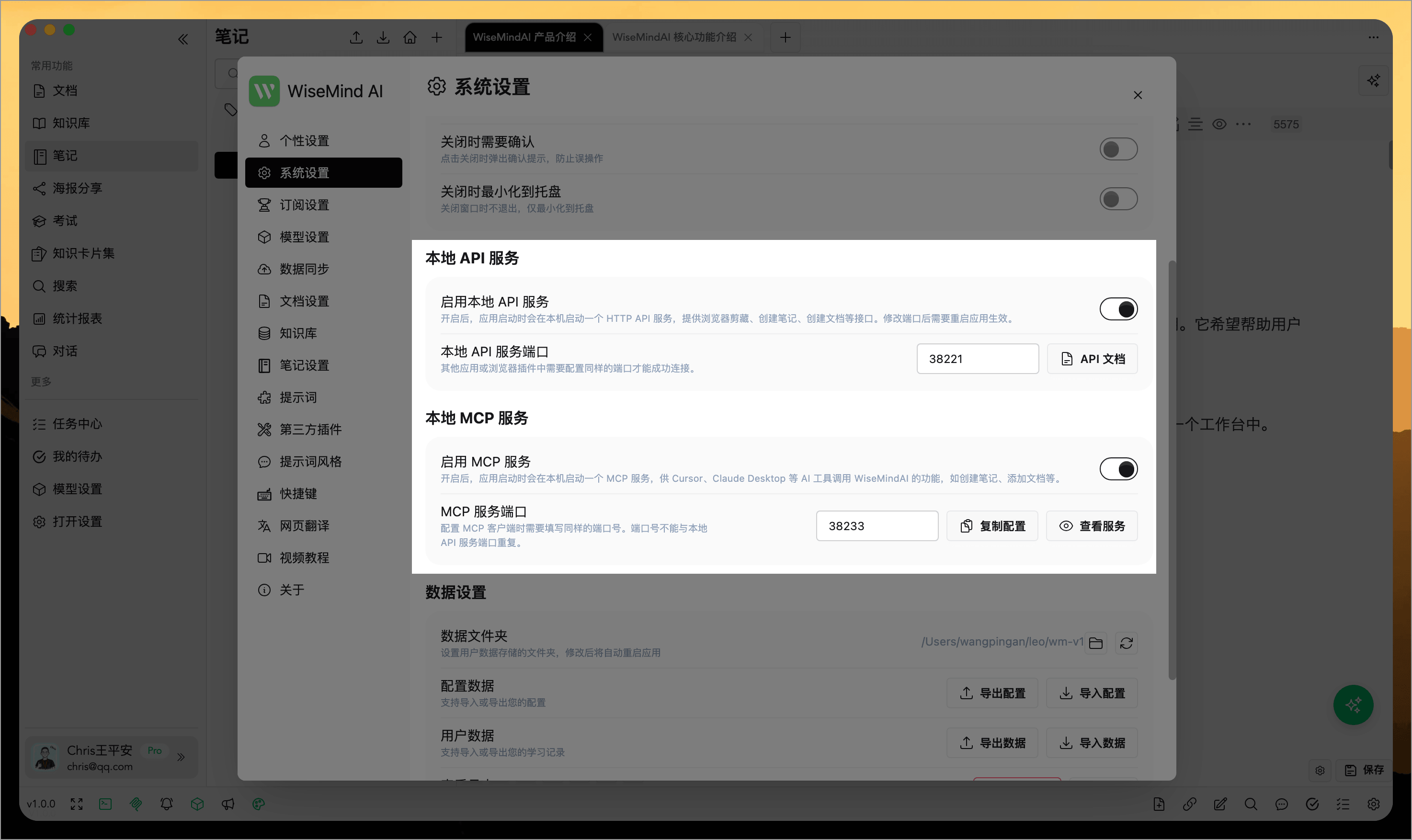
- Local API Service and Local MCP Service: Allows other AI tools to call WiseMindAI's core functions at any time.
- Third-party Platform Integration: You can sync note content to platforms like Notion, Feishu (Lark), and Flomo.
Local First: Very Important
By default, all WiseMindAI data is stored locally. It supports WebDAV and Jiangsu Cloud (Jianguoyun) backup with automatic regular backups. Chris believes knowledge management tools should work this way.
Your research notes, learning records, and thinking processes are deeply personal—they should remain under your control. I've seen too many services shut down suddenly or drastically increase prices, trapping user data inside where it can't be retrieved.
In WiseMindAI, you can use only local Ollama models for document summarization, conversations, generating knowledge cards, and more.
Local First is a basic respect for your data.
Who Is WiseMindAI For?
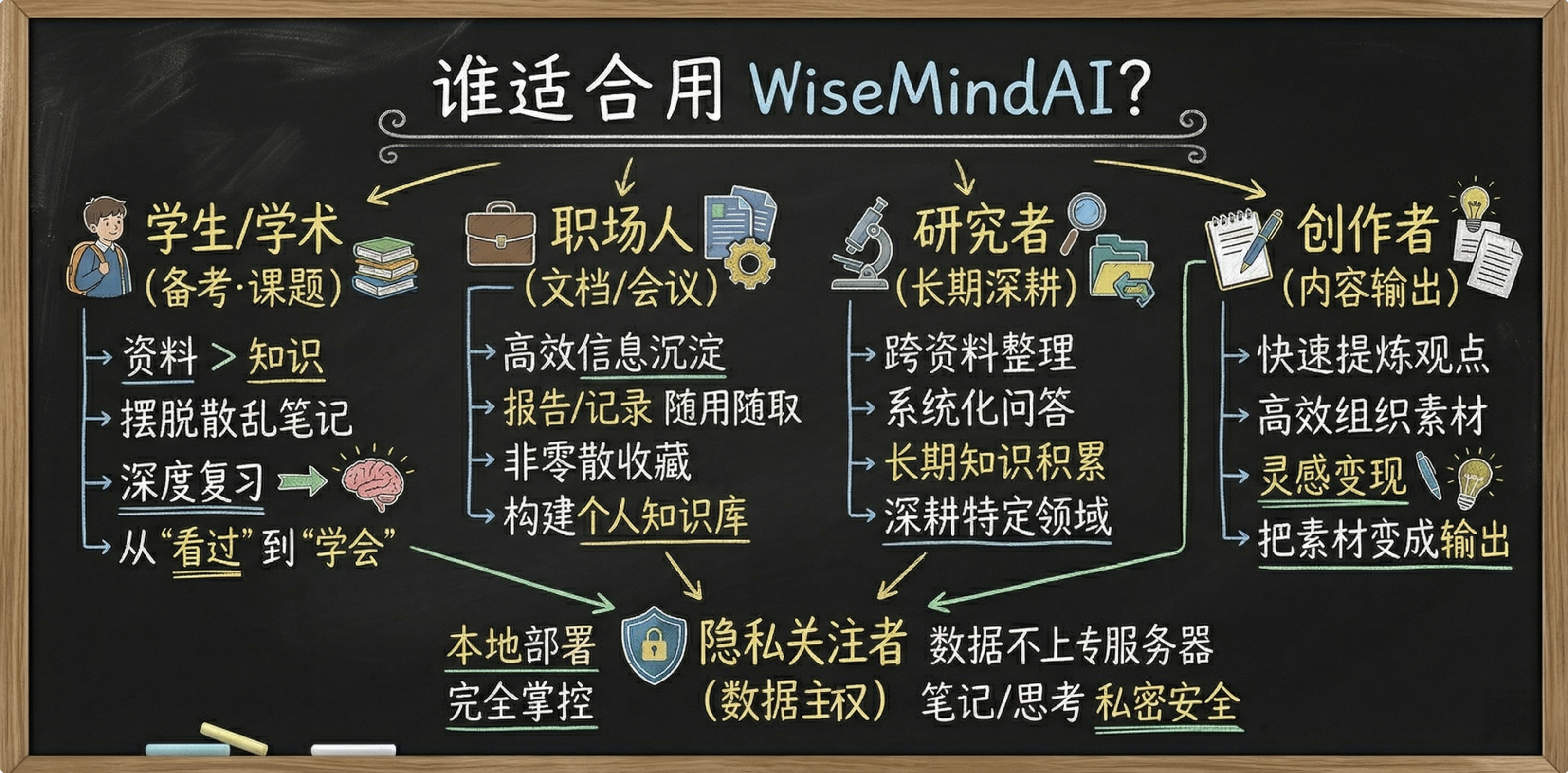
If you belong to any of the following user groups, try out WiseMindAI:
- Students preparing for exams or working on research projects: You have piles of materials and scattered notes but can't retain what you've learned—you need a tool that helps you move from "having seen it" to "actually knowing it."
- Office workers processing large volumes of documents daily: Reports, articles, meeting minutes are reviewed repeatedly yet rarely truly consolidated. You need information transformed into knowledge available whenever needed.
- Long-term researchers in specific fields: Deep diving into a topic requires cross-source organization, systematic Q&A, and long-term accumulation—not just scattered bookmarking.
- Content creators who rely on content for income:materials pile up without time to organize; you want to quickly extract insights from vast amounts of material and structure your output.
- People who don't want their data stored on others' servers: Notes, research, thinking records are personal—you hope to keep them under your own control.
Final Thoughts
When I released the first version a year ago, I was quite nervous. The features were incomplete, the experience rough, and many things remained more ideas than implementations. This past year has been about gradually building it solidly.
Over the past month and a half of intense development, I've worked late into the night refining interaction details. This wasn't about rushing deadlines; it was to ensure this version truly deserves its "1.0" designation.
WiseMindAI 1.0 is now officially in your hands.
After using it, please share any feedback—whether you find it useful or encounter friction points. I will continue developing the tool and recording more videos for sharing.
A good knowledge workspace should make things clearer as you use them, not more anxious.
Hope WiseMindAI 1.0 becomes a truly practical addition to your workflow.
WiseMindAI Official Website: https://wisemindai.app/
Chris's Personal Blog: https://aichris.cc/