
💬 AI Document Chat
WiseMind AI supports smart AI Document Chat. You can let WiseMind AI analyze a document first, then ask direct follow-up questions based on that content to quickly retrieve key information and answer detailed queries.
Basic Setup
Please configure: Large Language Model API Key, Embedding API Key if you haven't already.
📖 How to Use
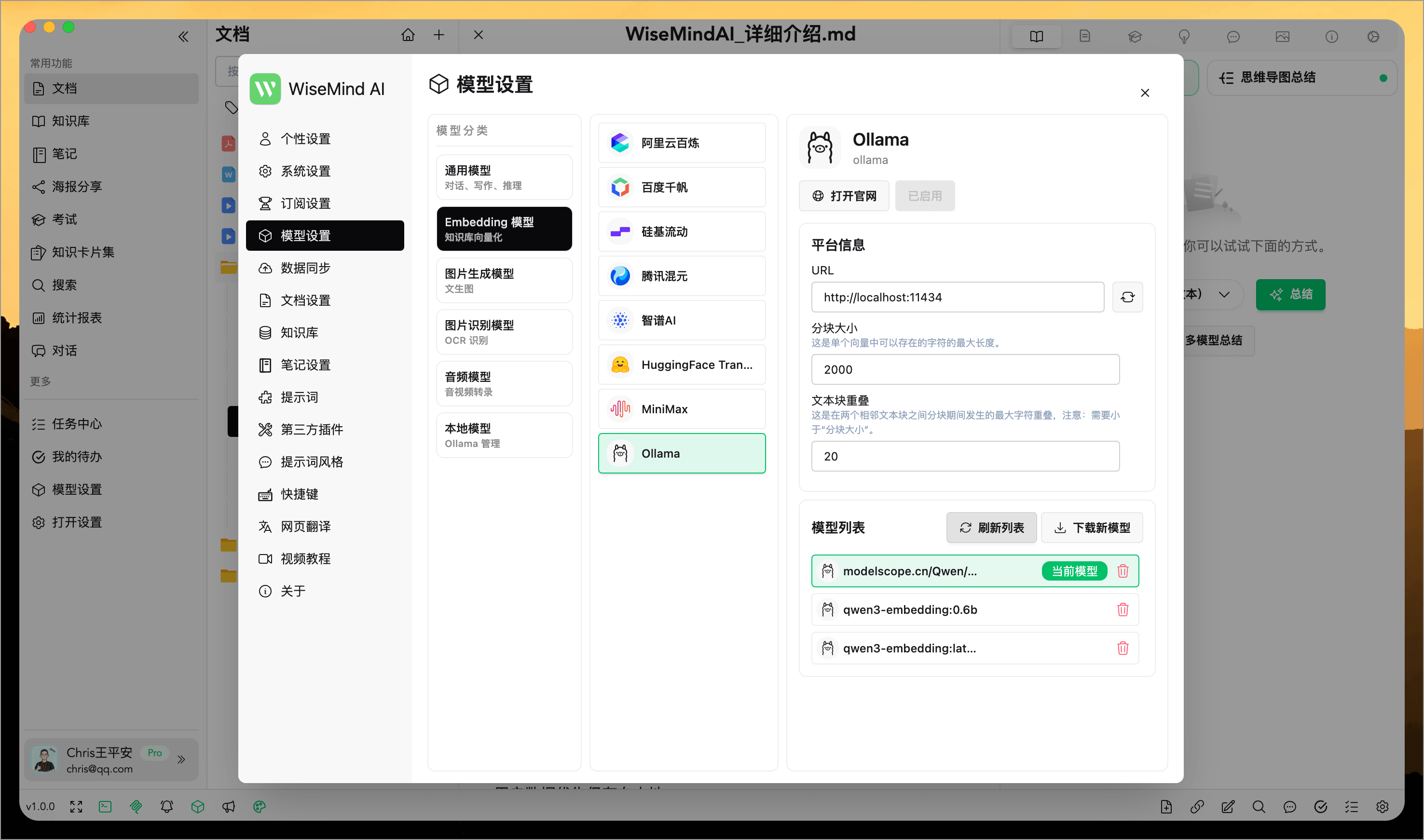
1. Configure Embedding Service
First, set up the Embedding service to enable WiseMind AI's smart Document Chat feature (skip this step if it is already configured).
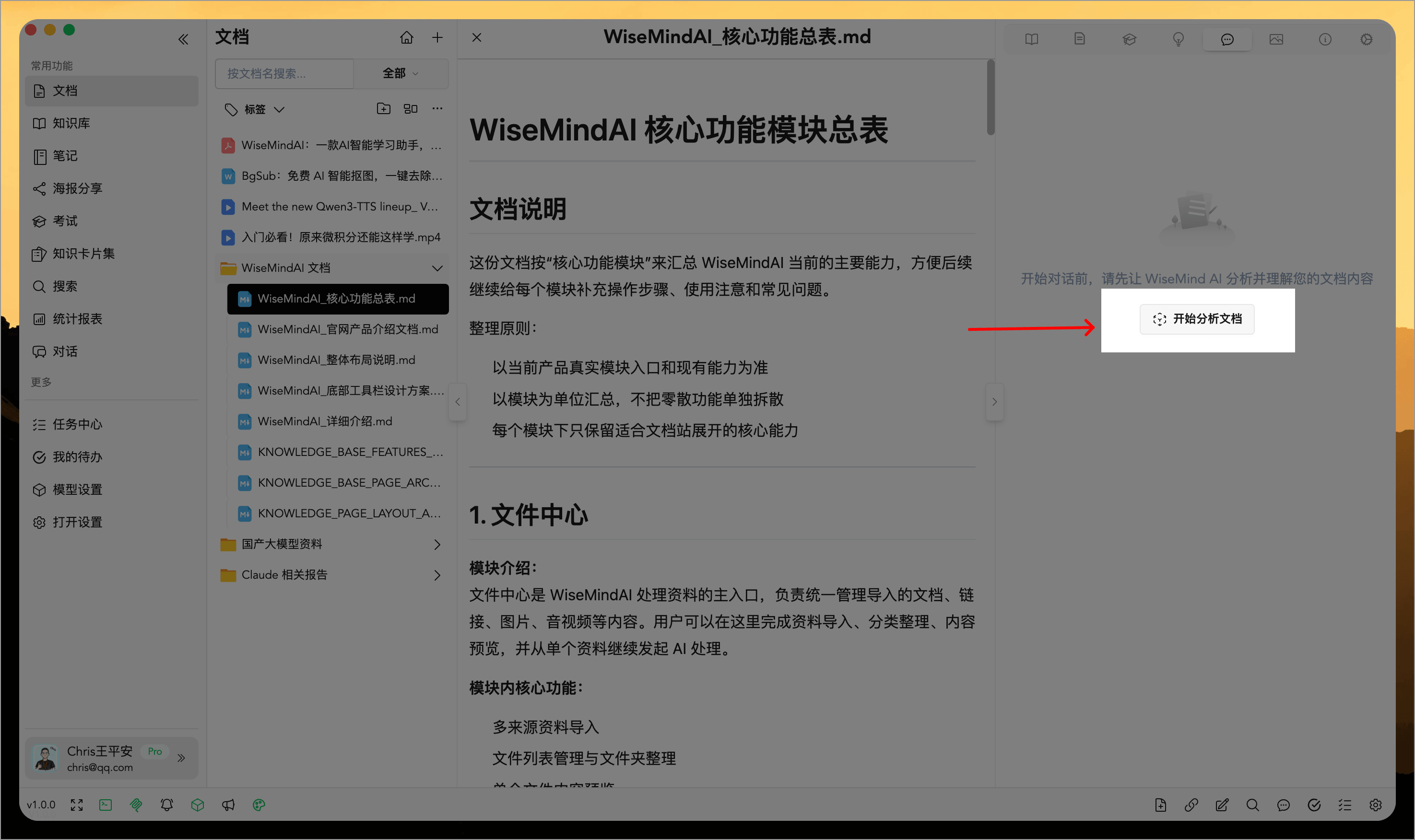
2. Start Analyzing a Document
When using the feature, open the "Chat" tab and first let WiseMind AI analyze your document:
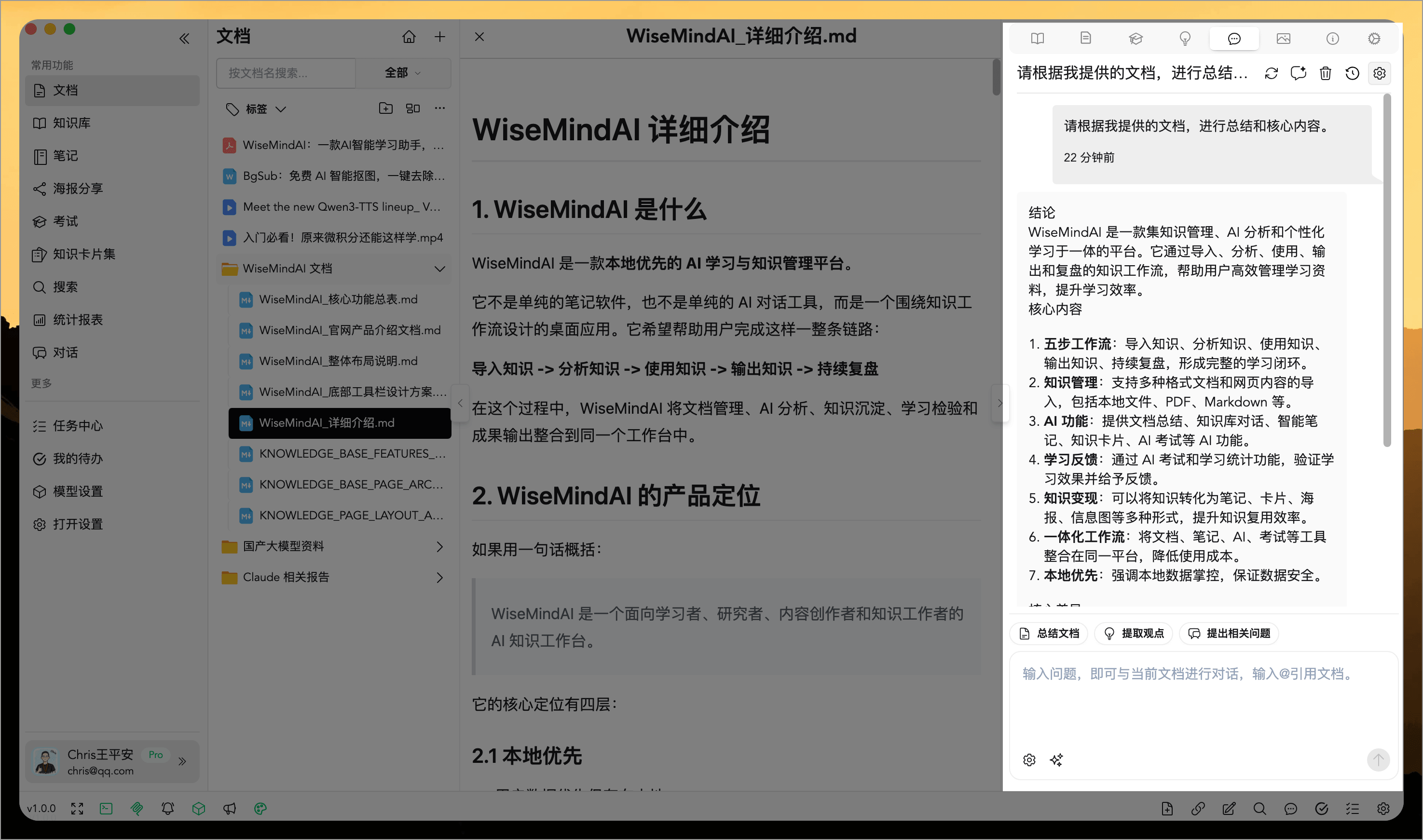
3. Begin Your Conversation
You can now input questions directly to chat with the current document:
4. Follow-up Questions
Document Chat supports follow-ups based on context. For example, you might first ask "What is the core conclusion of this report?" and then "What are the limitations of these conclusions?". WiseMind AI will understand your question in relation to previous dialogue rather than searching for single keywords only.
If you input multiple questions at once, WiseMind AI attempts to split them into separate retrievals and prioritizes more relevant content, reducing confusion when dealing with large amounts of data.
5. Navigate long conversations with Message Outline
For a long conversation, open Message Outline and jump directly to a specific question or answer instead of repeatedly scrolling upward.
Message Outline is also available in AI Chat, Knowledge Base Chat, and image-generation conversations. When you keep working with the same material, it acts as a quick table of contents for the conversation.
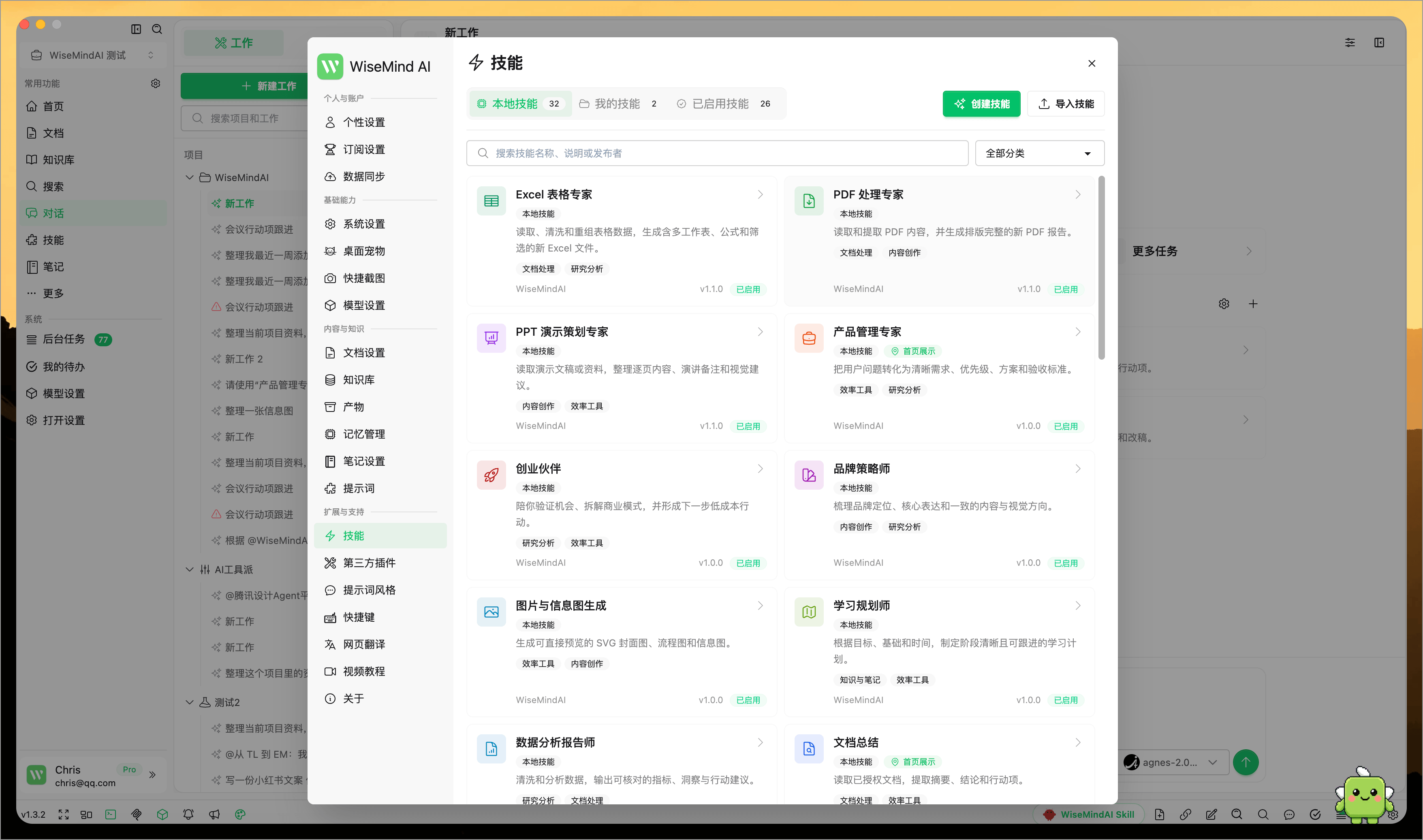
6. Review answer sources
When an answer cites document content, select the source to return to the original text. PDF sources navigate as closely as possible to the relevant page and text position, making evidence easier to find in long documents.
Ideal Use Cases
- What is the core conclusion of this document?
- What does a specific concept mean within this document?
- What steps, conditions, or limitations are mentioned in the document?
- Where exactly did that conclusion come from in the text?
- Can you help me organize a review outline based on these materials?
- Can you extract exam-style questions suitable for testing comprehension of this content?
FAQ
Why does Document Chat require an Embedding model?
Embeddings assist WiseMind AI in analyzing and retrieving document content. Once configured, it makes it easier to locate relevant paragraphs and answers within the current document when asking questions.
Is Document Chat a replacement for reading documents fully?
It is ideal for quickly locating information and understanding key points, but important details are best reviewed against the original text. You can first use AI Document Summary to get an overview, then follow up with specific questions using Document Chat.
Can I chat about multiple documents at once?
Document Chat is designed for single document analysis; if you need to ask questions based on multiple sources together, we recommend creating a Knowledge Base.