
🖼️ Poster Designer
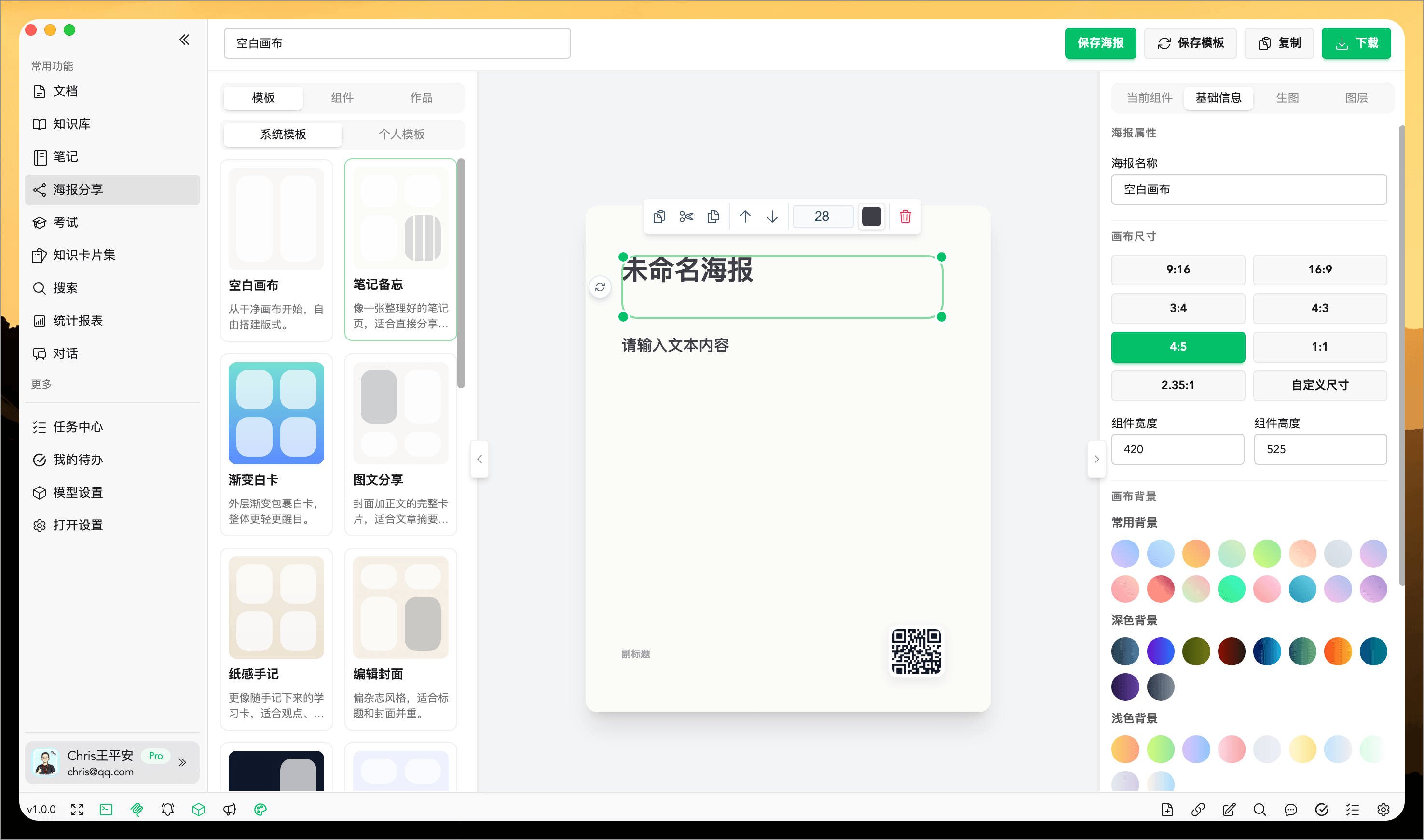
WiseMind AI's Poster Designer allows you to quickly organize notes, document summaries, knowledge base summaries, topic content, and AI conversations into a single poster suitable for display and sharing.
It is not just about "generating an image automatically"; it provides an editable design space where you can create your first draft based on the content and then adjust templates, layouts, images, and details according to your needs to make posters truly tailored to your use cases.
Basic Configuration
Please configure: Image Generation Model API Key
Feature Overview
The Poster Designer is a key capability in WiseMind AI for "content output" and "knowledge expression."
Often, notes and summaries are already written but lack a more intuitive and convenient way to share. The Poster Designer is designed precisely for this scenario. It allows you to bring existing content into the designer quickly so that you can further organize highlights, optimize structure, and produce clearer, visually appealing visual outputs.
Whether you want to share learning outcomes, summarize key knowledge points, create presentation covers, or convert high-quality AI responses into posters, the Poster Designer helps you complete these tasks more efficiently.
Core Capabilities
1. Direct Entry from Content Sources
The Poster Designer supports opening directly from various content sources.
You do not need to copy and organize again; you can bring the current content straight into the designer to start editing quickly.
Supported common sources include:
- Notes
- Document Summaries
- Knowledge Base Summaries
- Topic Content
- AI Conversations
- Manual input or selected text
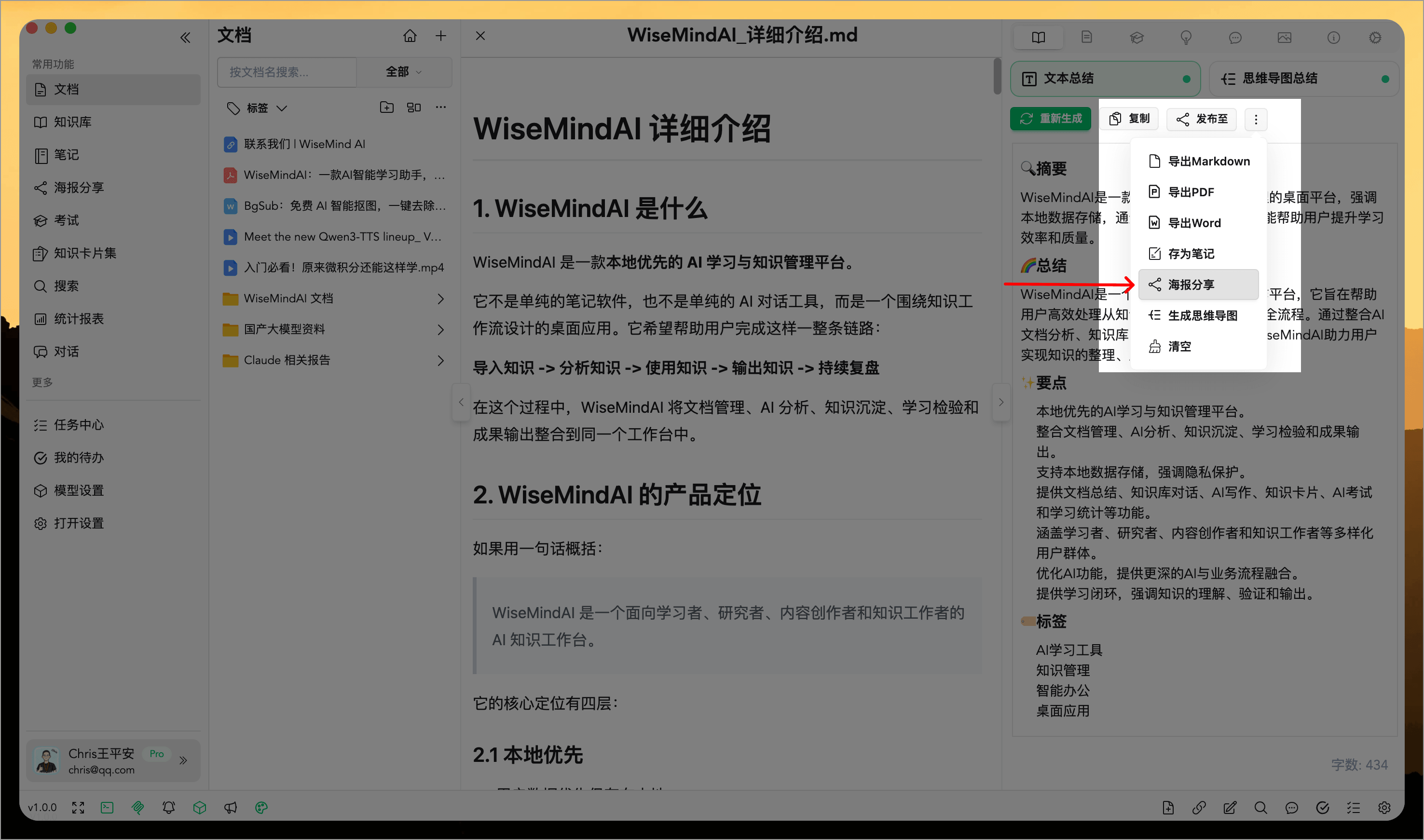
When entering the Poster Designer from notes, document summaries, knowledge base summaries, topics, and conversations, WiseMind AI will automatically import titles, body content, images where possible, and recommend suitable templates. You can also return to view the original source if you need more details later.
2. Multiple Built-in Templates
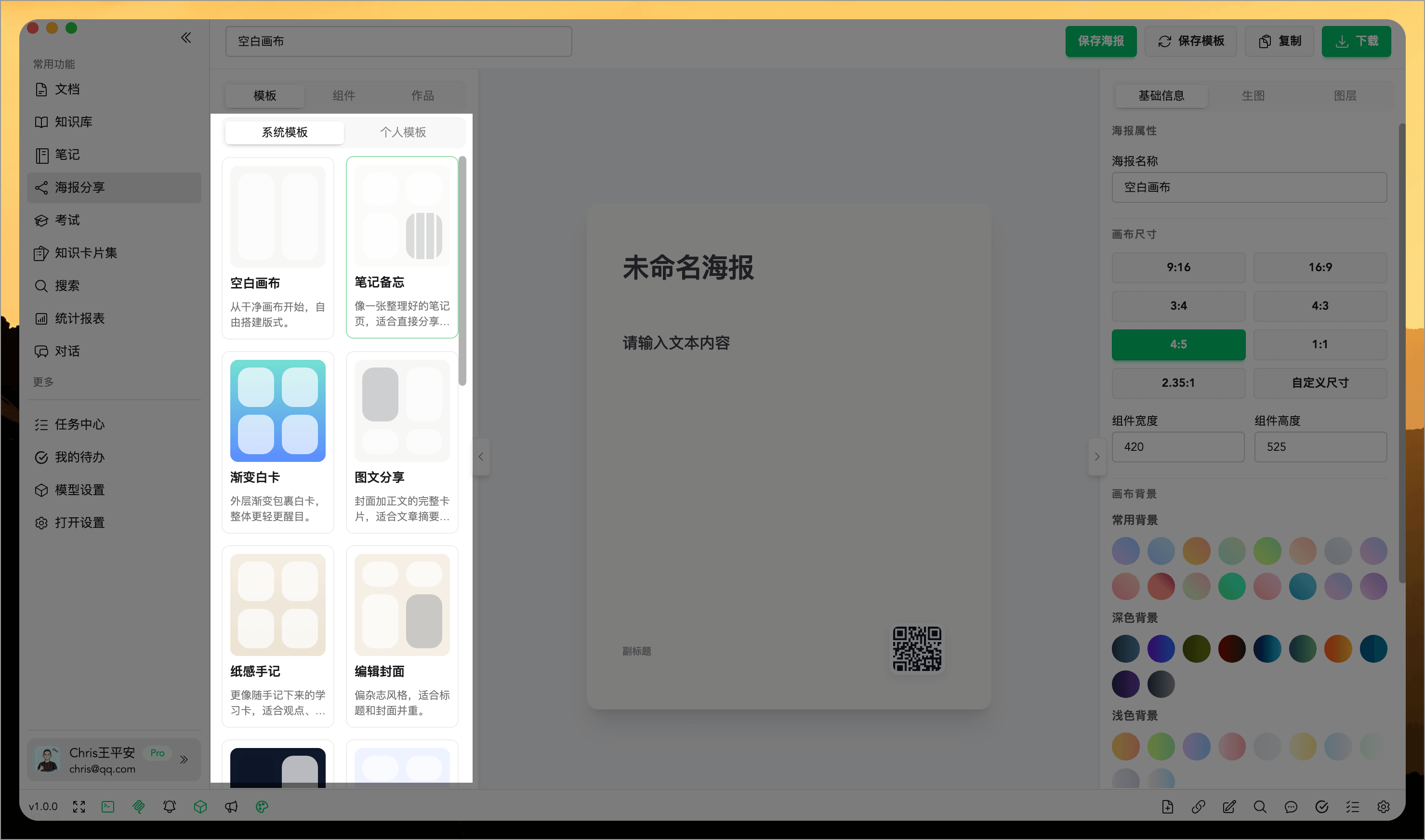
The designer includes various system templates suited for different types of content expression, such as summaries, viewpoints, covers, checklists, topic breakdowns, etc.
You can first select a template close to your target style and then continue modifying text, images, and structure rather than starting from a blank canvas.
3. Free Editing Support
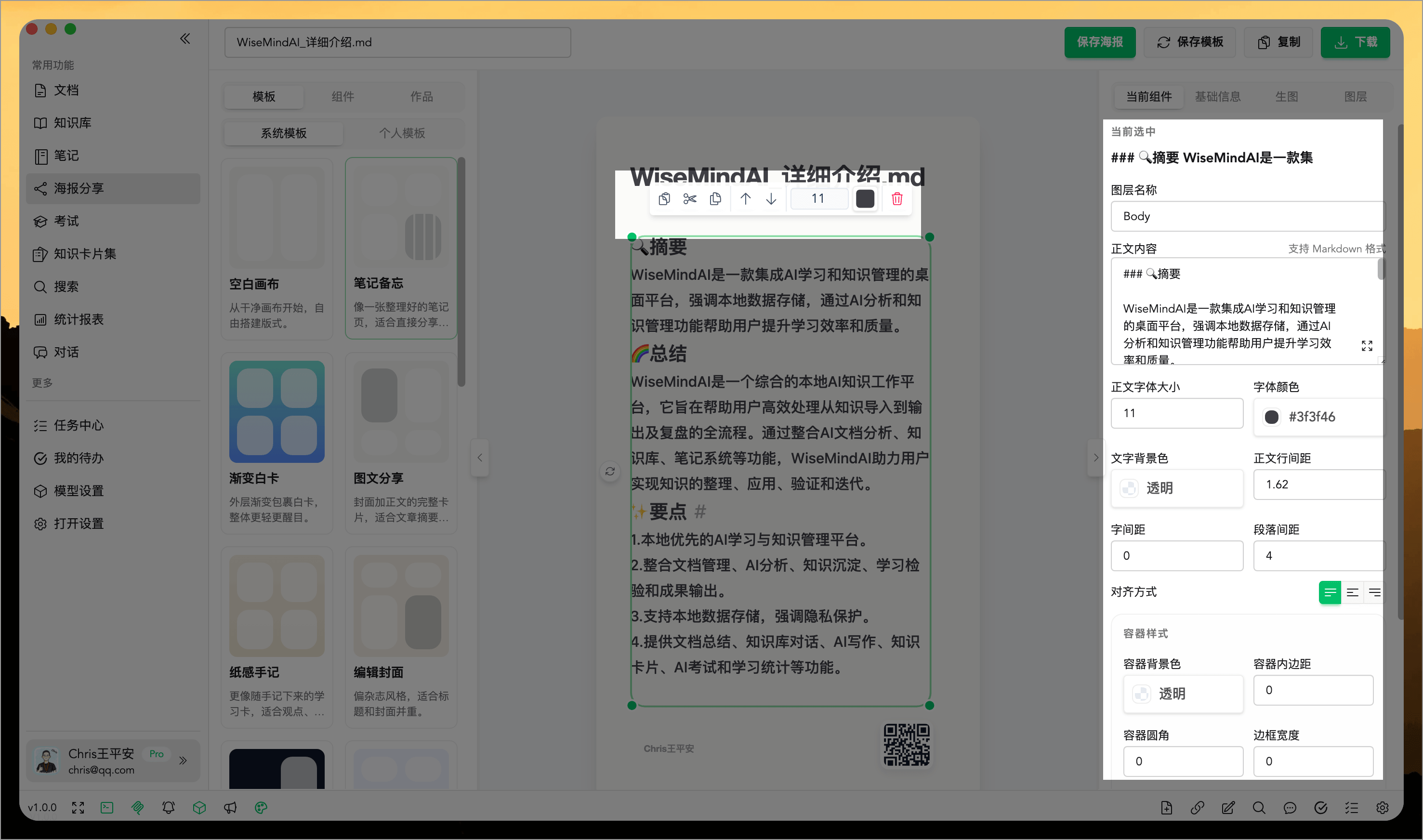
The new version of the Poster Designer is no longer limited to fixed template configurations; it supports continuous adjustment and editing on the canvas.
You can:
- Modify titles and body content
- Adjust element positions and sizes
- Add or remove content modules
- Copy, cut, paste, and duplicate components
- Rotate elements
- Adjust canvas size and background
- Manage layer order
- Use right-click menus for quick operations
- Zoom the canvas, fit to screen, or edit in full-screen mode
- Refine poster details
This means it is suitable both for rapid generation and subsequent refinement.
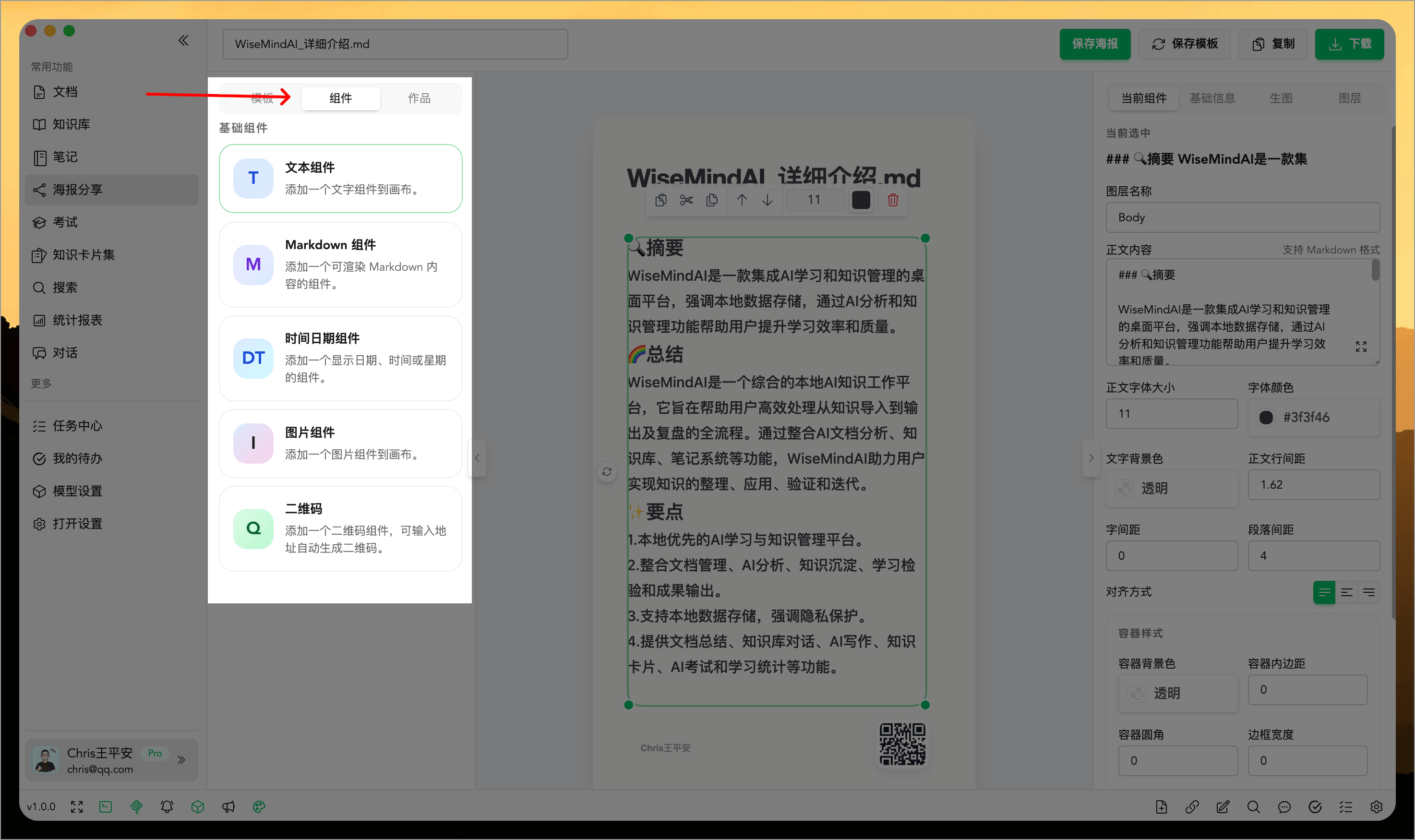
4. Support for Multiple Content Components
In the designer, you can add different types of content modules as needed, such as:
- Text
- Markdown content
- Long-form text blocks
- Images
- Timestamps/Time
- QR Codes
This allows not only simple sharing posters but also structurally complete informational posters.
5. Template Reuse and History Management
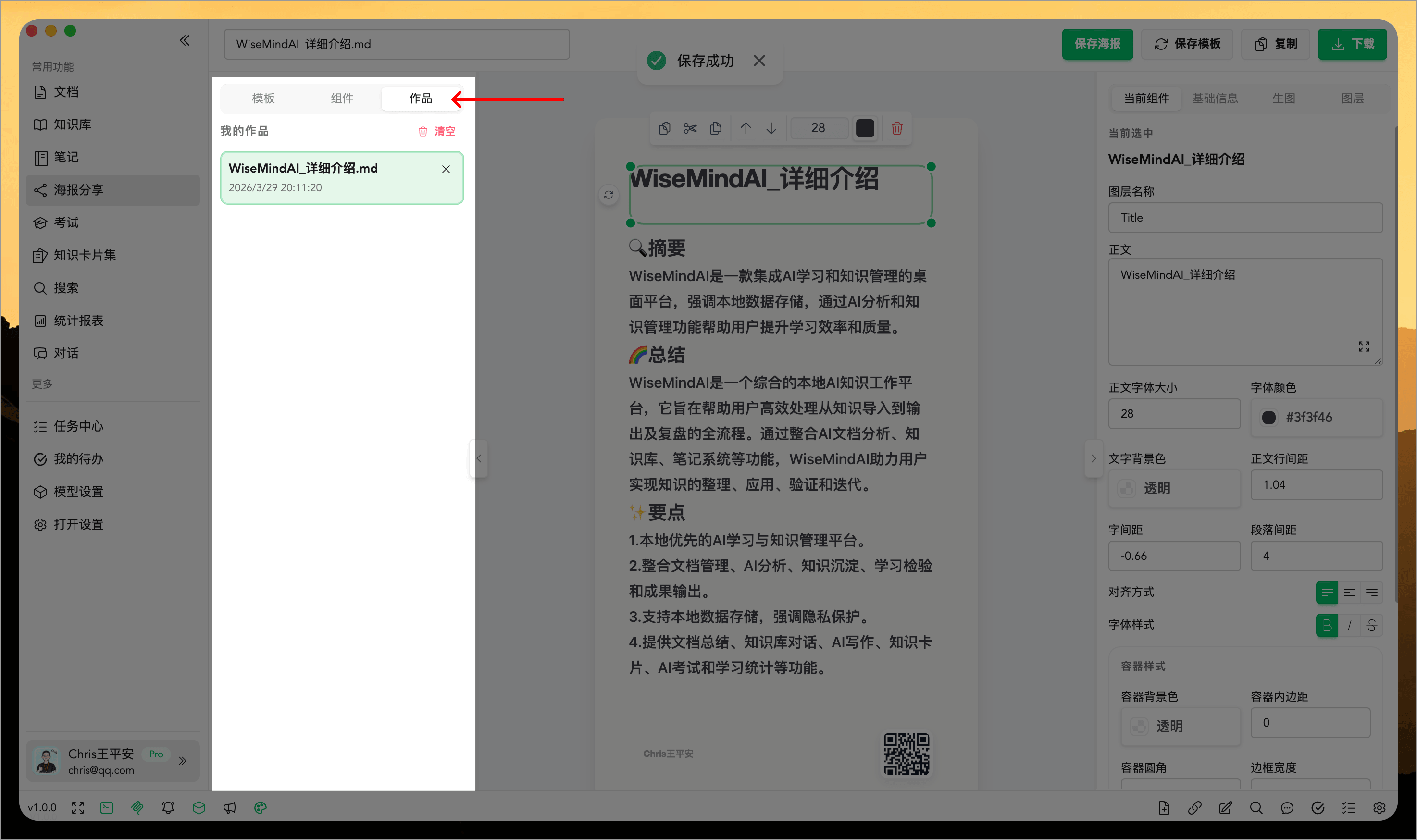
If you create a layout that meets your satisfaction, save the current poster as a personal template for repeated future use.
Saved posters can also be reopened and modified from history to facilitate series-based output.
6. Export and Sharing Support
After editing, you can directly export the poster image or copy it for further sharing. During export, choose different resolutions: quick preview with 1x, daily sharing with 2x, and high-definition needs with 4x.
Besides downloading images, you can also save posters, save templates, copy images, or save to artifacts for continued editing and reuse later on.
It is suitable for publishing on social platforms, learning communities, project reports, or saving as personal knowledge organization results.
Suitable Scenarios
The Poster Designer is especially suited for these use cases:
- Organizing study notes into a single highlight poster
- Creating summary images from document content that are better suited for display
- Turning conclusions from the Knowledge Base into shareable content
- Quickly converting high-quality AI responses into posters
- Creating cover pages for topic content, course materials, or reports
- Producing continuous knowledge cards or series of posters
Summary
The value of the Poster Designer lies not just in turning content "into images," but in helping you transform already organized knowledge into clearer, more communicative, and complete output results.
If notes and summaries solve "recording and understanding," then the Poster Designer solves "expression and display."