
💬 AI Knowledge Base
WiseMind AI offers powerful Smart AI Knowledge Base features to help users efficiently organize and leverage their knowledge resources. You can create multiple knowledge bases and flexibly add various sources of information:
- All documents in the WiseMindAI file list
- All notes in the WiseMindAI note list
- Selected articles from RSS feeds
- Newly uploaded documents
- Newly added links
- Associated Obsidian vaults
- Associated local folders
Here, you can engage in intelligent conversations with all documents within your knowledge base to summarize content, generate posters, quickly extract key information, answer questions precisely, and gain a comprehensive understanding of the material, thereby saving significant search time.
If you have already accumulated resources over time in Obsidian or local folders, you can directly associate them with the WiseMindAI Knowledge Base. This allows you to retain your original file organization while continuing to utilize WiseMind AI's capabilities for cross-document summarization, knowledge base chat, AI quizzes, and poster generation.
Basic Configuration
- Before using features like Knowledge Base Summaries or Knowledge Cards, please configure: Large Language Model API Key
- Before using features like Document Chat, please configure: Embedding API Key, which performs vectorization analysis on documents.
📖 Getting Started Guide
When first using the WiseMindAI Knowledge Base, you can follow the guide to create your first knowledge base:
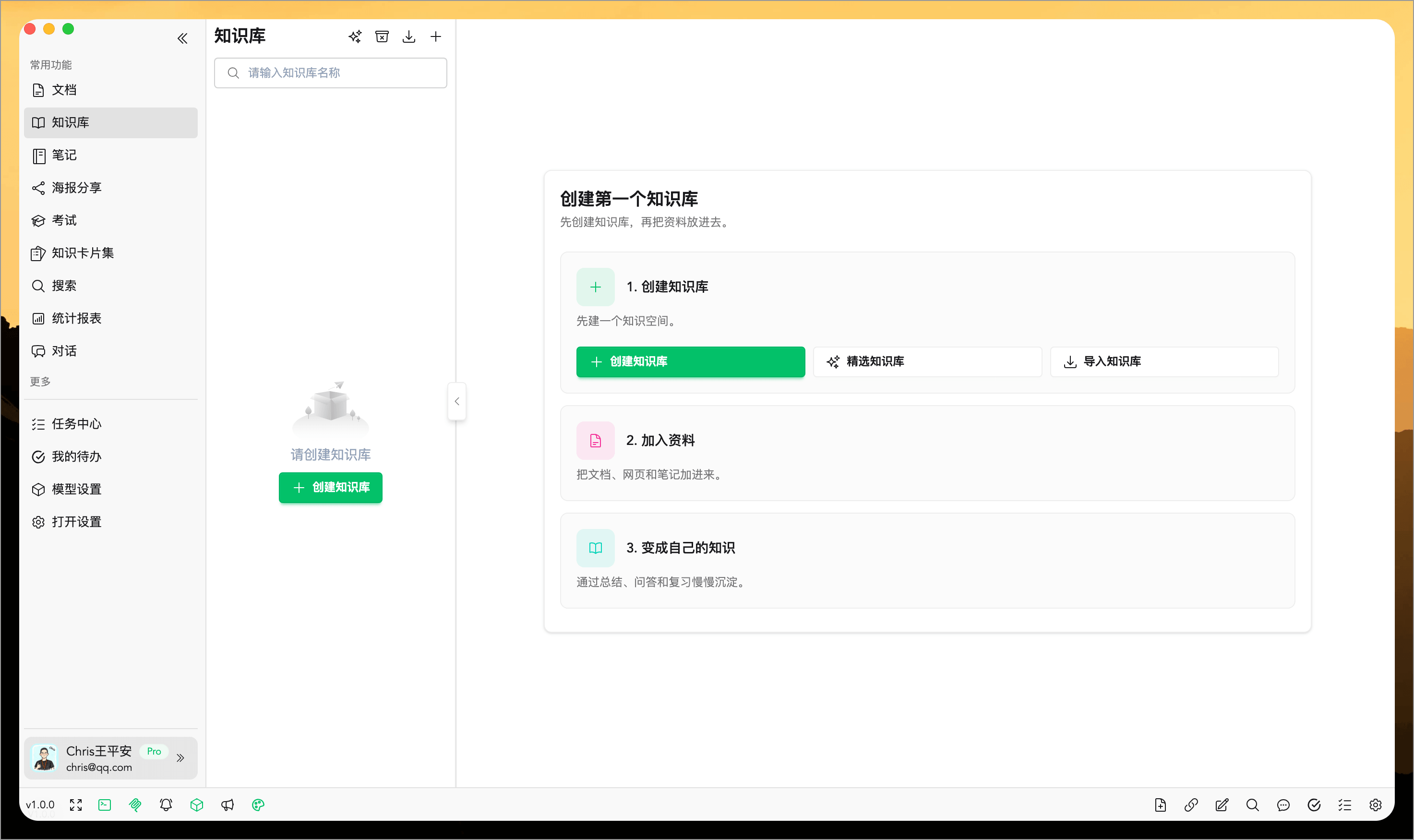
Alternatively, you can install it via steps.
1. Create a Knowledge Base
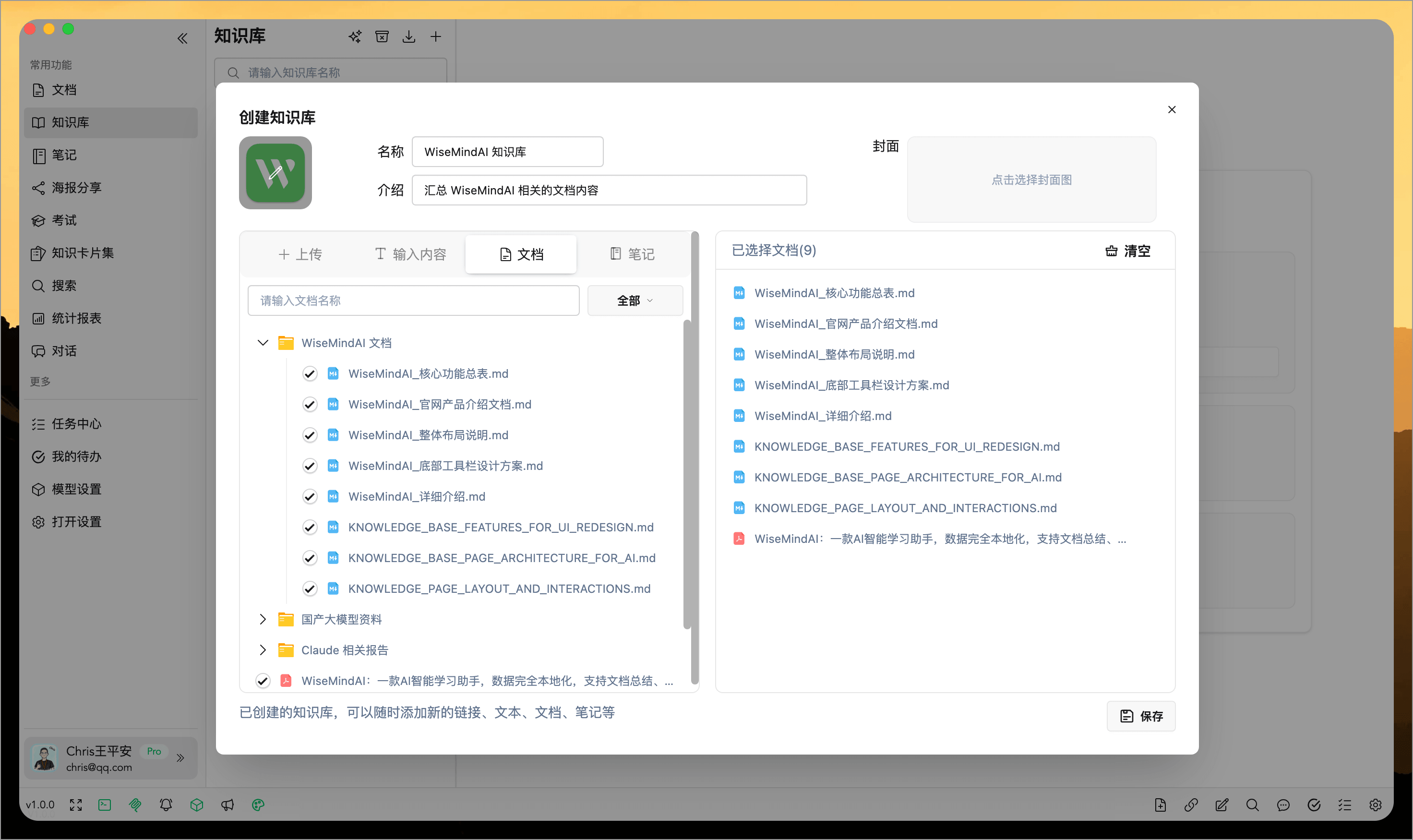
Open the "Knowledge Base" tab and click the "Create Knowledge Base" button. Then follow the guide to fill in knowledge base information and select documents for your knowledge base:
2. Create a continuously updated Knowledge Base from RSS
If you regularly follow a blog, product update feed, research organization, or content website, you can create a Knowledge Base directly from its RSS address.
WiseMindAI first parses the articles in the feed. You can search titles, preview content, remove unwanted articles, and create a Knowledge Base from the selected items.
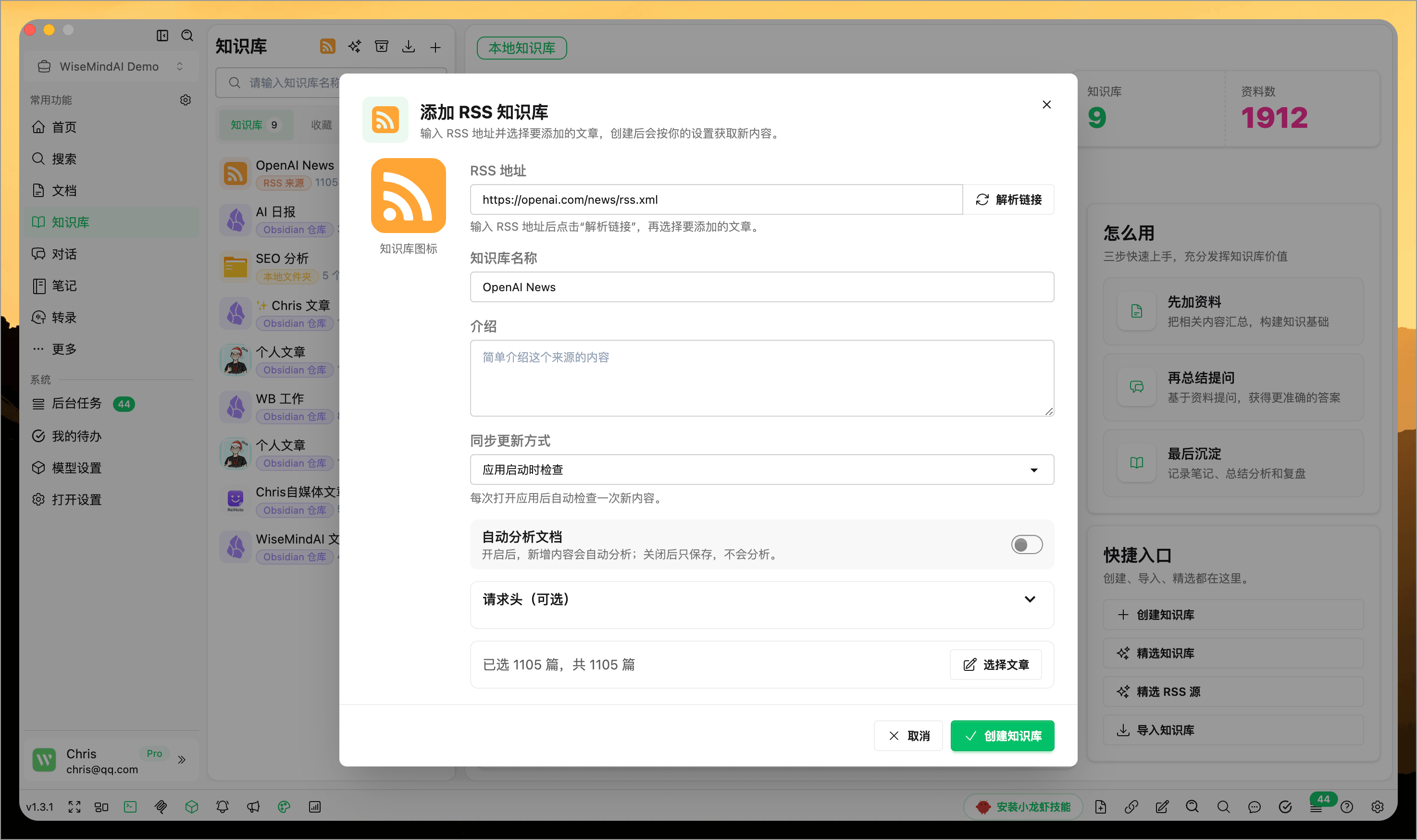
When creating it, choose a sync method and whether new articles should be analyzed automatically:
- Feed updates add only new articles without importing older items again.
- With automatic analysis enabled, new articles continue into Knowledge Base analysis.
- With automatic analysis disabled, new articles are saved for you to process later.
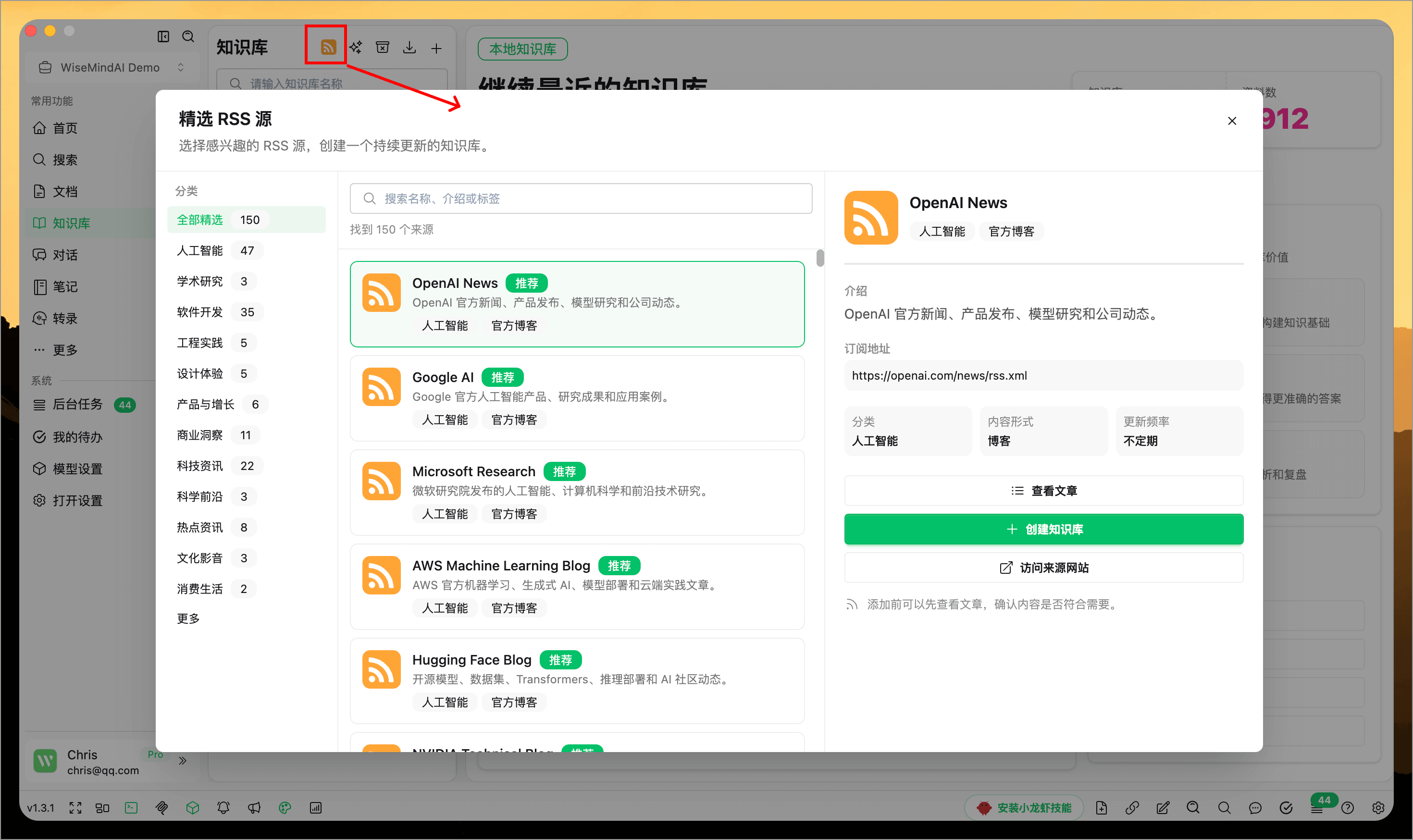
If you do not already have an RSS address, open Discover Featured RSS Feeds. The built-in directory currently includes 150 sources across AI, software development, product design, technology, business, science, and more.
3. Organize the Knowledge Base list
When you have many Knowledge Bases, organize them with:
- Pin: Keep the Knowledge Bases you use most at the top.
- Favorite: Mark content you want to follow or continue later.
- Archive: Hide completed courses, projects, or research topics without deleting their materials.
- Custom order: Arrange Knowledge Bases in the order that works for you.
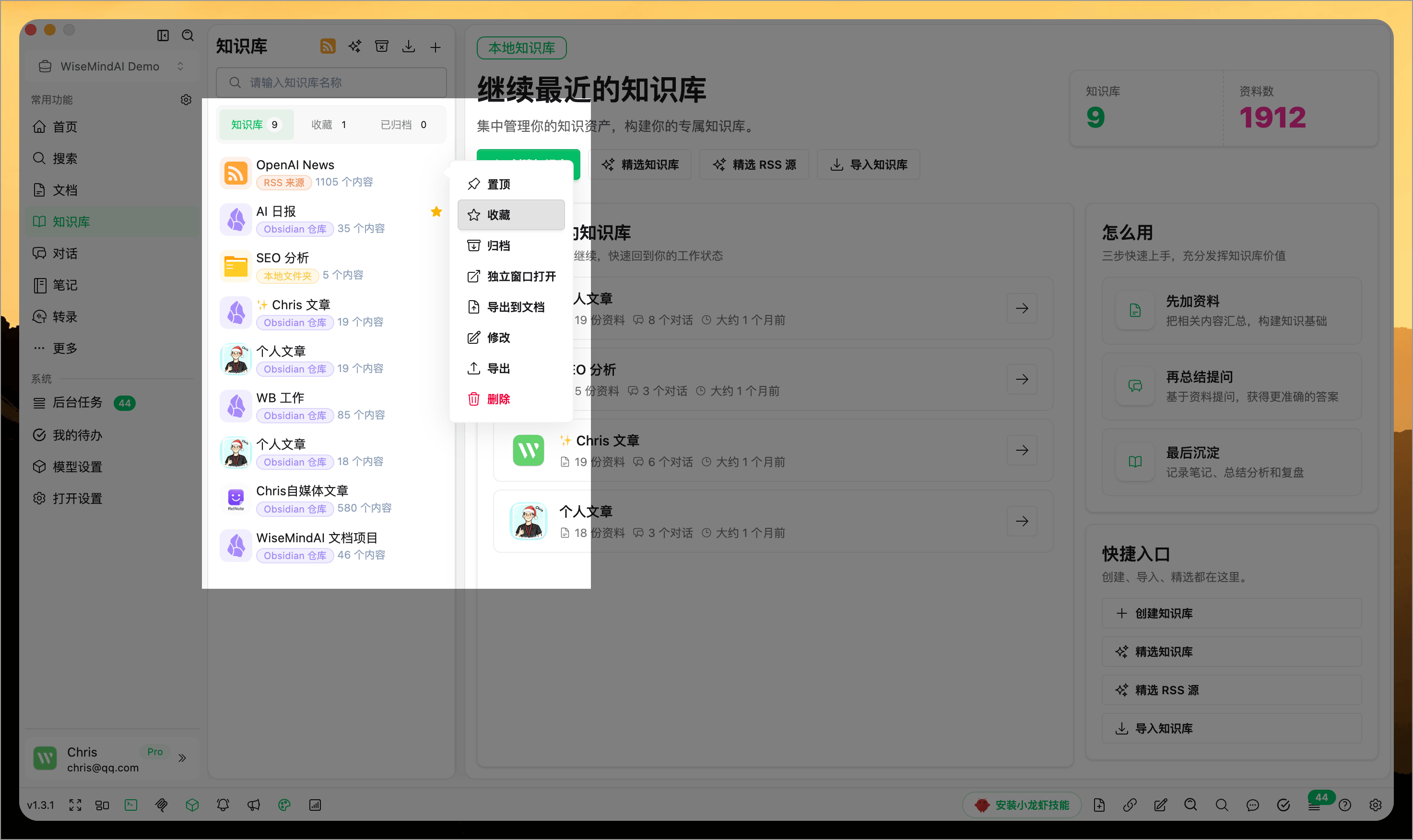
To continue where you left off whenever WiseMindAI opens, enable Restore Last Workspace Location under Settings → General Settings. WiseMindAI returns to the last document, Knowledge Base, chat, transcription, or exam you were using.
Import, sort, and automatically remove duplicates
Drag Knowledge Bases to arrange them directly. Pinning, favoriting, and archiving distinguish their status, while drag-and-drop sorting lets you control the order of the full list.
When you add materials from Documents, folders, Obsidian, or the local API, WiseMindAI checks whether the same content already exists to reduce duplicate imports from different entry points.
Knowledge Base details show the size of local documents. When importing a Knowledge Base archive, you can also follow the file checking, extraction, content organization, Knowledge Base creation, and material-import stages. If the import fails, WiseMindAI identifies the stage and reason.
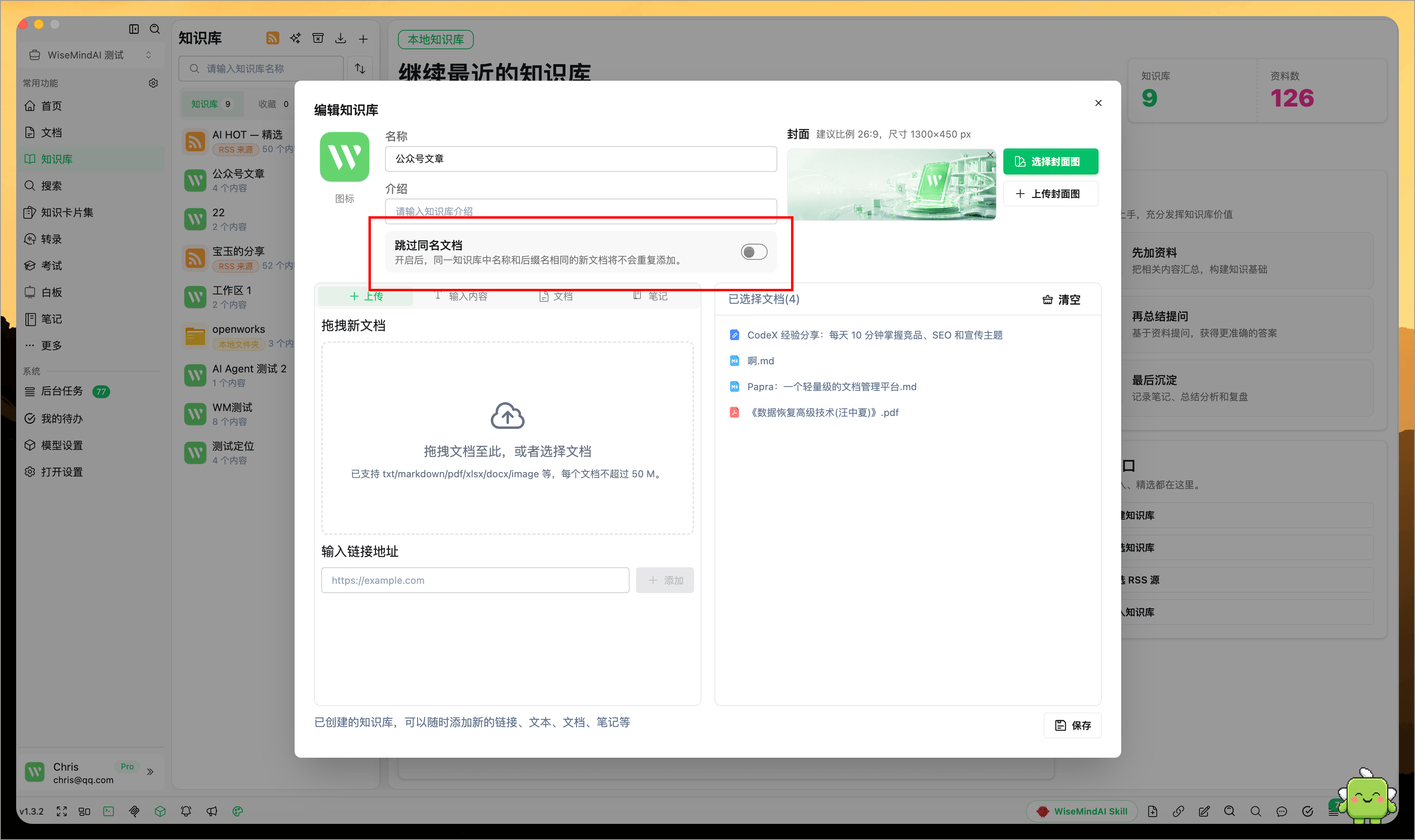
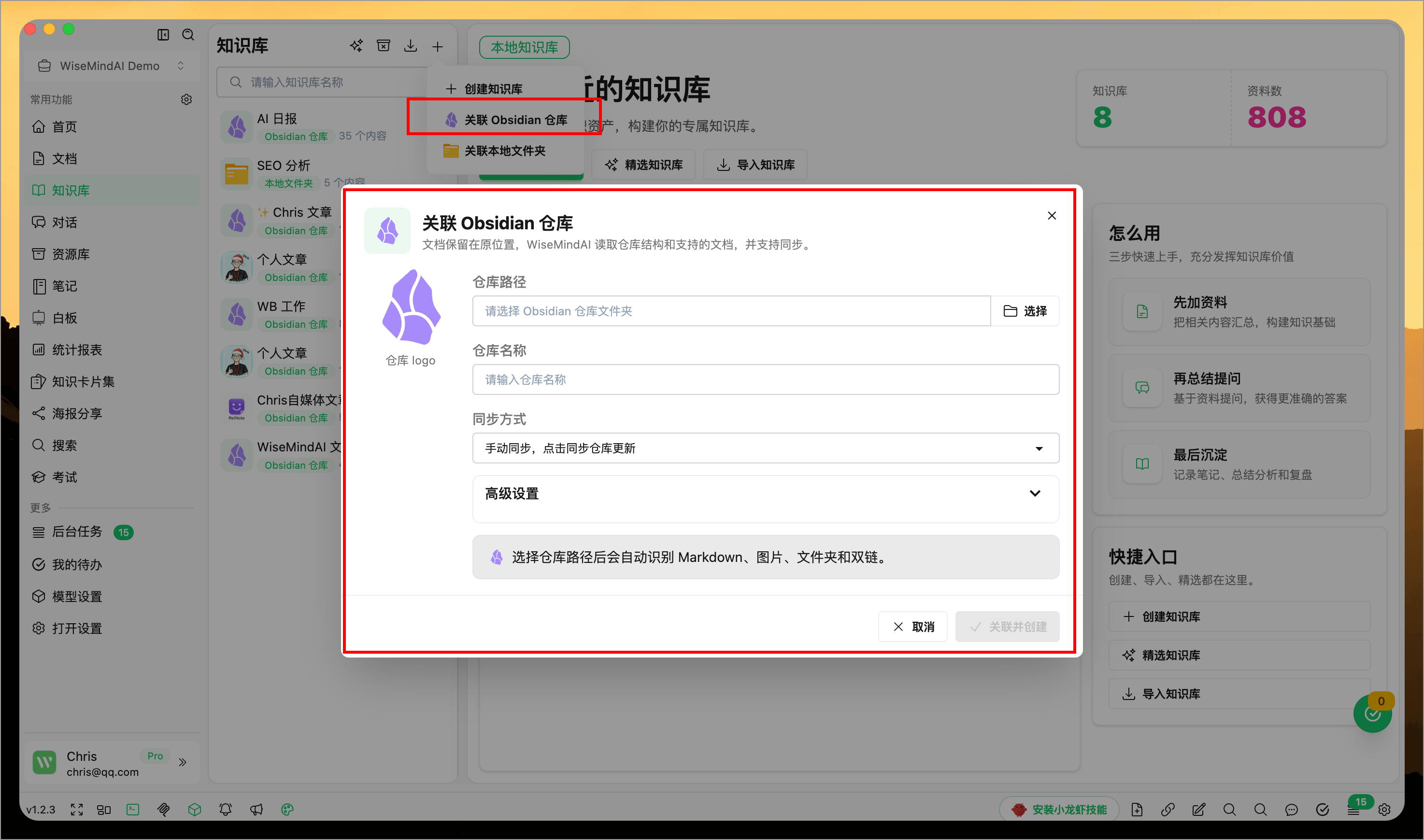
4. Associate Obsidian Vault
If you regularly manage Markdown notes using Obsidian, you can associate a local Obsidian vault within the knowledge base. Once associated, WiseMind AI will treat the notes in your vault as sources for the knowledge base, making it easy to summarize, query, and review content based on the entire vault structure.
This feature is suitable for these scenarios:
- You have accumulated a large amount of study notes, reading logs, or research materials in Obsidian.
- You want to understand and retrieve content quickly with AI without disrupting your existing vault structure.
- You wish to place multiple Markdown notes under the same knowledge base theme for unified use.
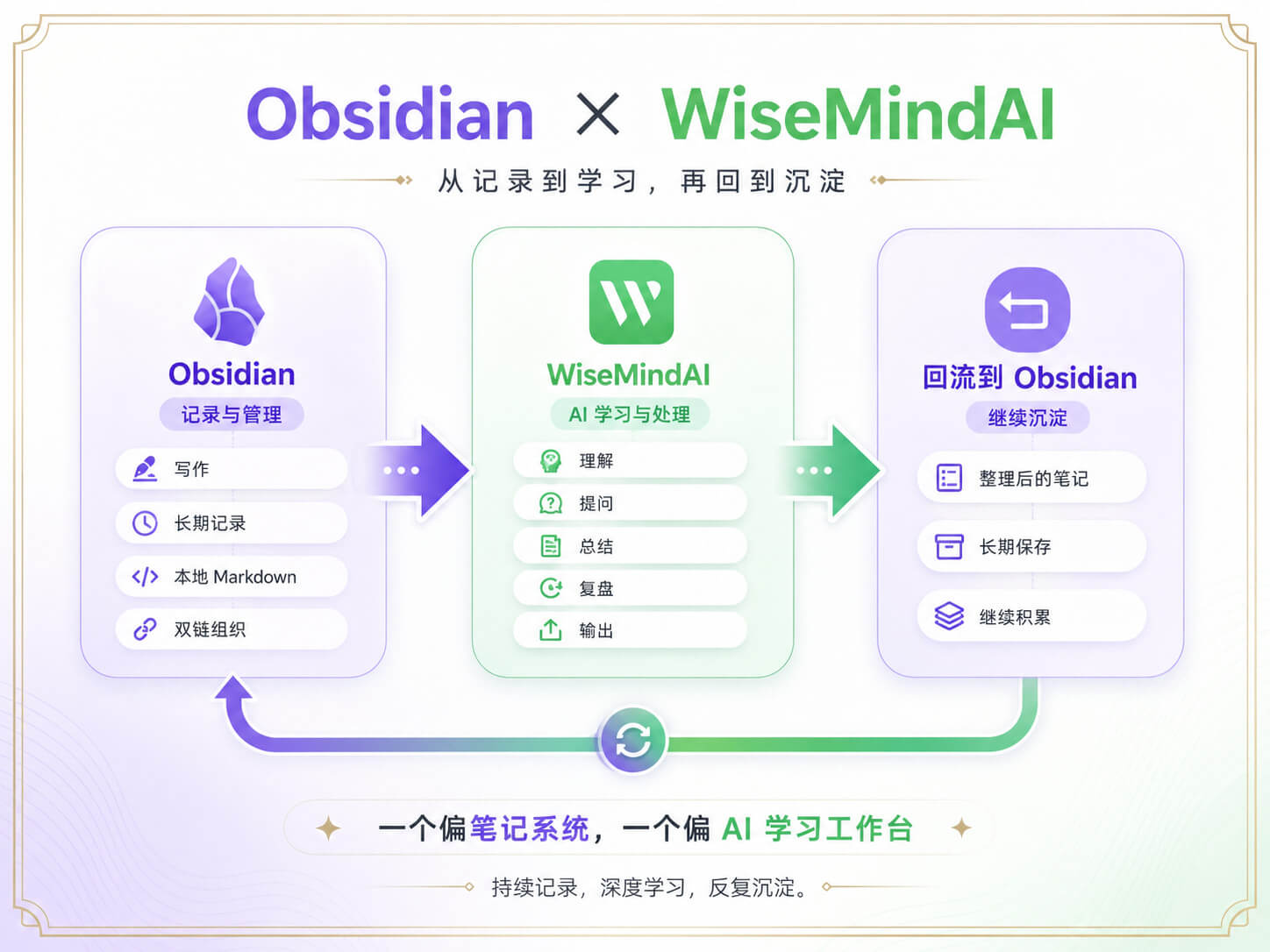
WiseMindAI is not intended to replace Obsidian.
Obsidian remains highly suitable for writing, long-term recording, local Markdown management, and bidirectional linking organization. WiseMind AI is better suited for taking these already accumulated contents into an AI learning workflow for further processing.
Simply put:
- Obsidian: Write it down, store it, maintain it over the long term.
- WiseMind AI: Understand it, ask questions about it, summarize it, review it, and output results from it.
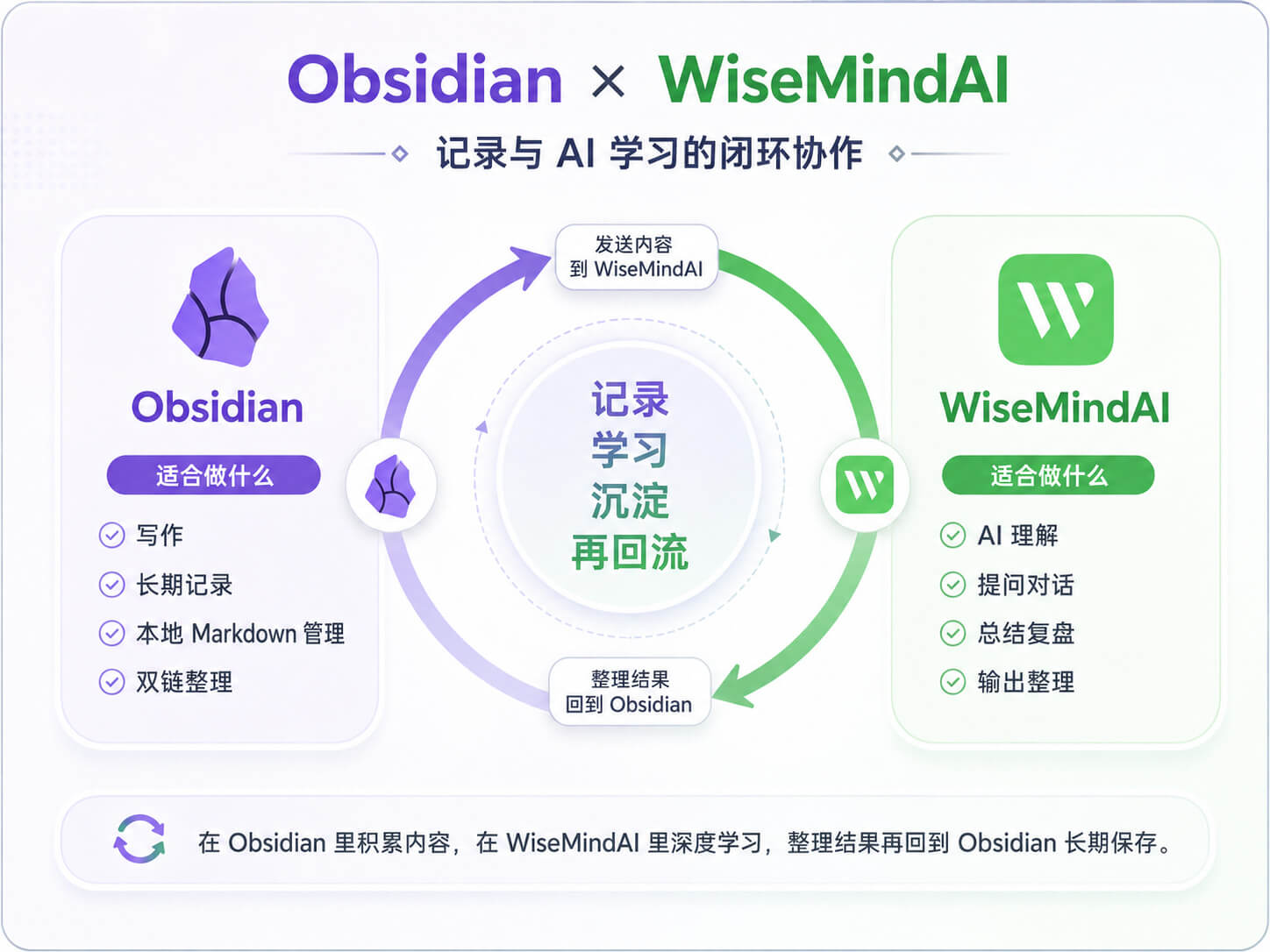
One is a "Note-taking System," the other an "AI Learning Workspace." Placing these two tools together creates a very natural closed loop:
- Continuously record in Obsidian and deepen learning with WiseMind AI.
- Content organized within WiseMind AI can also be returned to Obsidian for long-term storage.
5. Associate Local Folders
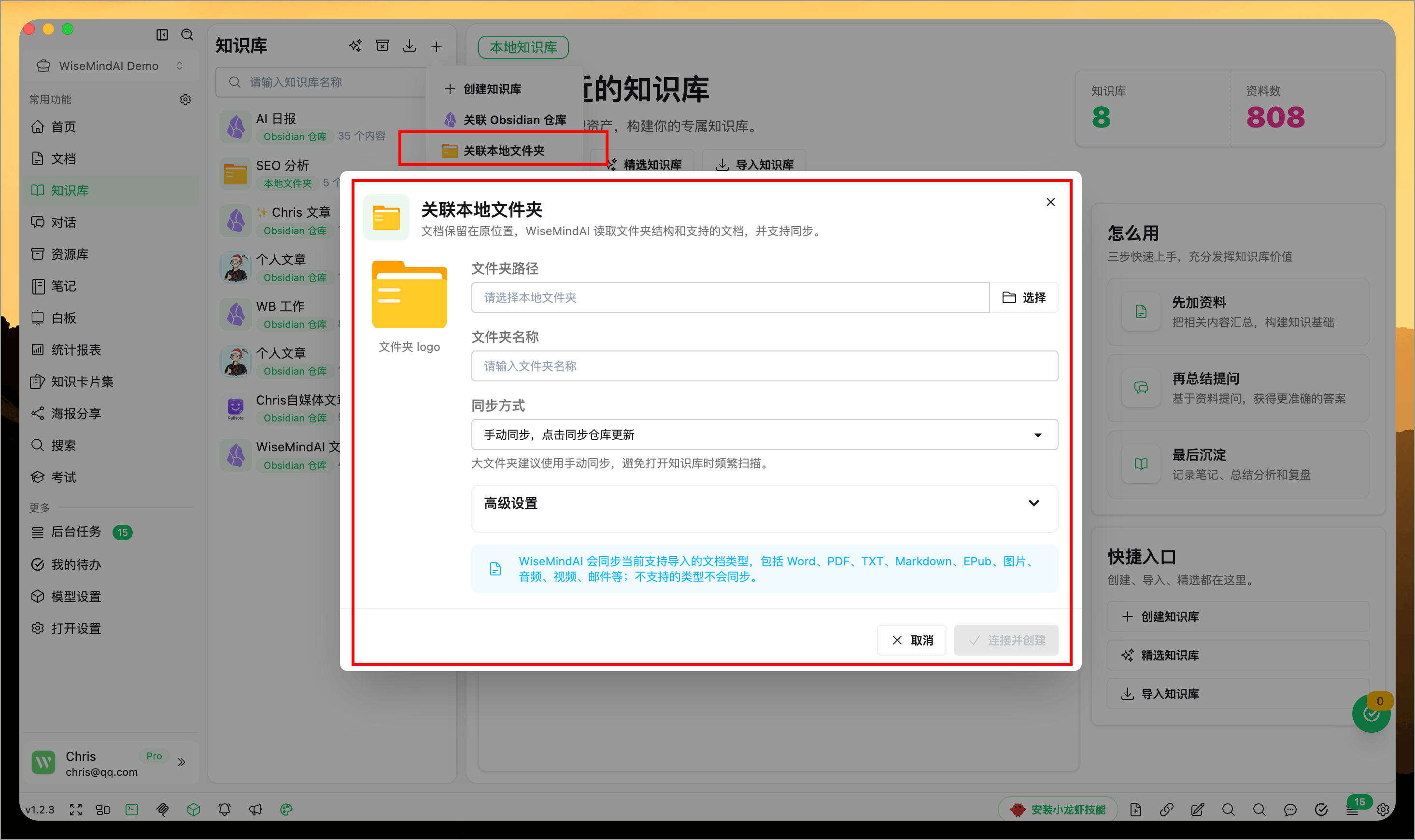
If your materials are already organized in local folders by project, course, thesis topic, or work directory, you can directly associate the folder with the knowledge base. This allows you to continue using local files as content for the knowledge base without manually uploading them one by one.
This feature is suitable for these scenarios:
- You have a batch of materials on the same topic in your local folder that need unified summarization and querying.
- Course, project, or thesis materials are frequently updated; you want to maintain the original organization method using folders.
- You wish to quickly incorporate scattered files from your computer into an interactive knowledge base for review.
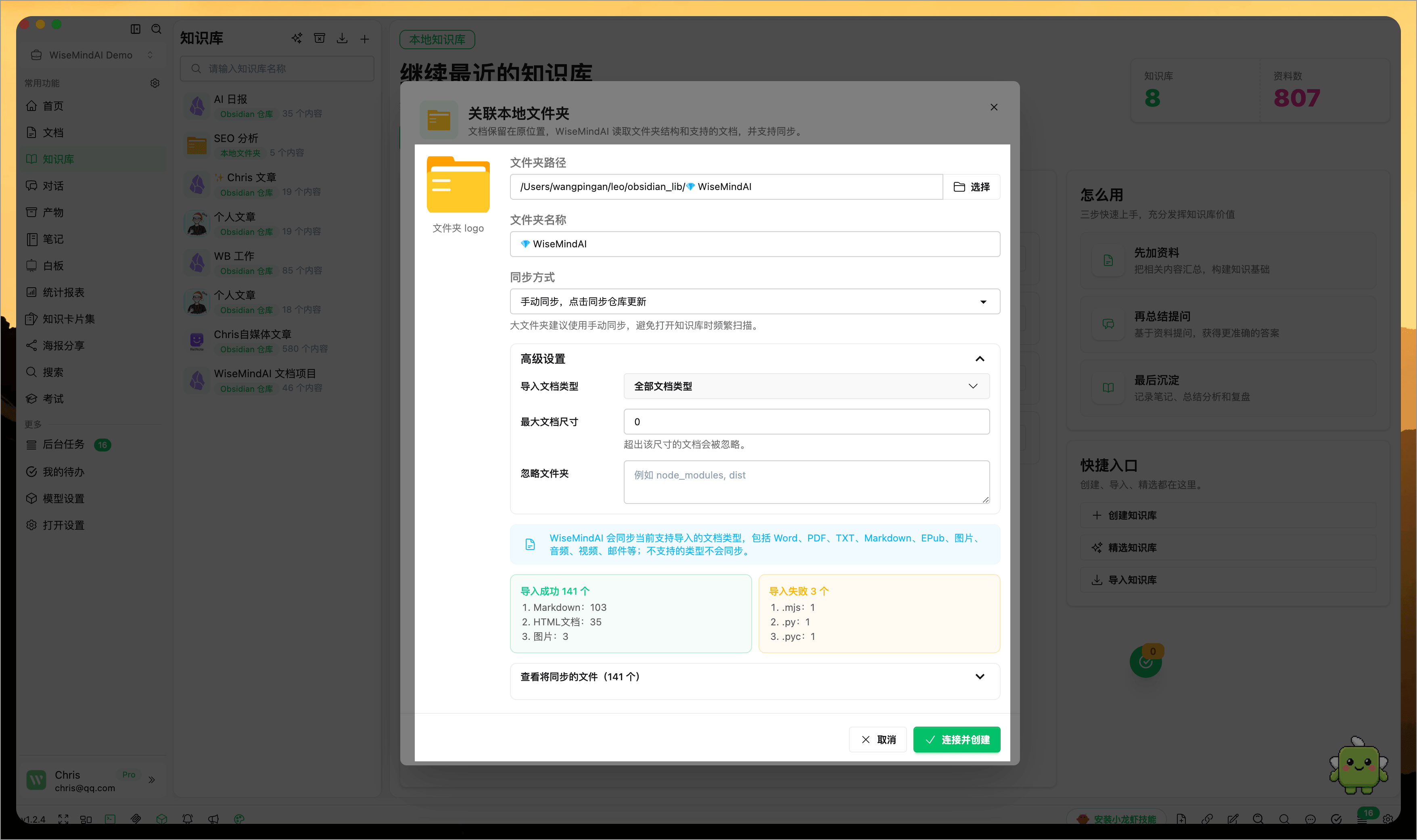
When associating a local folder, you can set sync methods based on needs—for example, syncing only upon manual trigger or checking for updates when opening the knowledge base. This provides better control for course or project folders that frequently add new materials.
Advanced settings also allow you to control document types imported, maximum file size limits, and folders to ignore, preventing temporary files, irrelevant files, or oversized data from being added to your knowledge base automatically.
6. Summarize the Knowledge Base
Once created, you can start using various features related to the knowledge base, such as Knowledge Base Summary:
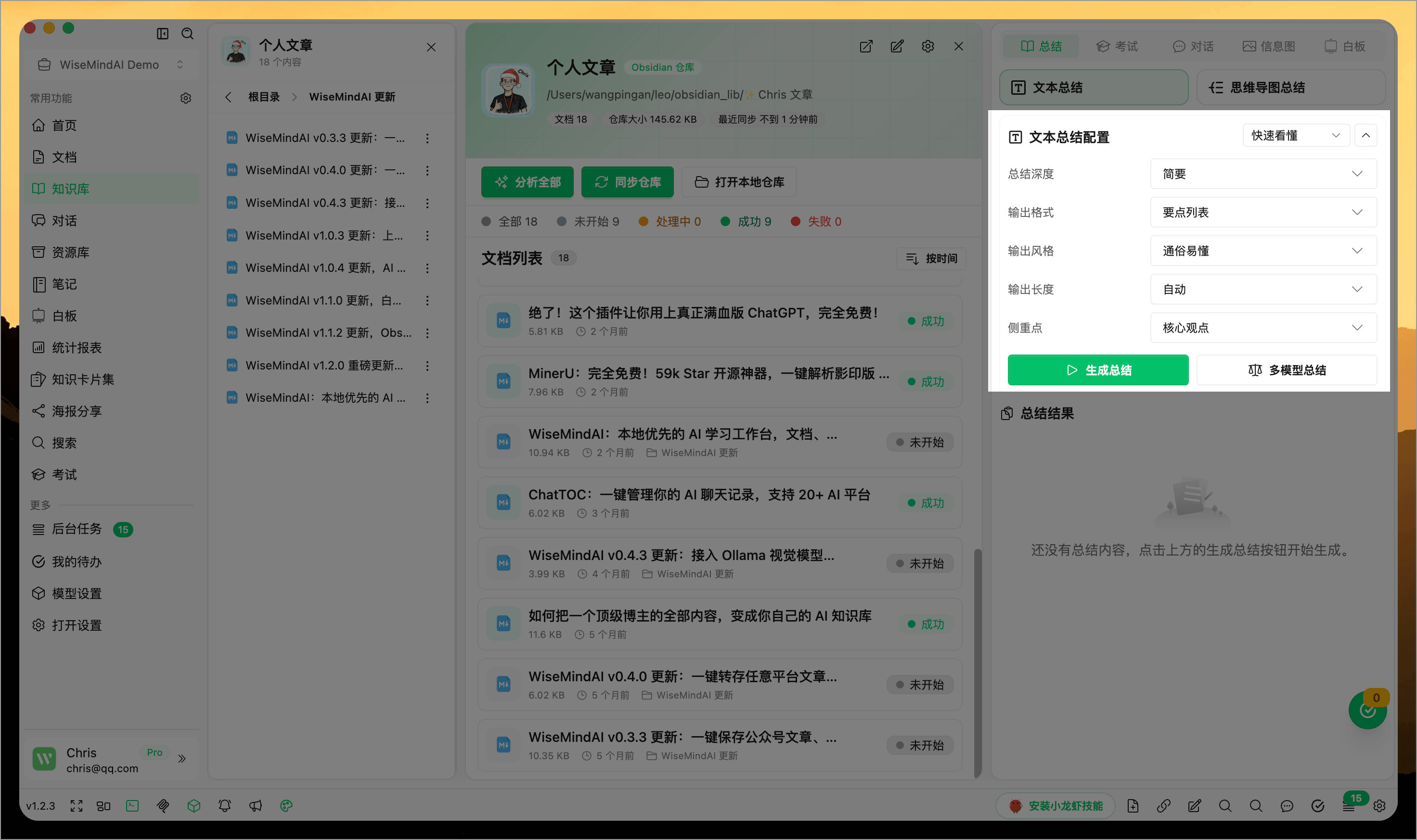
At this point, you can select documents that need to participate in the summary (default is all selected):
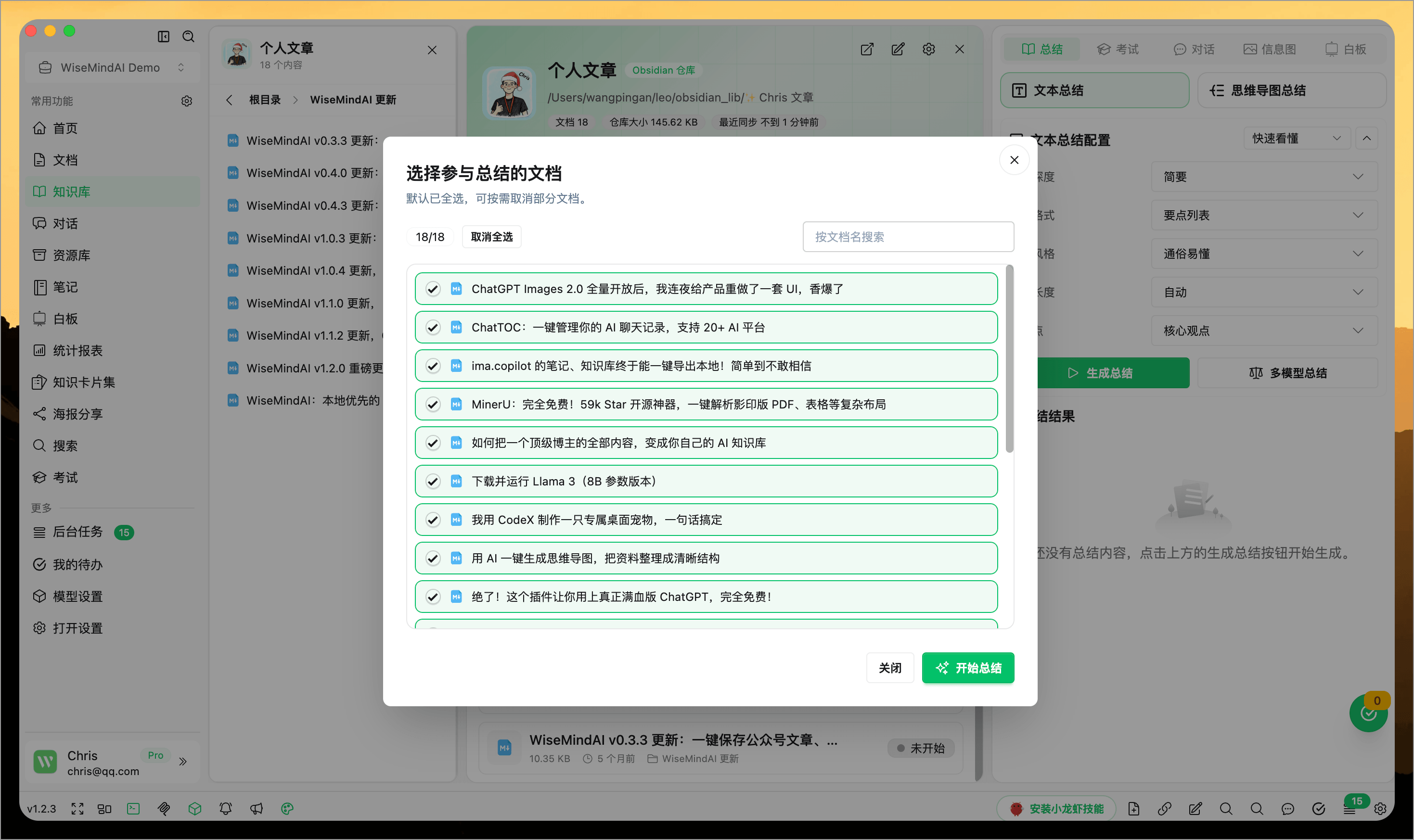
7. Chat with the Knowledge Base
Before using chat features within your knowledge base, you need to analyze document content to extract key information. First, click the "Process All" button to begin analyzing all documents:
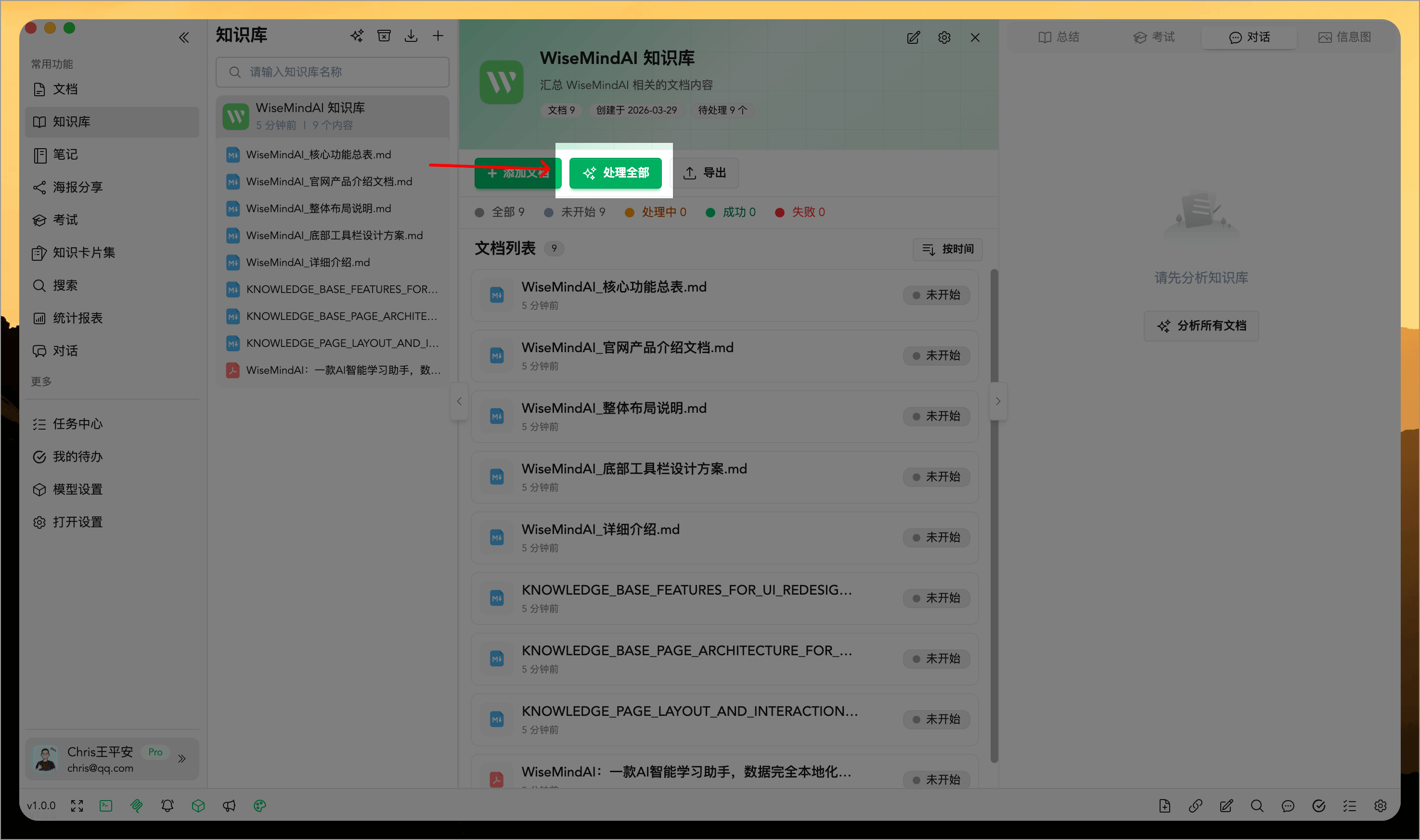
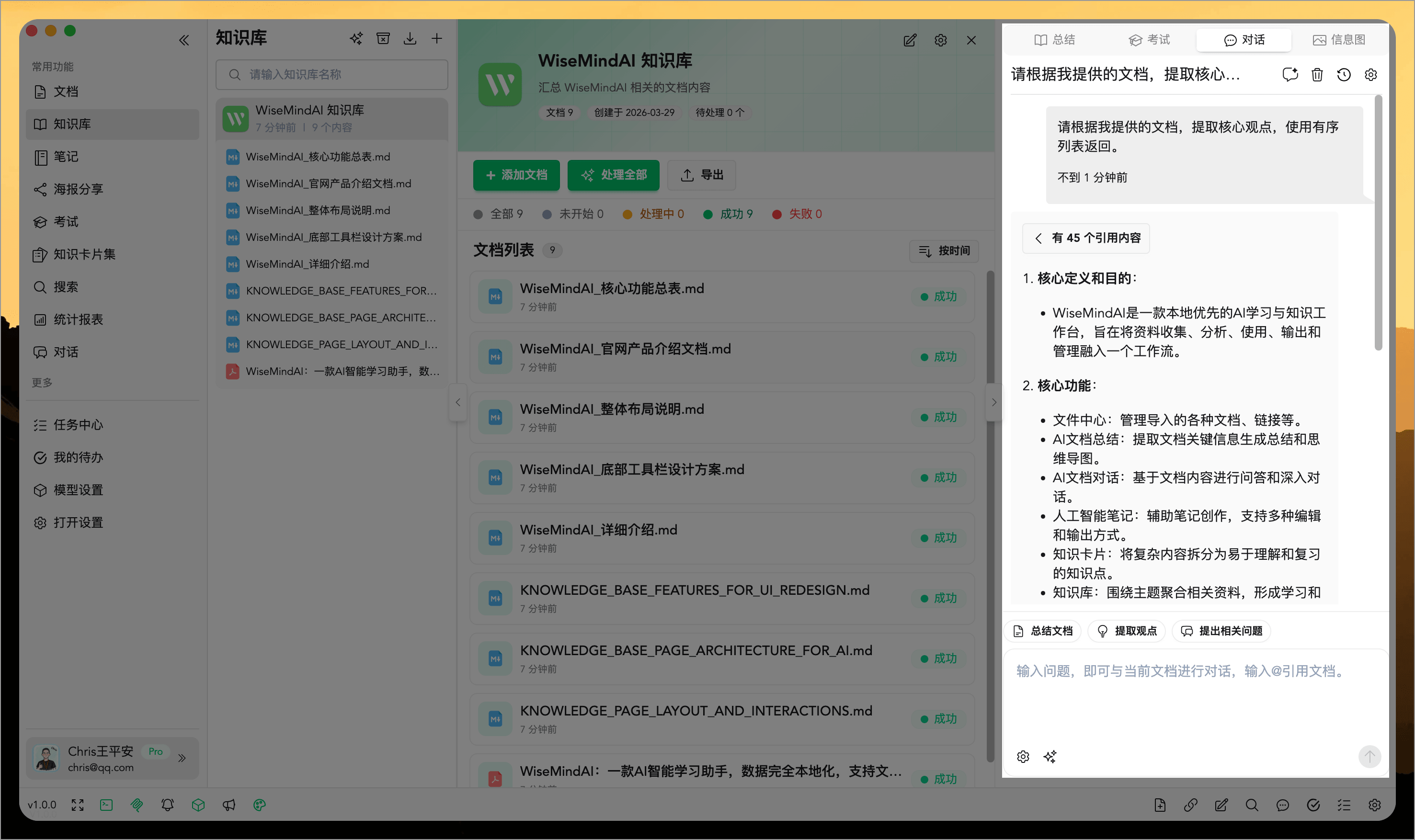
Once the analysis is complete, you can start conversing with your knowledge base in the "Chat" panel on the right to get answers to various questions:
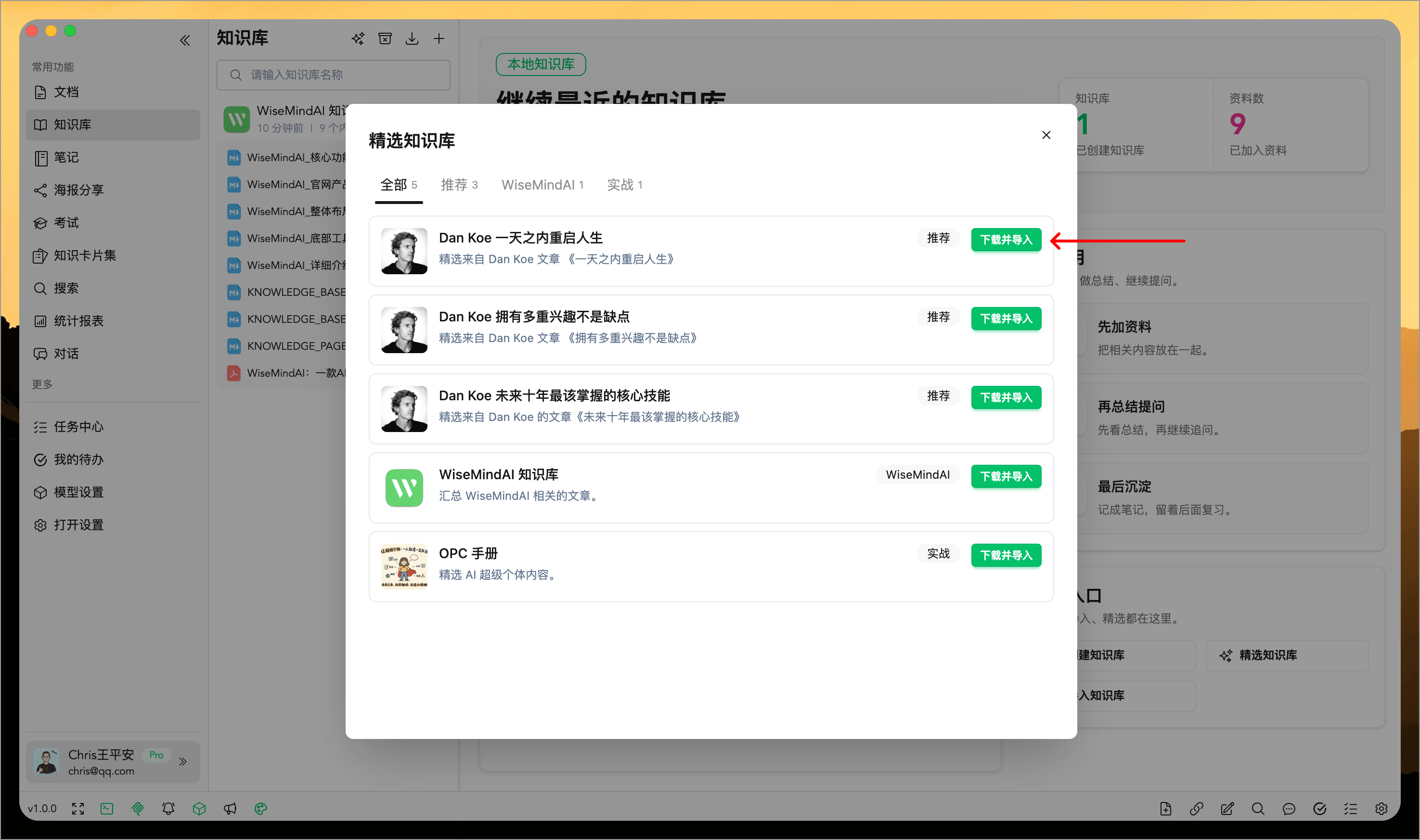
8. Featured Knowledge Bases
WiseMindAI periodically updates a selection of high-quality knowledge bases. You can click "Download and Import" directly to download the knowledge base locally for viewing and usage:
🌈 Usage Examples: Efficient Application, Boosting Learning and Work
Chris created a knowledge base in WiseMindAI specifically to store all of his documents. With one click, he analyzed the entire content, quickly grasping the core points of the knowledge base.
In daily learning and work scenarios, Chris engages with this knowledge base at any time. After inputting questions, the system promptly provides precise answers, helping him efficiently access detailed information and significantly improving both his learning efficiency and productivity.
FAQ
What content is suitable for an AI Knowledge Base?
It's ideal to store multiple resources on a single topic, such as course materials, thesis collections, project documents, product manuals, research papers, Obsidian vaults, local folder contents, or personal knowledge bases.
Supported document formats are extensive, including web links, PDFs, Word files, Markdown, TXT, audio/video, images, and plain text (10+ types).
Can I link an Obsidian Vault?
Yes. You can connect your local Obsidian vault to a WiseMindAI Knowledge Base so that existing Markdown notes continue to participate in knowledge base summarization, Q&A, quizzes, and infographic generation.
Can I link a local folder?
Yes. You can use a local folder as the source for your knowledge base, which is suitable for managing course materials, thesis collections, project files, or long-term curated topic resources. During connection, you can choose sync methods and set import types, file size limits, and folders to ignore.
Can I see sources in Knowledge Base answers?
Yes. The knowledge base chat displays the source citations used in responses, allowing you to verify answer accuracy and return to the original text for further reading.
What happens if materials in a linked folder are updated?
If your knowledge base is connected to a local folder, you can manually sync based on settings or update it when opening the knowledge base. If content changes frequently, we recommend syncing regularly before summarizing and conversing.
Will an RSS Knowledge Base import old articles again?
No. Sync adds only new articles to the Knowledge Base. Whether new articles are analyzed immediately depends on the settings selected when creating or editing the RSS Knowledge Base.
Will the same material be duplicated when added from different entry points?
WiseMindAI checks material information for duplicates to prevent the same document from being added repeatedly. If the content has actually changed, it may still be treated as new material.
How does an AI Knowledge Base differ from Document Center?
Document Center is suitable for importing and processing single documents; whereas an AI Knowledge Base excels at organizing multiple resources by topic to enable cross-document summarization, Q&A, quizzes, and infographic generation.
What configuration is needed before creating a knowledge base?
If you only plan to summarize content, configuring a Large Language Model API Key is typically sufficient. However, for knowledge base conversations, you also need an Embedding model API Key and must first analyze the documents.
Can AI Knowledge Bases be used for review?
Yes. You can generate summaries, knowledge cards, or AI Exams based on your knowledge base to transform materials from "read" into actionable, testable study content.