
🔍 AI Search
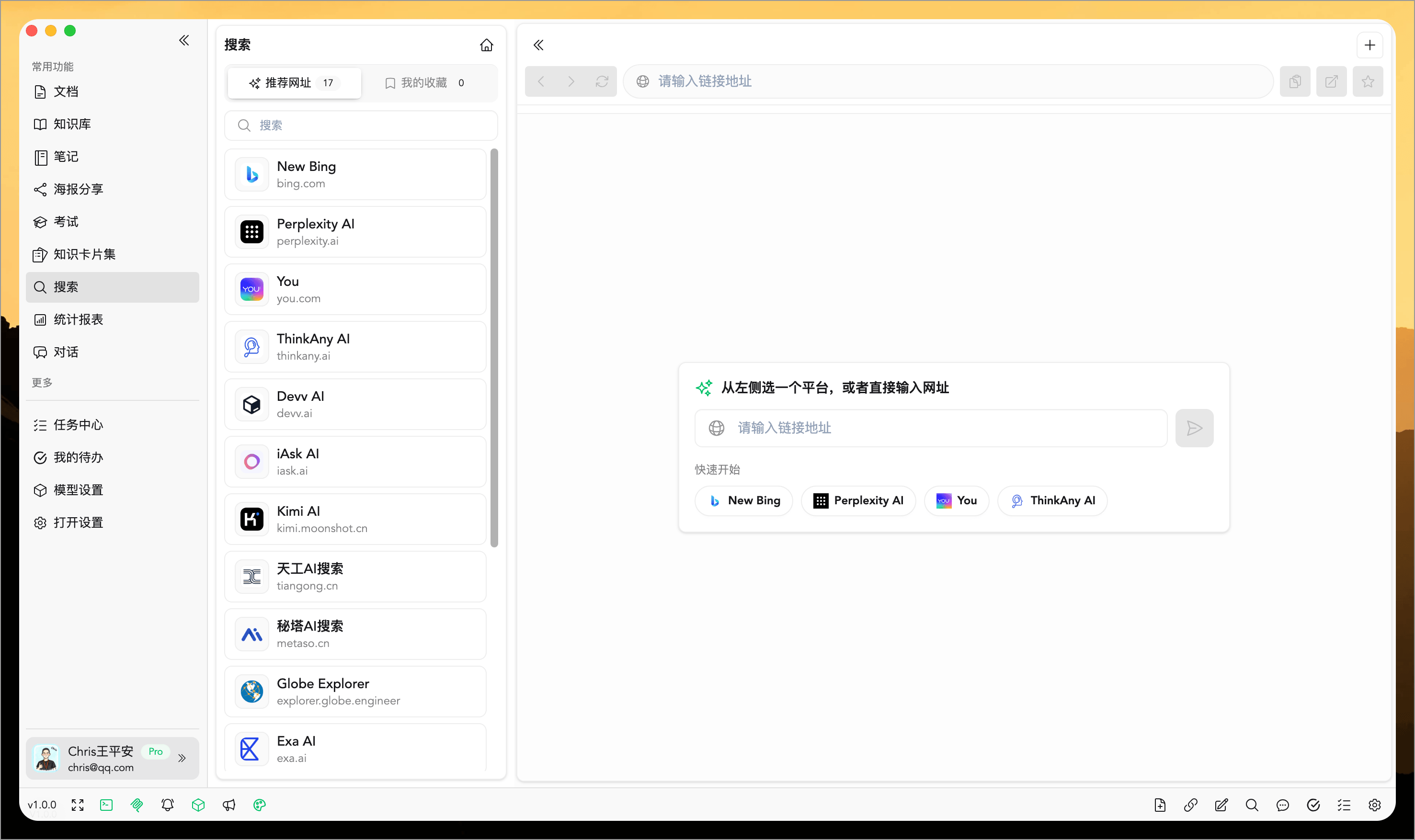
The WiseMind AI Search page consolidates your favorite AI search platforms into a single location for unified use.
You can quickly open different platforms here, keep multiple search tabs open simultaneously to compare results side-by-side, bookmark frequently used sites for long-term access, or simply type any URL to continue searching or browsing directly. Compared to constantly switching between browser windows, the AI Search page is better suited for continuous research, comparing outcomes, and organizing your most-used entry points.
Features Overview
Often, we don't rely on just one search platform; instead, we switch back and forth between various AI tools to compare answers, sources, and presentation styles repeatedly.
The WiseMind AI Search page is designed specifically for this scenario. It brings your favorite AI platforms, personal bookmarks, and current browsing pages into a single workspace, making searching, switching tabs, bookmarking, and continuing your browse session much more seamless.
Core Capabilities
1. Built-in Common AI Search Platforms
The AI Search page includes several popular AI search platforms that you can open immediately without needing to manually organize links yourself.
It is perfect for quickly switching between different platforms to compare search results and answer styles.

2. Support for Bookmarking Personal Favorite URLs
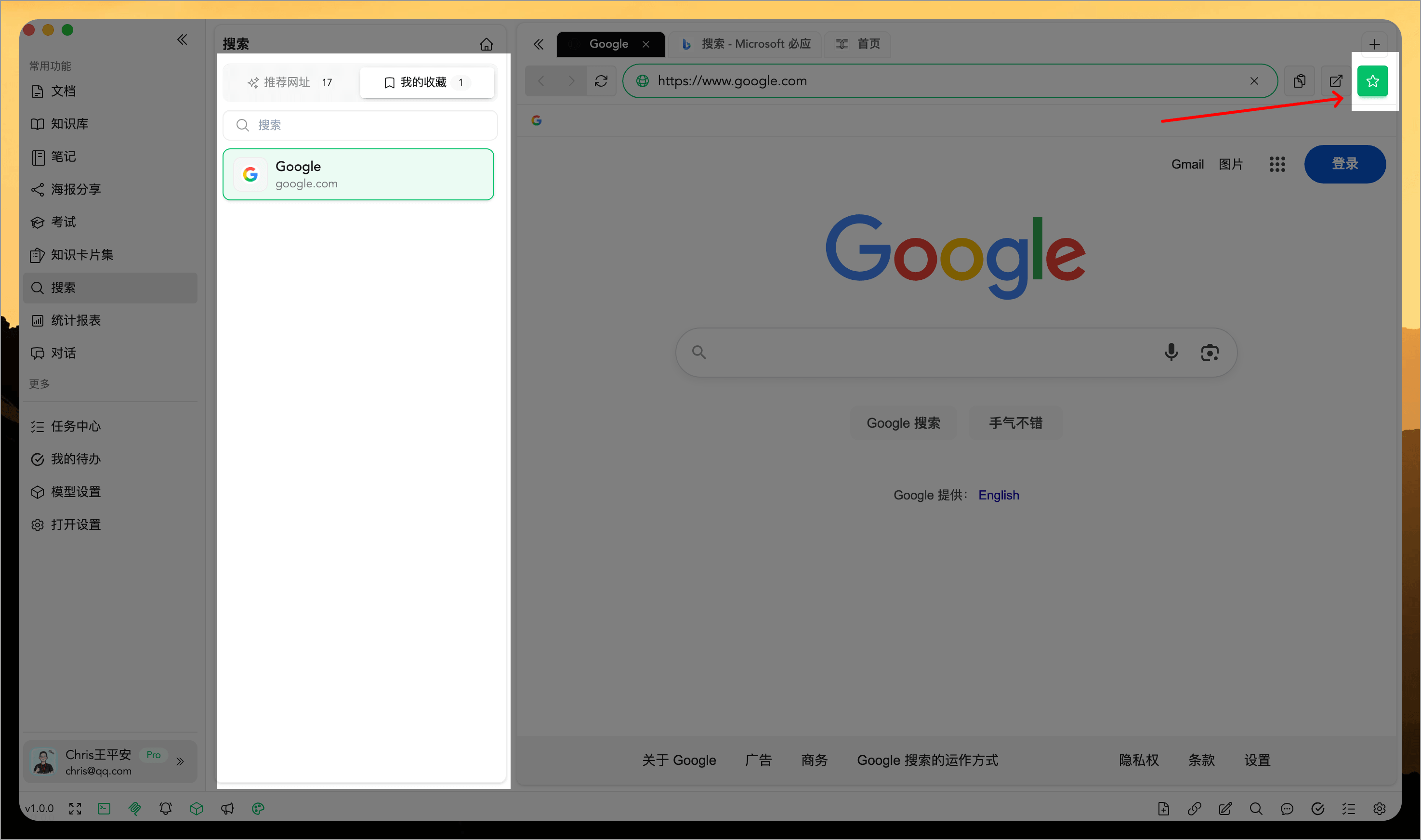
In addition to the built-in platforms, you can add your own frequently visited sites to "My Favorites."
This allows you to manage everything from specific search tools and industry websites to personal reference pages within the AI Search page, ready to be opened anytime later.
3. Direct URL Input for Quick Access
If a website you want to visit is not in your recommended list or favorites, you can simply type the URL directly and open it immediately.
This means the AI Search page serves as more than just an entry point; it functions as a lightweight search and browsing workspace on its own right.
4. Support for Multi-Tab Switching
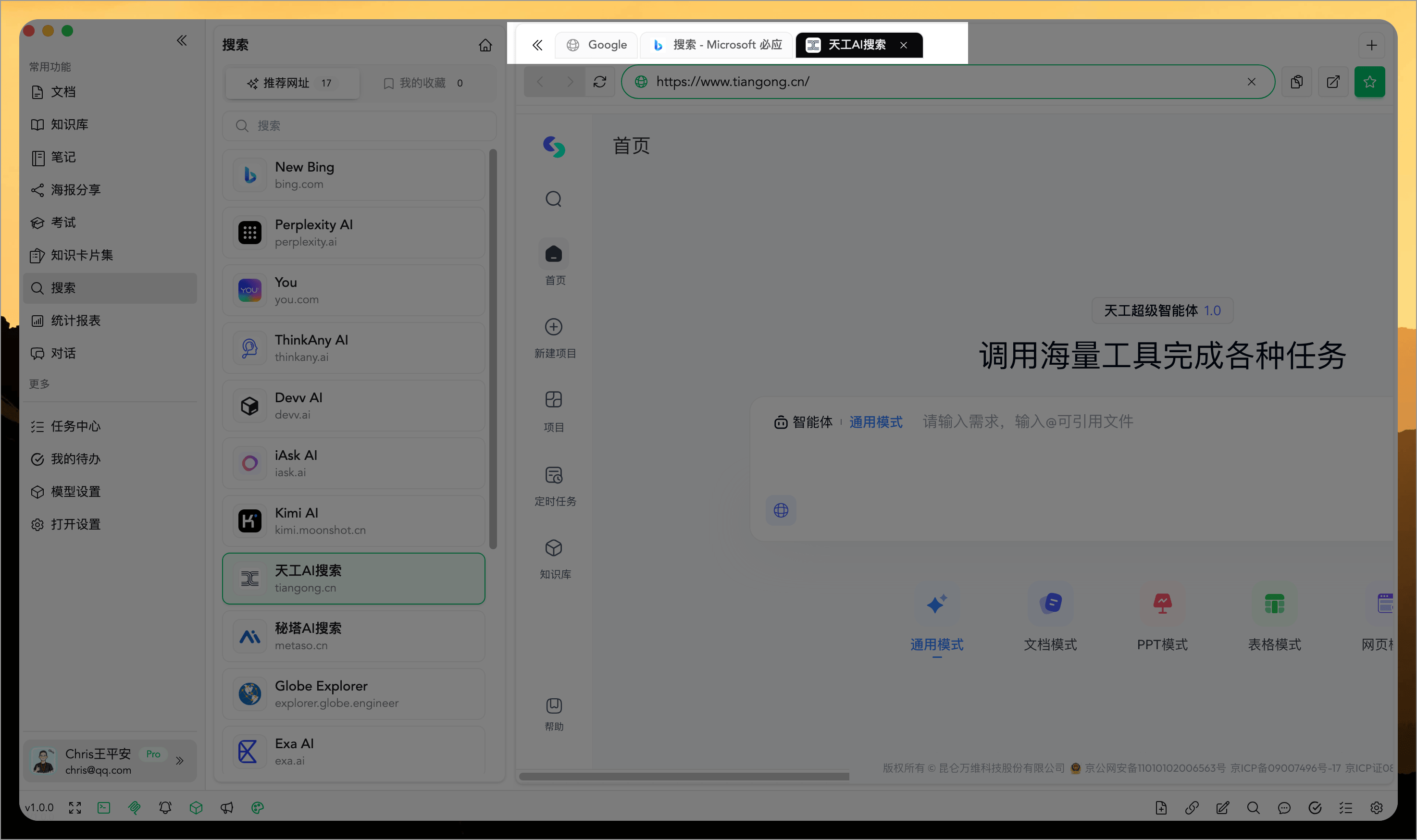
The new version of the AI Search page supports opening multiple pages simultaneously with quick switching between tabs.
This is particularly convenient in scenarios such as:
- Comparing answers from multiple AI search platforms at once
- Keeping one page open for continued research while opening another to supplement the search
- Preserving context of previously opened pages during a search session
5. In-Page Browsing Support
Once you have opened a page, you can continue browsing and navigating directly within it without needing to reselect a platform each time.
The interface also supports common basic operations such as:
- Forward
- Backward
- Refresh
- Copy current link
- Open in system browser
Ideal Use Cases
The AI Search page is particularly well-suited for these usage patterns:
- Rapidly switching and comparing across multiple AI search platforms
- Centralizing the management of frequent search entry points
- Conducting research retrieval, thematic studies, or daily information exploration
- Maintaining multiple open tabs to reduce repetitive jumping between windows
- Consolidating high-frequency websites into a fixed workspace
Summary
The value of the AI Search page lies not just in "opening one search website," but in organizing your favorite AI search entry points, bookmarked sites, and current browsing sessions into a single location.
While standard search solves the problem of "searching once," WiseMind AI's AI Search page is better suited for solving "continuous searching, repeated comparison, and long-term reuse."