
📝 AI Smart Notes
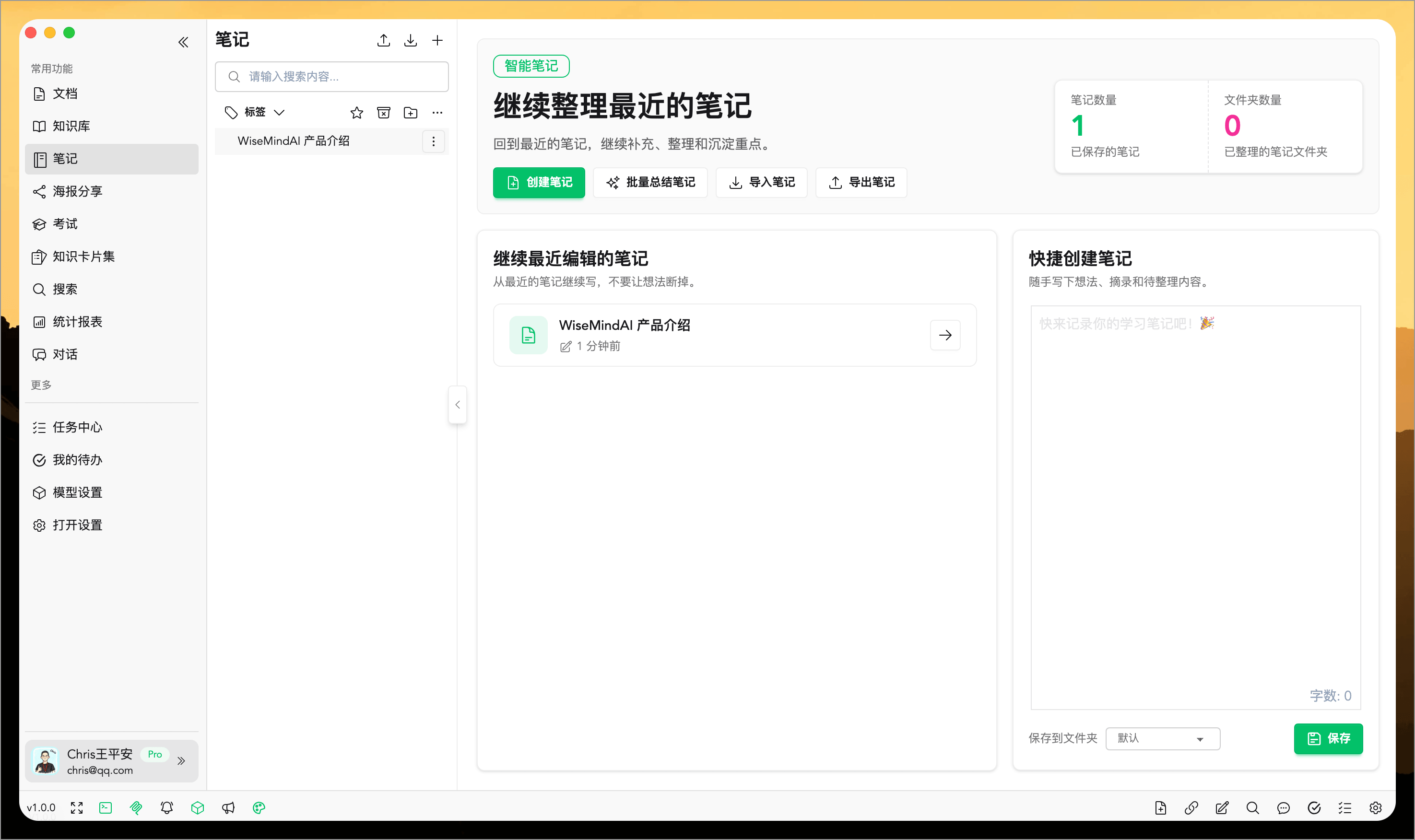
WiseMind AI offers AI Smart Notes, allowing users to extract note-worthy content from documents during their learning process for easy review.
You can also use AI to tag, improve, shorten, expand, and illustrate a note. When you need the source material beside your notes, attach PDF, DOCX, or Markdown files directly. When finished, switch to Reading Mode to check the layout, then copy the content to WeChat Official Accounts, Zhihu, or another Markdown-compatible platform.
Basic Setup
Please configure: Large Language Model API Key first.
💡 Feature Overview
In WiseMind AI, you can also save web content, summaries, and AI conversation as notes for convenient review of your learning materials.
📖 How to Use
Currently, there are several entry points where you can save content into a note:
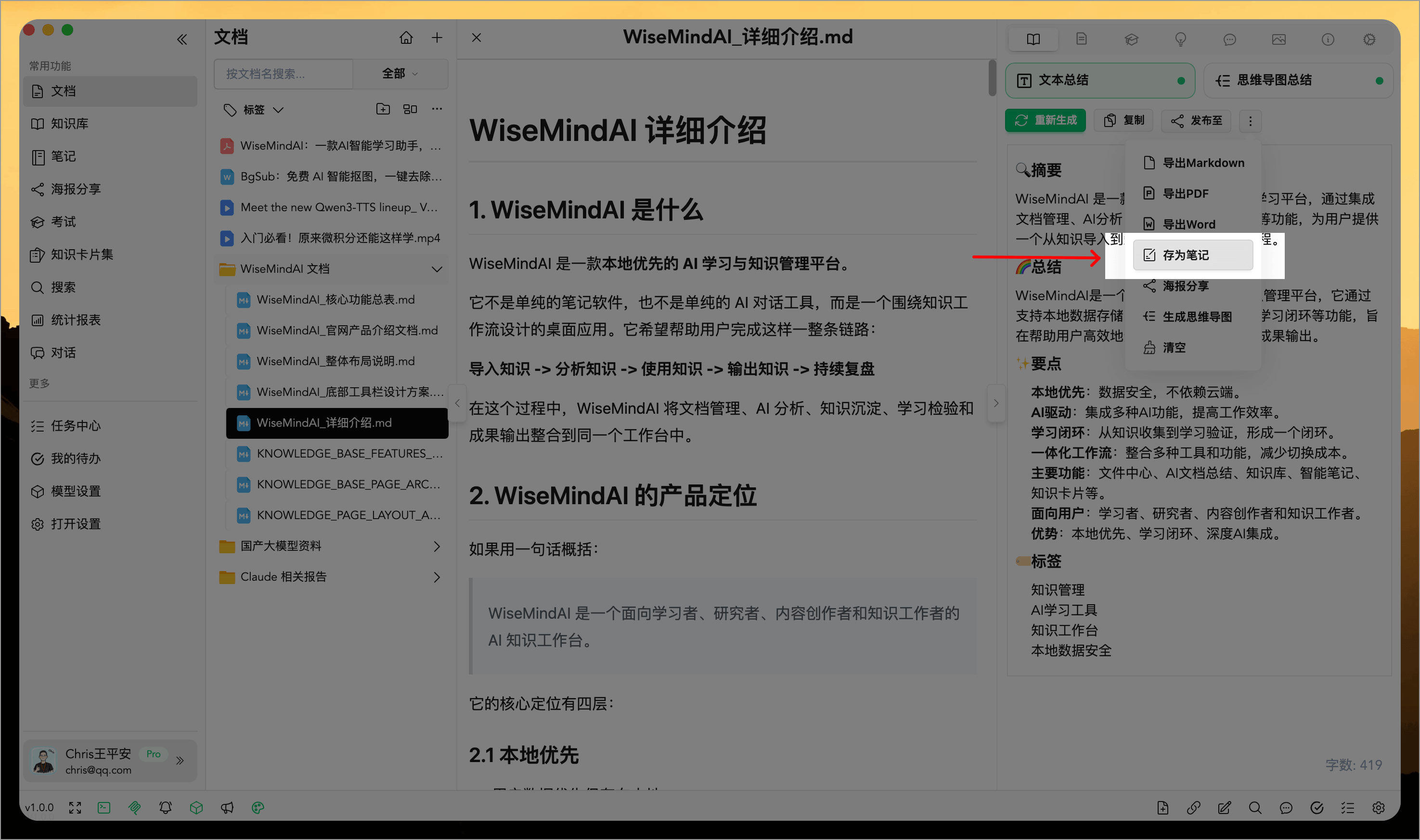
1. AI Document Summary
After summarizing a document with AI, click the "Save as Note" button in the top-right corner to save it:
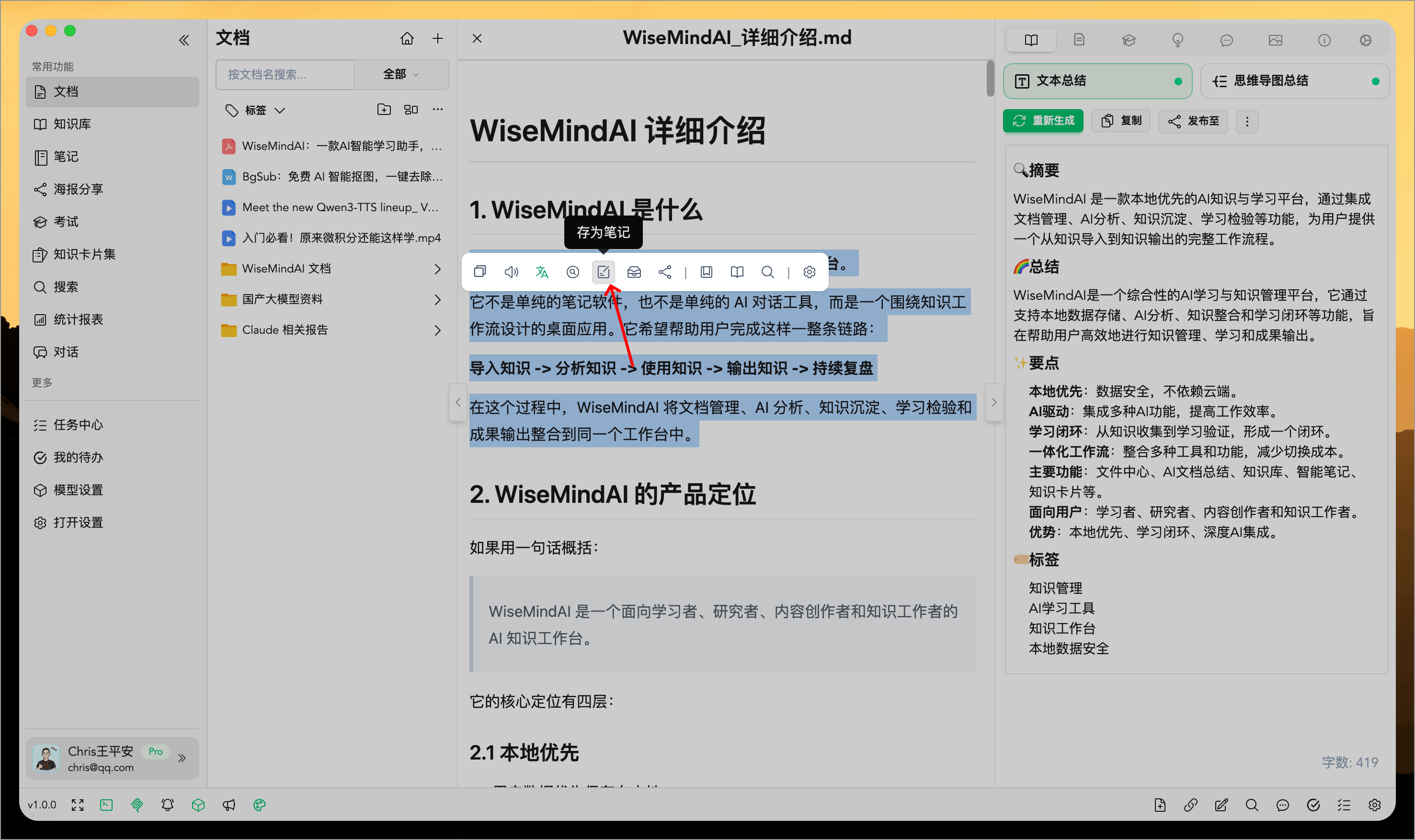
2. Highlight Tool
Once you open any document, highlight text within it and save your selection as a note:
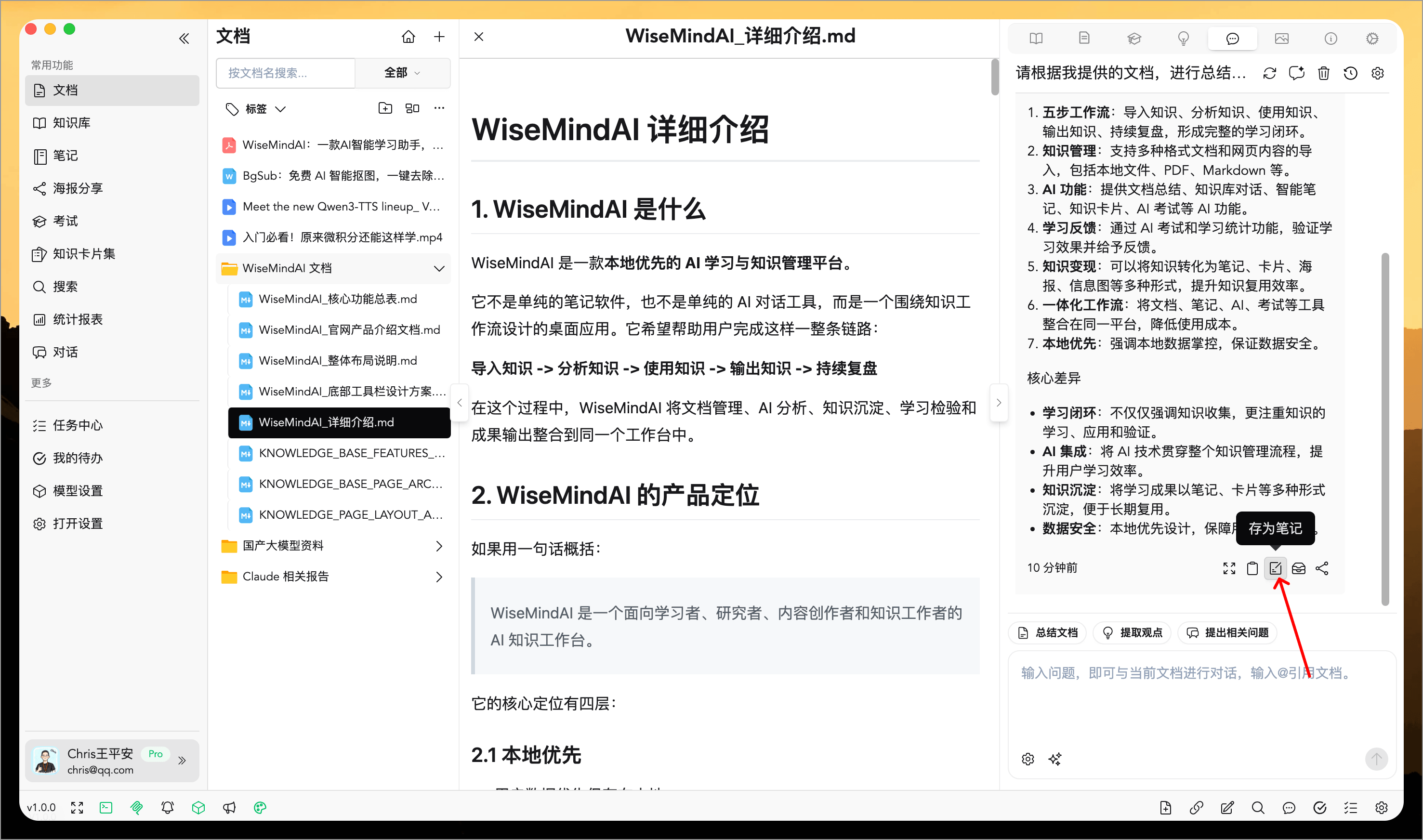
3. AI Conversation Content
During an AI conversation, you can also save specific parts of the dialogue into notes:
4. Create New Note
You can directly edit a note in the right-hand panel to organize your thoughts while you learn.
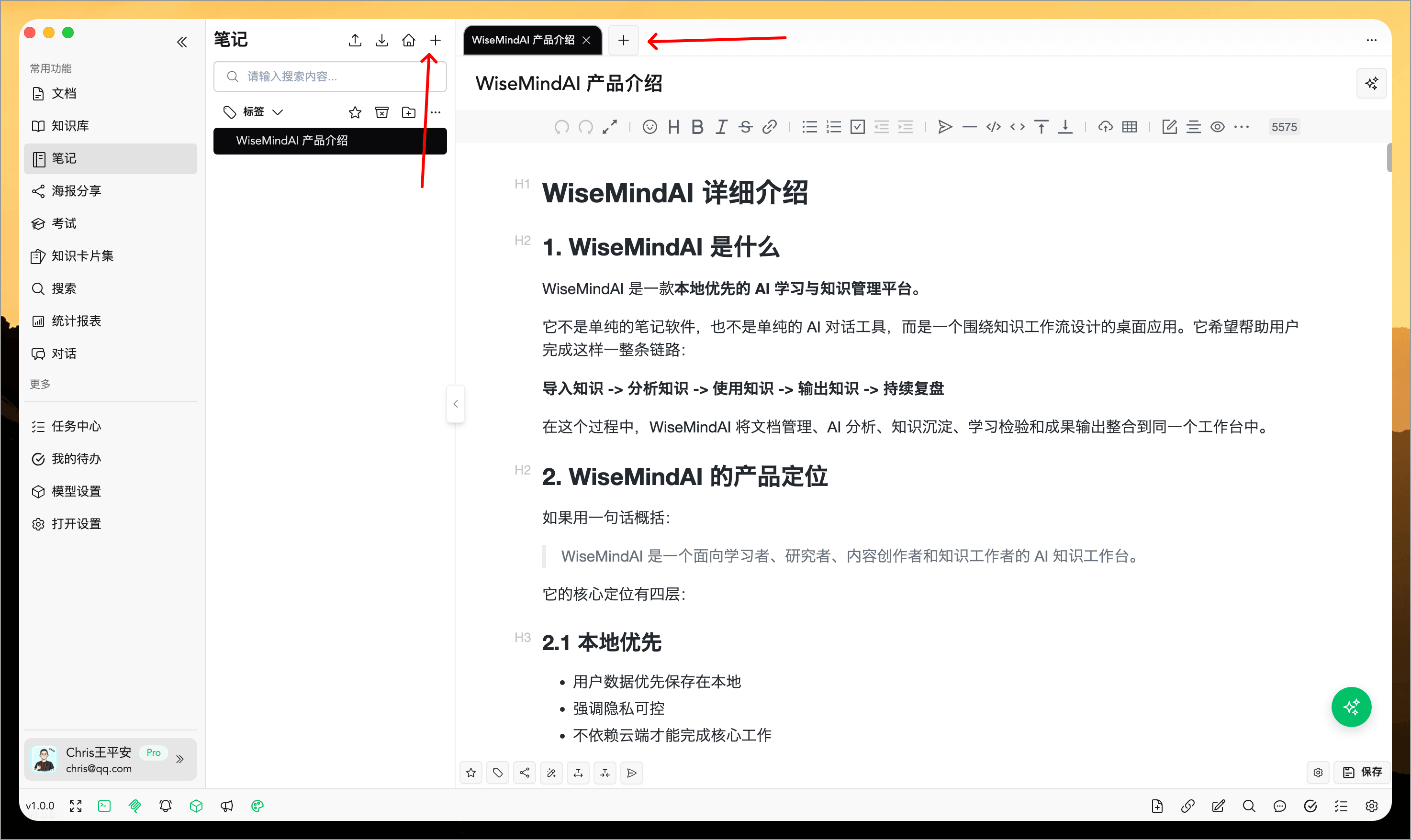
There are many other ways to save content into notes as well.
🌈 Core Features
The note editor supports multiple AI features, including:
- Add Tags: Easily attach custom tags to your content for organized categorization and quick retrieval.
- Generate Posters: Create eye-catching posters with a single click to meet various presentation needs.
- AI Rewrite: High-quality text rewriting that refreshes the expression while preserving the original meaning.
- AI Expand: Enrich details based on your original logic, expanding the length of the text for greater depth and substance.
- AI Summarize: Precisely extract core information to compress the length without losing key points.
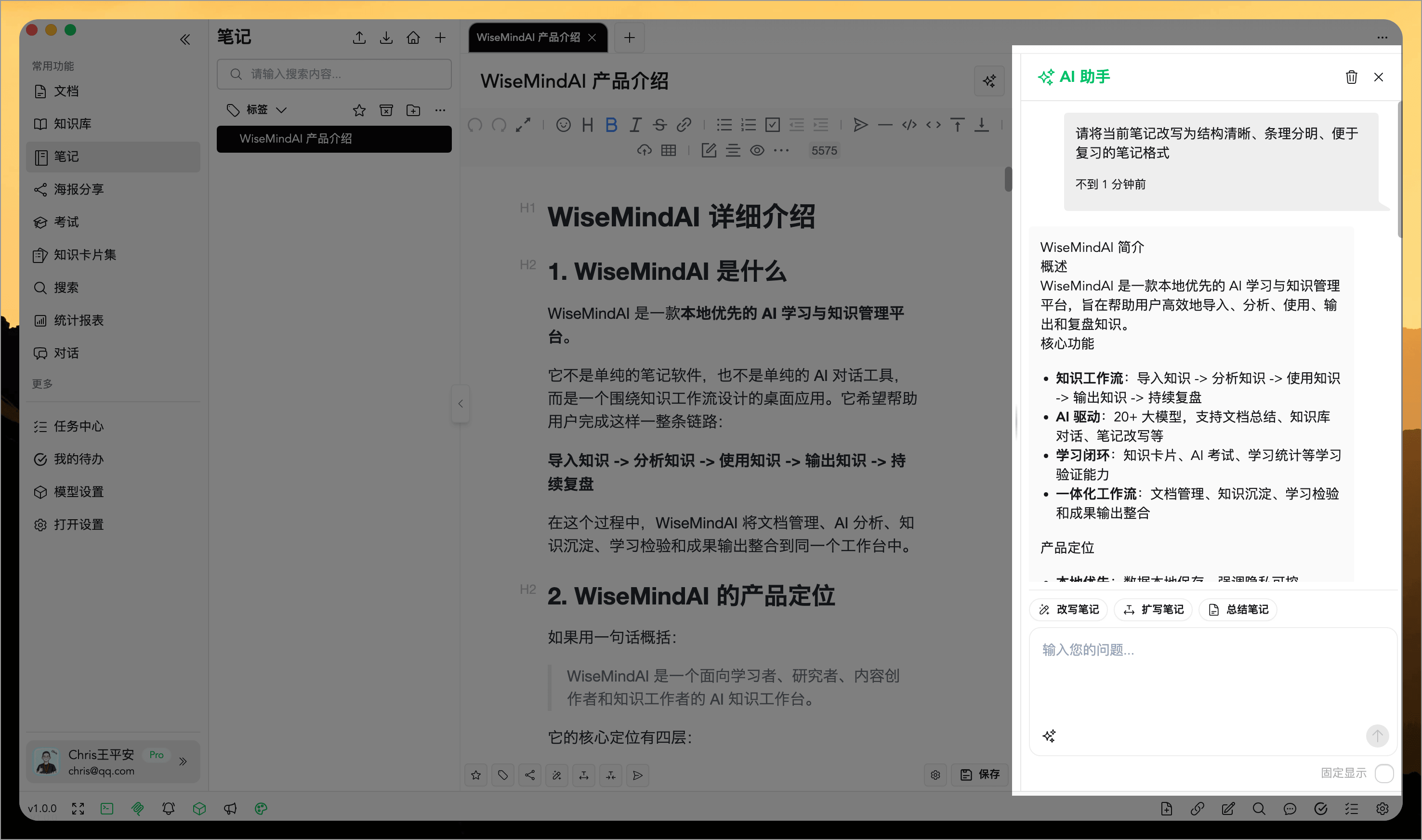
- AI Assistant: Seamlessly leverage AI assistance throughout your note creation process at any time.
- AI Image Generation: Describe the image you need in AI Assistant and use the result in the current note.
- Reading Mode: Preview the note like a Markdown document using your current reading theme and layout settings.
- Copy to Platform: Copy the note body to WeChat Official Accounts, Zhihu, or a general Markdown editor.
- Note Attachments: Keep PDF, DOCX, and Markdown files with a note for direct preview and management.
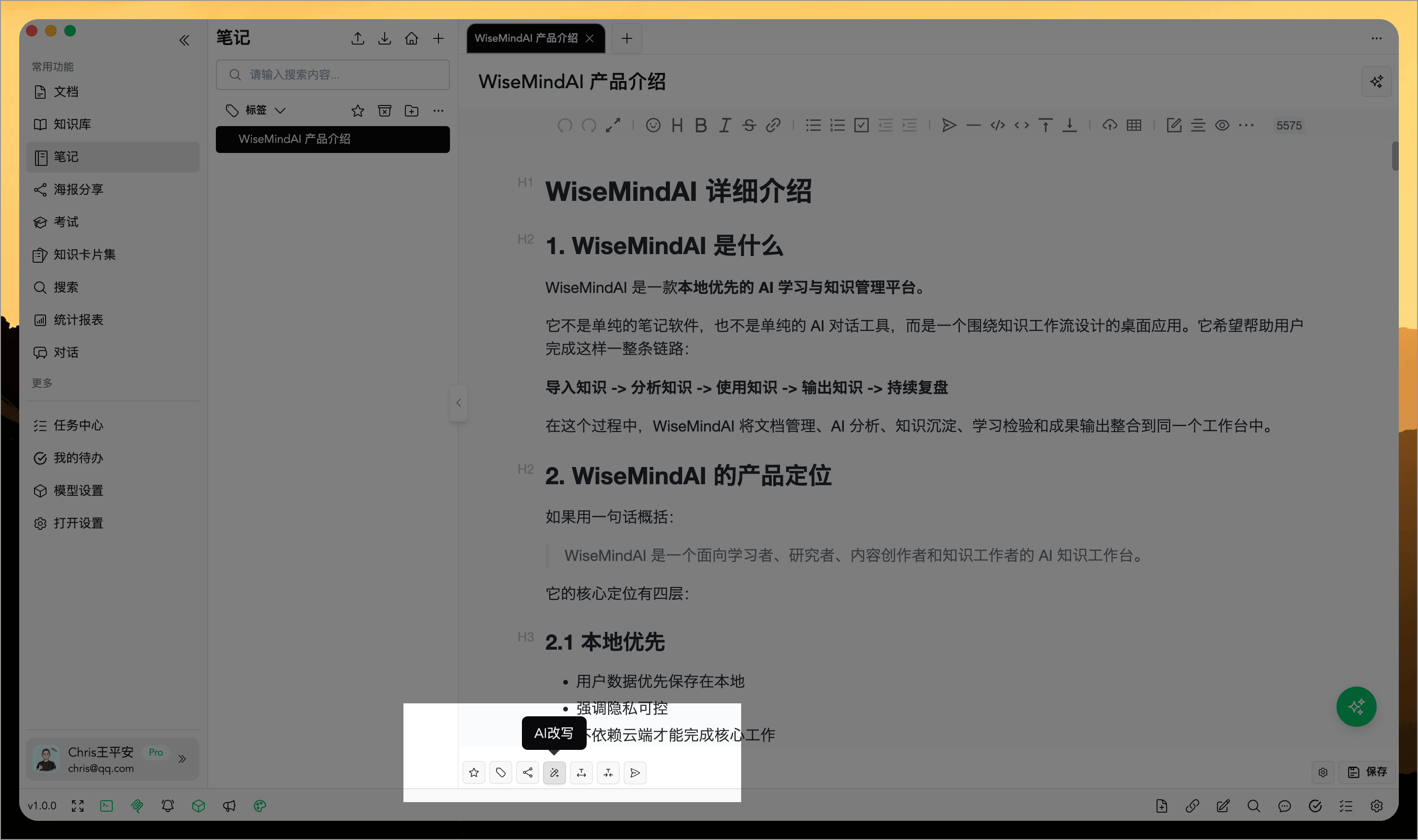
You can also utilize a highlight tool within the notes, which supports customizing AI prompts (detailed in upcoming documentation):
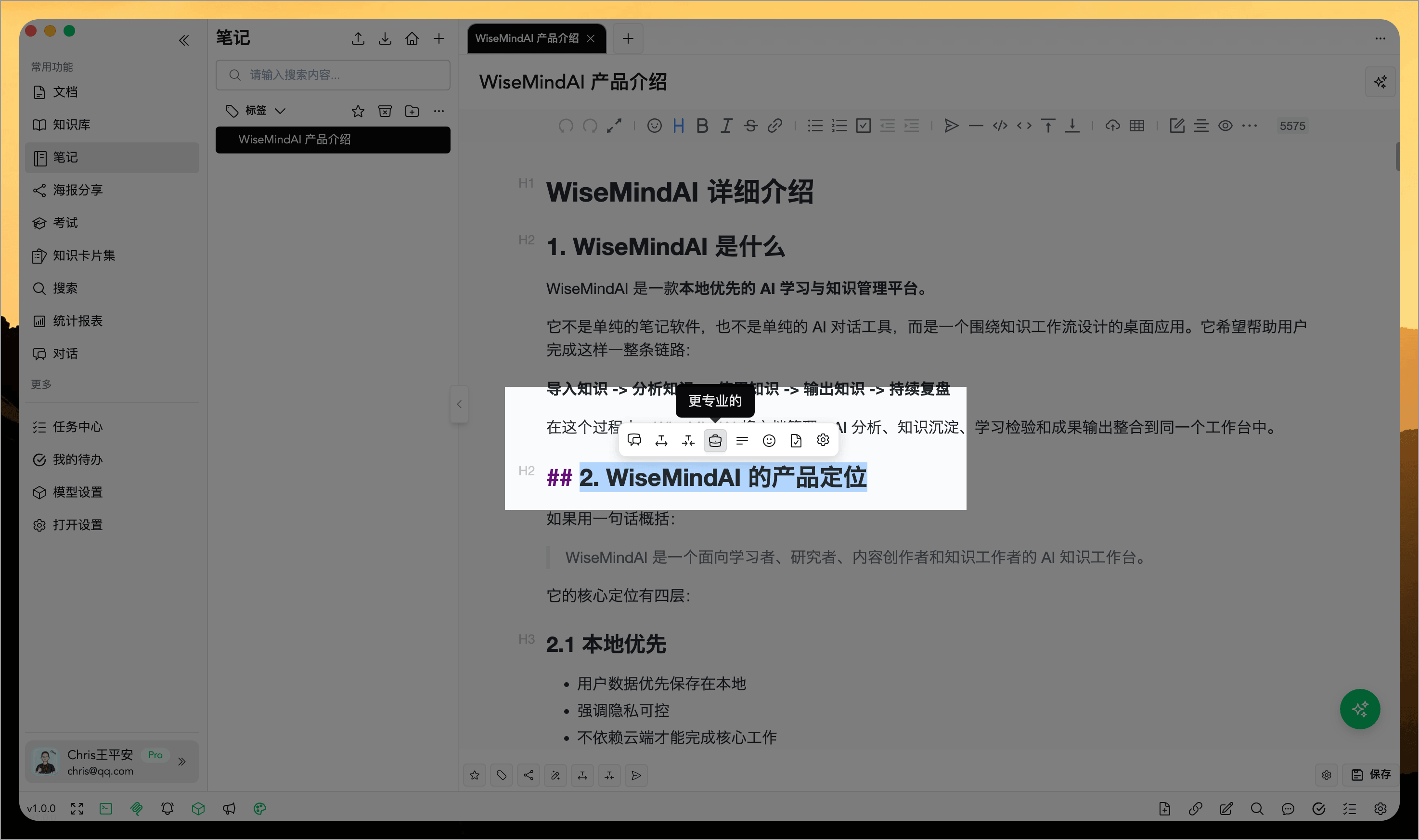
Here is an introduction to the AI Assistant:
Writing Mode and Reading Mode
Use the switch at the top of the note to move between:
- Writing Mode: Enter, edit, and organize the note body.
- Reading Mode: Reformat the note with the Markdown reader, making it easier to check the final appearance of a long article.
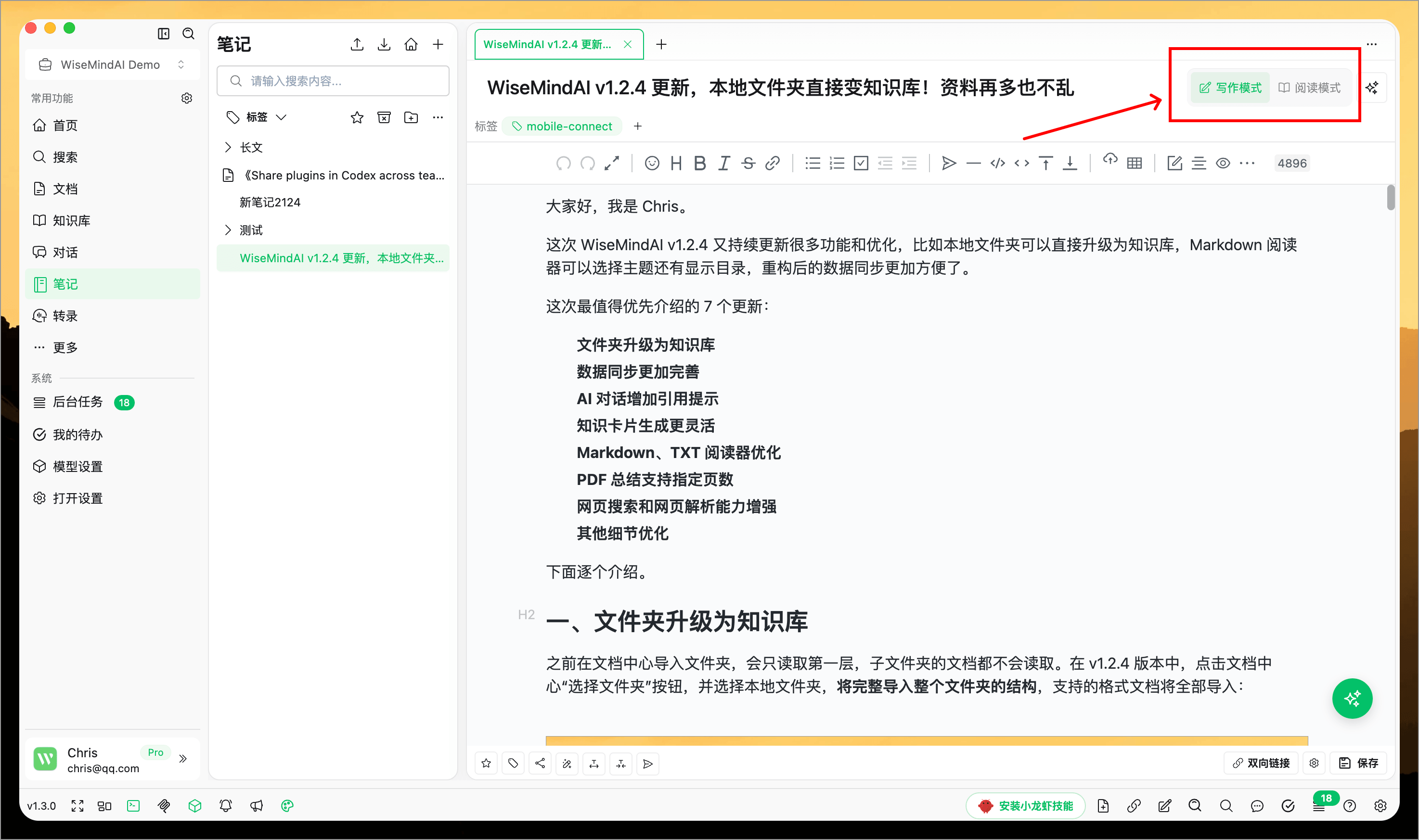
Reading Mode follows the current reading theme, font size, line spacing, and paragraph spacing. You can check headings, quotes, lists, tables, and code blocks without exporting the note first.
Theme and layout controls at the bottom of Reading Mode let you adjust the reading experience without changing the note content.
Copy to WeChat Official Accounts, Zhihu, or Markdown
In Reading Mode, select Copy to Platform, then choose:
- Copy to WeChat Official Account: Copy the title and body separately. The body preserves the main styles from the current reading theme whenever possible.
- Copy to Zhihu: Copy the title and body separately using a structure compatible with Zhihu.
- Copy General Markdown: Copy the original Markdown for another Markdown editor.
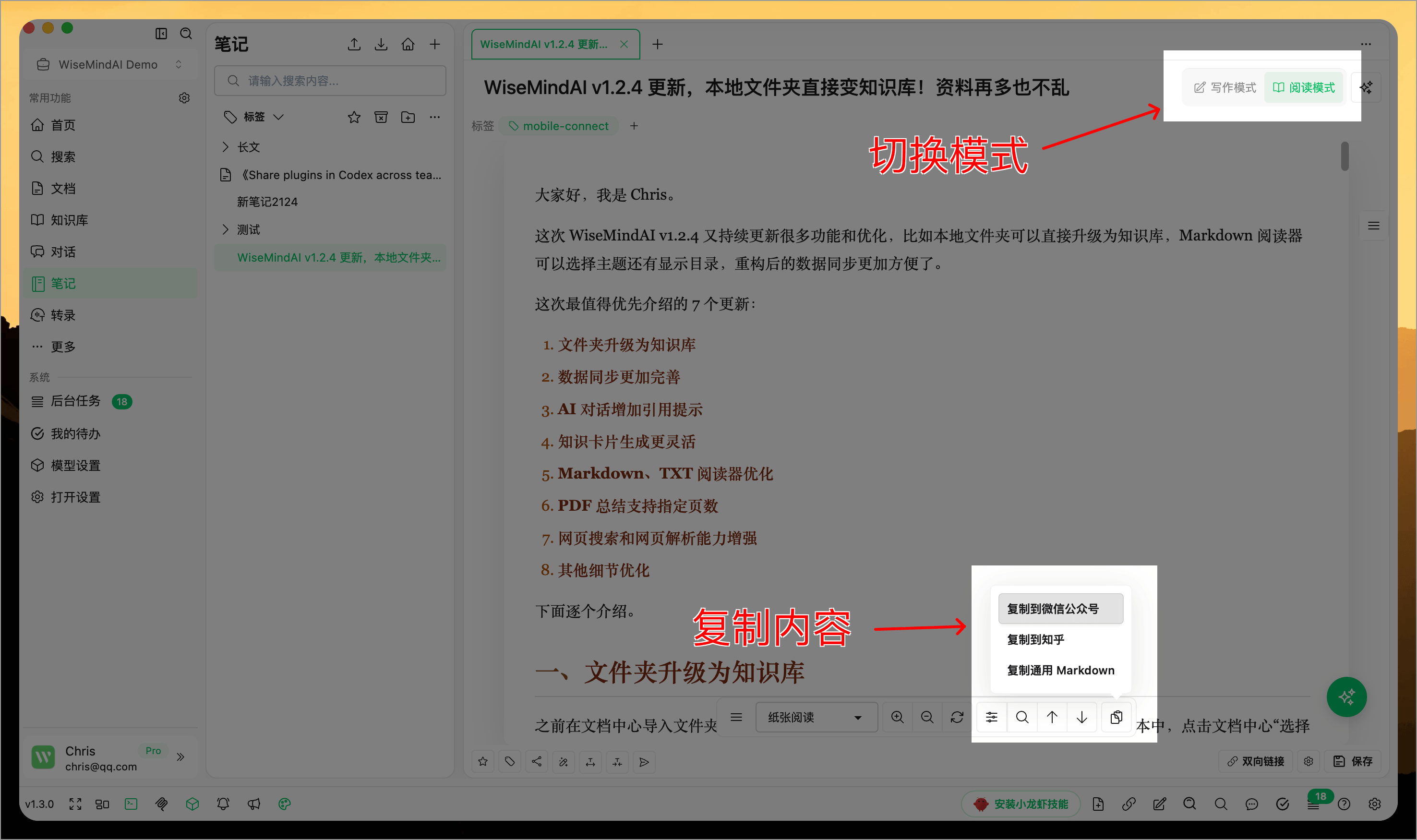
If the note contains images that are only available on your computer, WiseMindAI displays a warning before copying. You can ignore those local images and copy the remaining content. Online images are preserved whenever possible, but final availability still depends on the destination platform.
Generate images with AI Assistant
In Note AI Assistant, describe an image such as an article illustration, knowledge diagram, or simple graphic. This keeps writing and image preparation in the same note workflow.
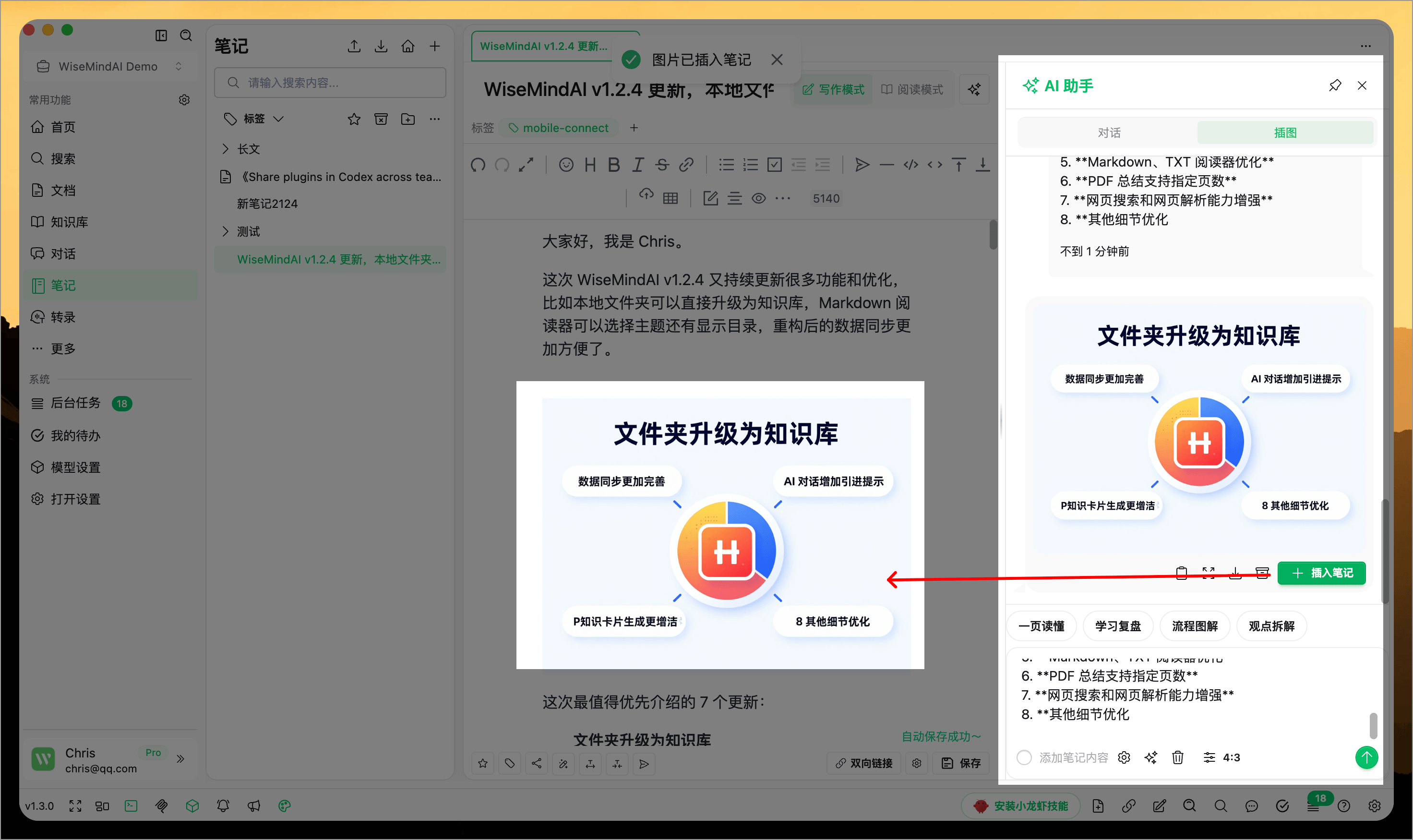
Configure an Image Generation Model Key first. Image generation may incur provider fees, so check the selected model and your account quota before use.
Set note tags quickly
Add or change tags while editing without leaving the note. Tags can represent topics, projects, courses, or content status, and can be used to filter the note list later.
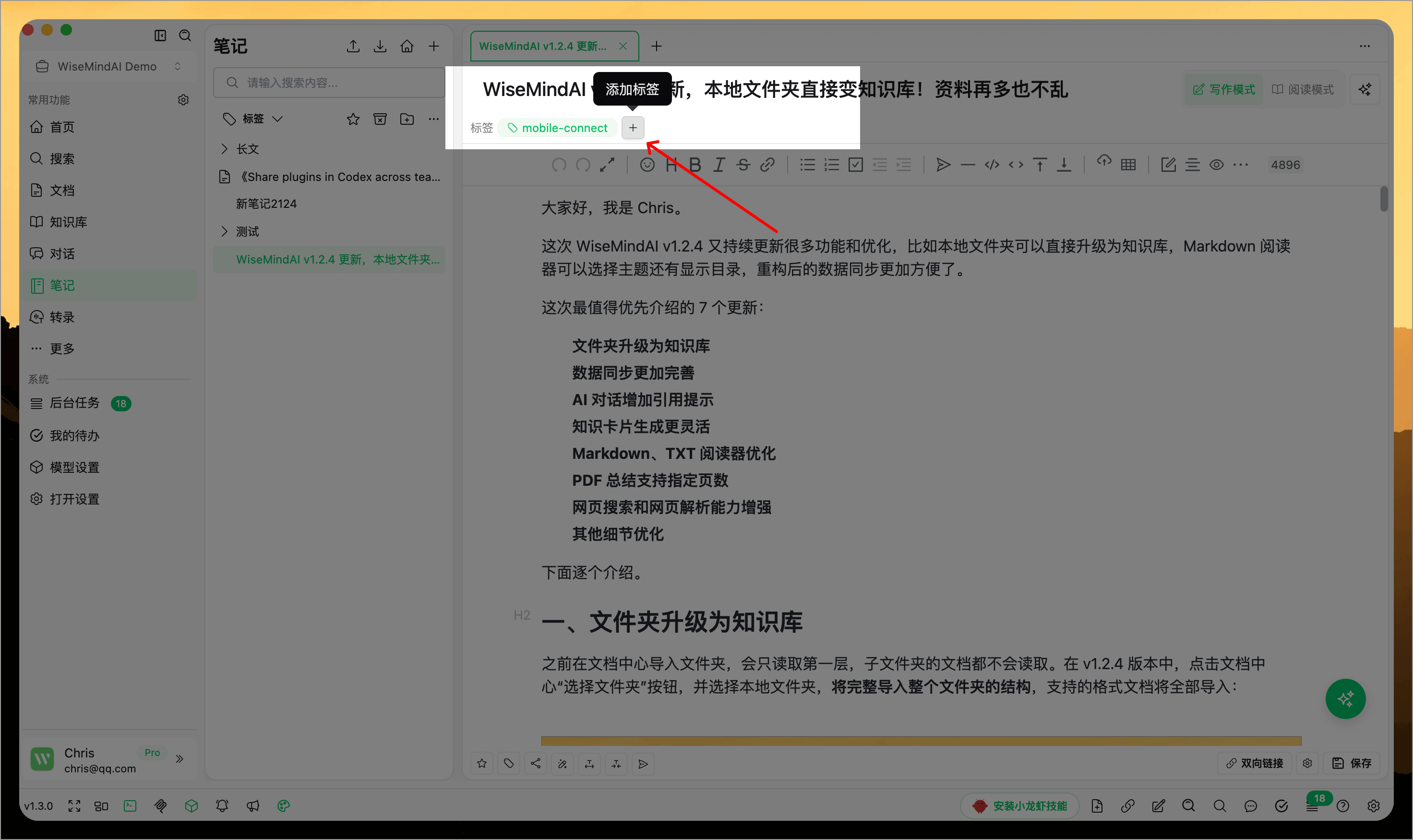
Add and manage note attachments
While editing a note, select a PDF, DOCX, or Markdown file from the toolbar, or drag it directly into the editor. Attachments appear as cards inside the note, keeping the original material alongside your ideas.
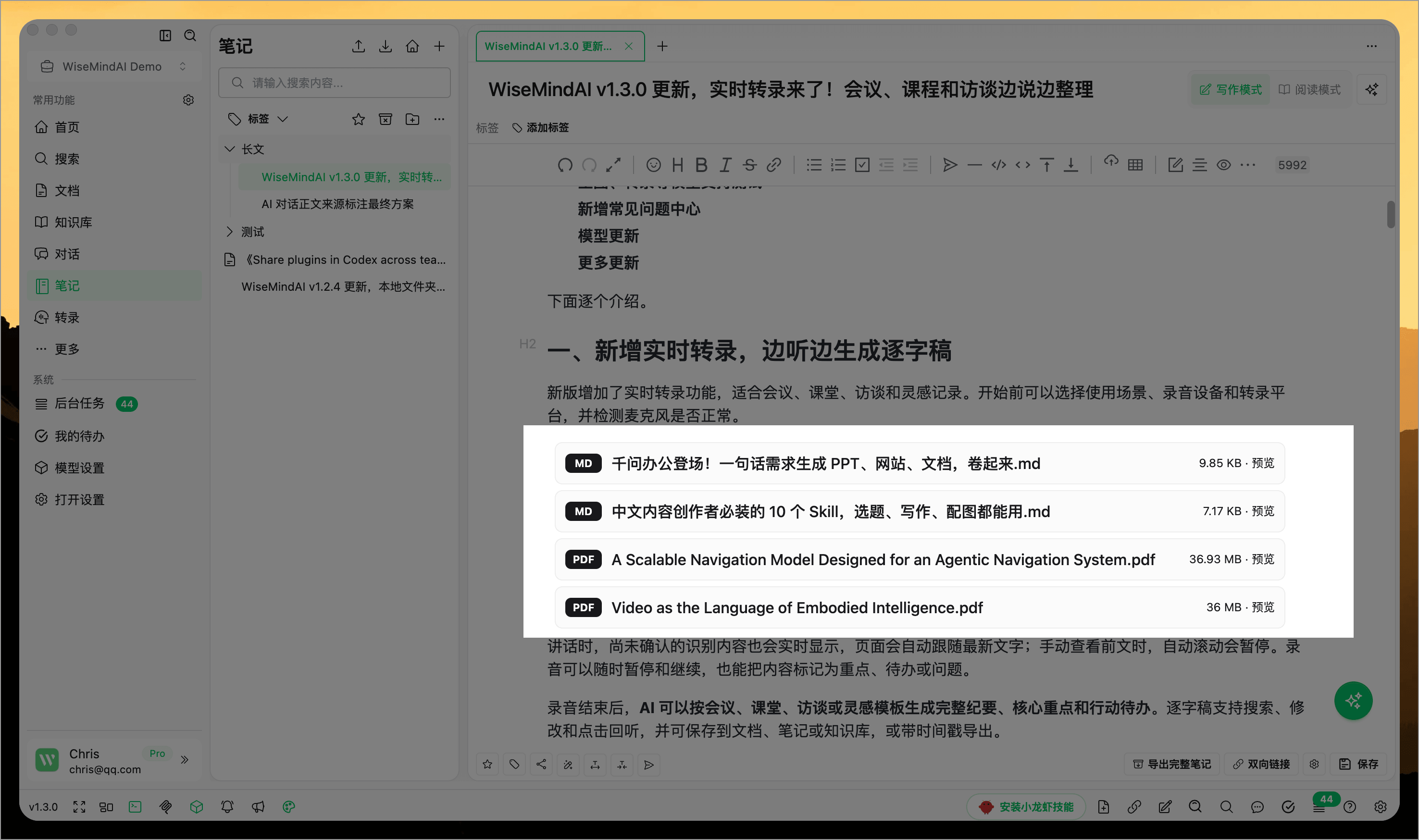
For each attachment, you can:
- Preview it directly in the note.
- Open it with a system application.
- Save a copy elsewhere or open its containing folder.
- Replace it, locate it again, or remove it from the current note.
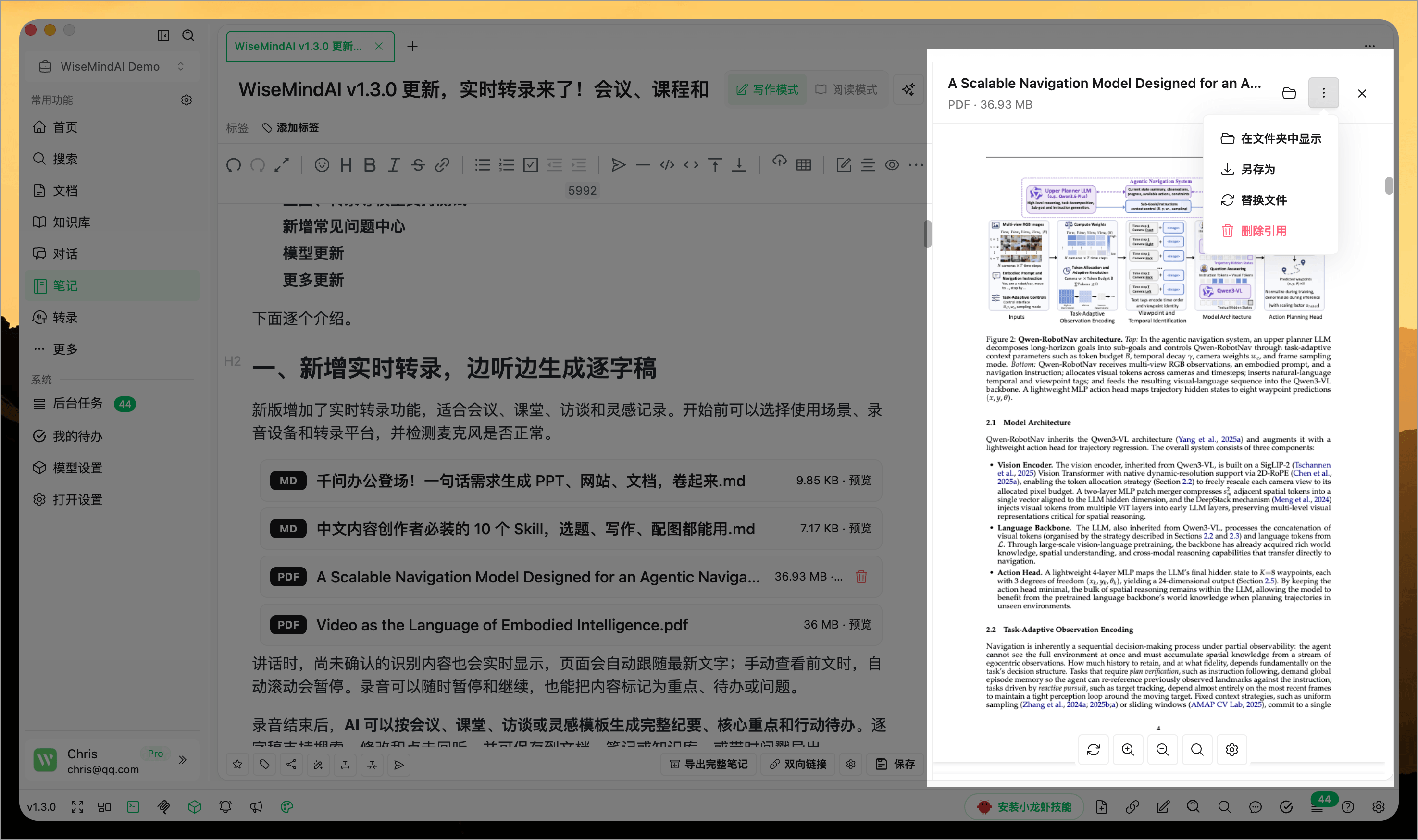
Attachments are copied into the current workspace, so they remain available even if the original file is moved. Note backup, restore, workspace migration, and complete export also include attachments and local images referenced by Markdown.
FAQ
Where can I create WiseMind AI notes?
You can create notes from document summaries, highlight tool selections, AI conversations, and manual editing. This ensures that your learning materials, web content, and AI outputs are all consolidated into a single note system.
What is AI Smart Notes suitable for?
It is ideal for saving key takeaways, organizing summaries, rewriting and expanding content, shortening long text, and adding tags. You can also generate illustrations, check the final reading layout, and publish to external platforms.
Does Reading Mode change the note content?
No. Reading Mode only changes the current preview and layout. Edit the original Markdown in Writing Mode.
Is the note title included when copying to WeChat Official Accounts?
The title and body are copied separately. Paste the title into the title field first, then copy the styled body into the article editor.
Why can't local images be copied directly to an external platform?
Only your computer can access a local image path. WeChat Official Accounts and Zhihu cannot load it. Upload the image to an accessible URL first, or ignore local images and continue copying the remaining content.
Can I still open a note attachment after moving the original file?
Yes. Once added, the attachment is stored in the current workspace and no longer depends on the original file path.
How does an AI Smart Note differ from a Knowledge Card?
AI Smart Notes are best suited for preserving complete content and ideas; Knowledge Cards are better designed for breaking down concepts into smaller chunks for memorization, review, and practice.